Dell Chromebook 3120: Study-Ready, Budget-Smart
The Dell Chromebook 3120 aims to be the ideal companion for students navigating the demands of academic life. This review delves into its features, performance, and overall suitability for educational purposes. While it presents a compelling package, we’ll also explore its limitations and whether a mouse is truly essential for optimal use.
Design and Build Quality: Ruggedness First
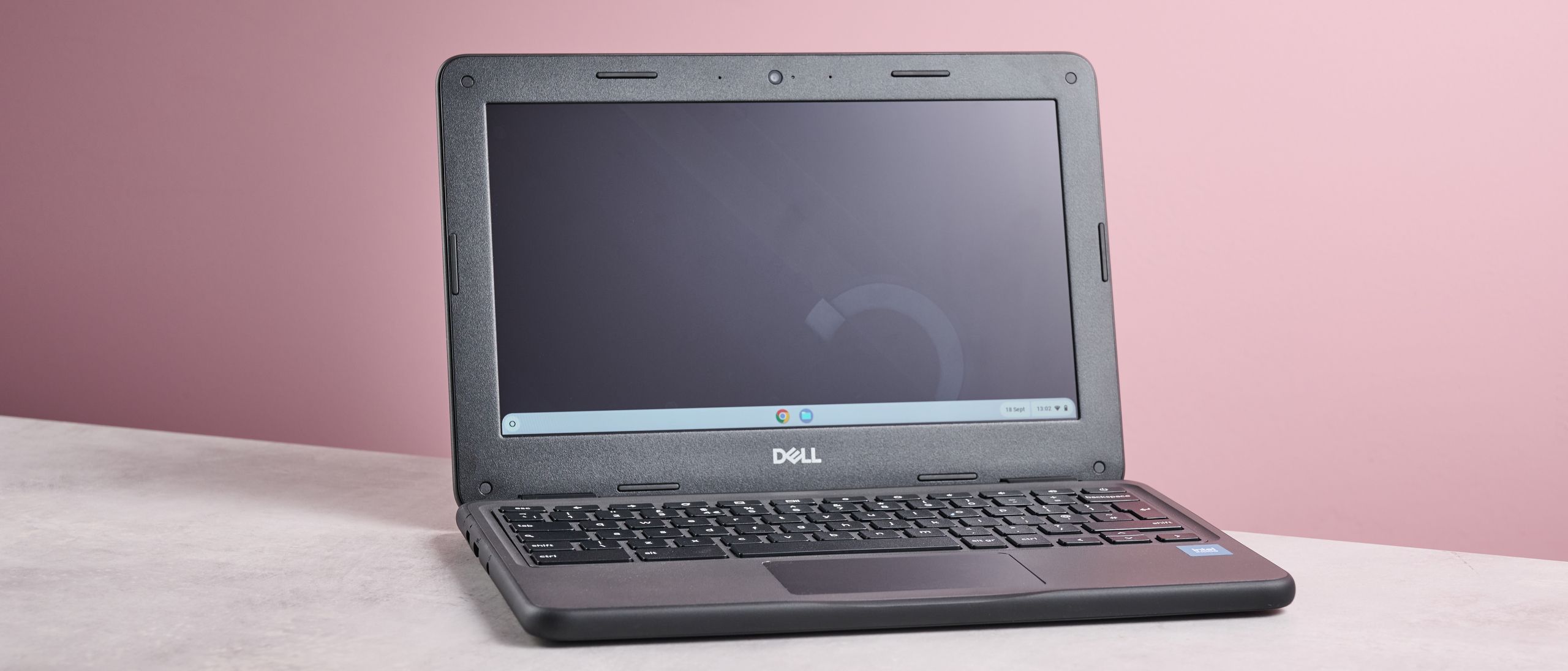
The Dell Chromebook 3120 prioritizes durability. Its compact and rounded design, coupled with a softer material around the edges, makes it notably tougher than many Chromebooks in its class. This ruggedness is a significant advantage for students who often carry their laptops in backpacks and subject them to the wear and tear of daily life. The design emphasizes practicality over aesthetics, with a focus on withstanding bumps and accidental drops.
The Chromebook 3120’s repairability is another key benefit. The top-mounted keyboard and captive screws simplify component access, making repairs easier and potentially more cost-effective in the long run. This thoughtful design consideration can extend the lifespan of the device, a valuable feature for budget-conscious students.
Compromises for Durability
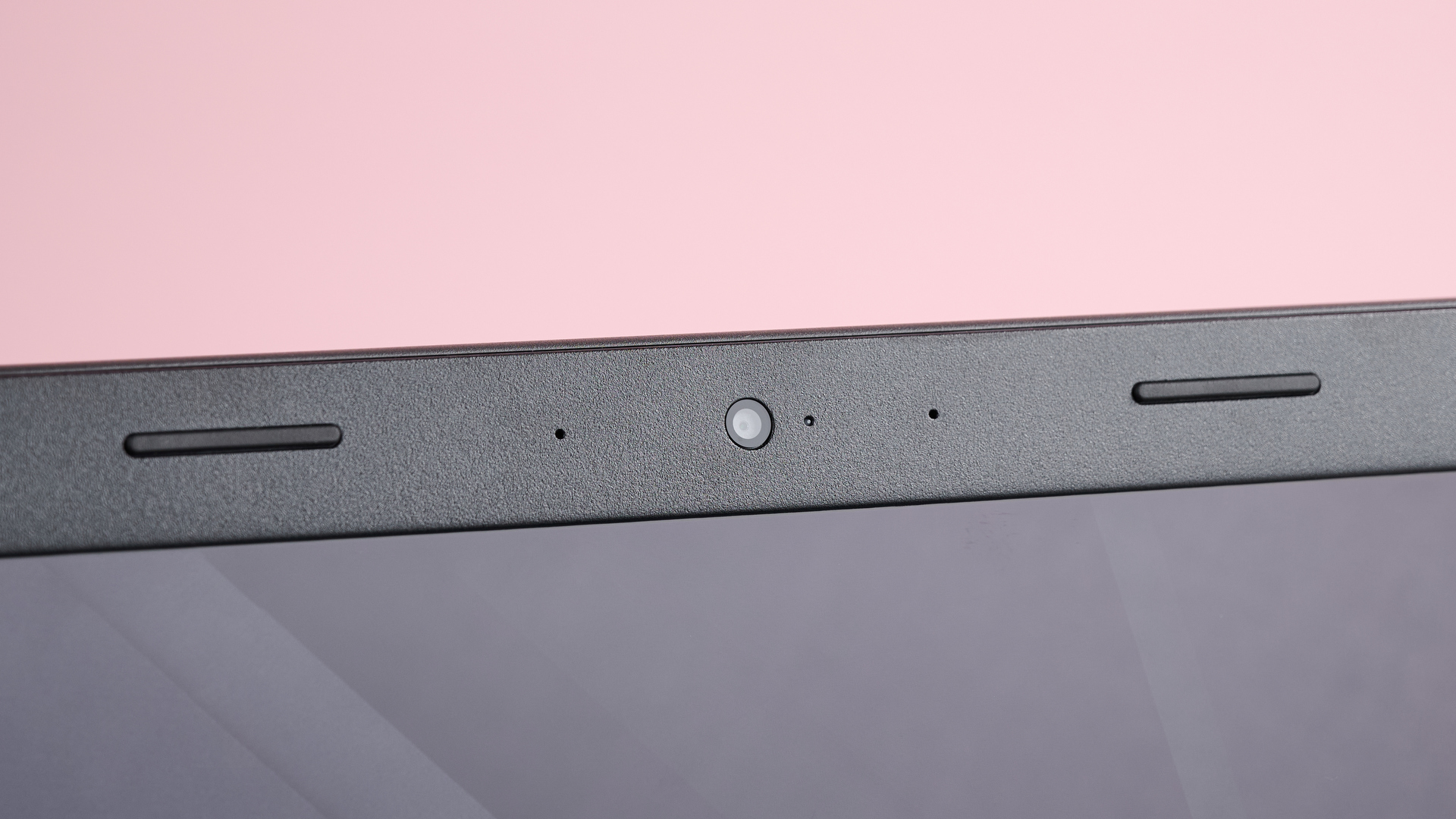
The focus on durability comes at a cost. The large bezel around the screen significantly reduces the display area, which can be a drawback for users who prefer a more immersive viewing experience. While the bezel provides added protection, it diminishes the overall aesthetic appeal and can make the screen feel cramped, especially when multitasking or working with multiple windows. The trade-off between ruggedness and screen real estate is a critical factor to consider when evaluating the Dell Chromebook 3120.
Ports and Connectivity: Adequate for Basic Needs
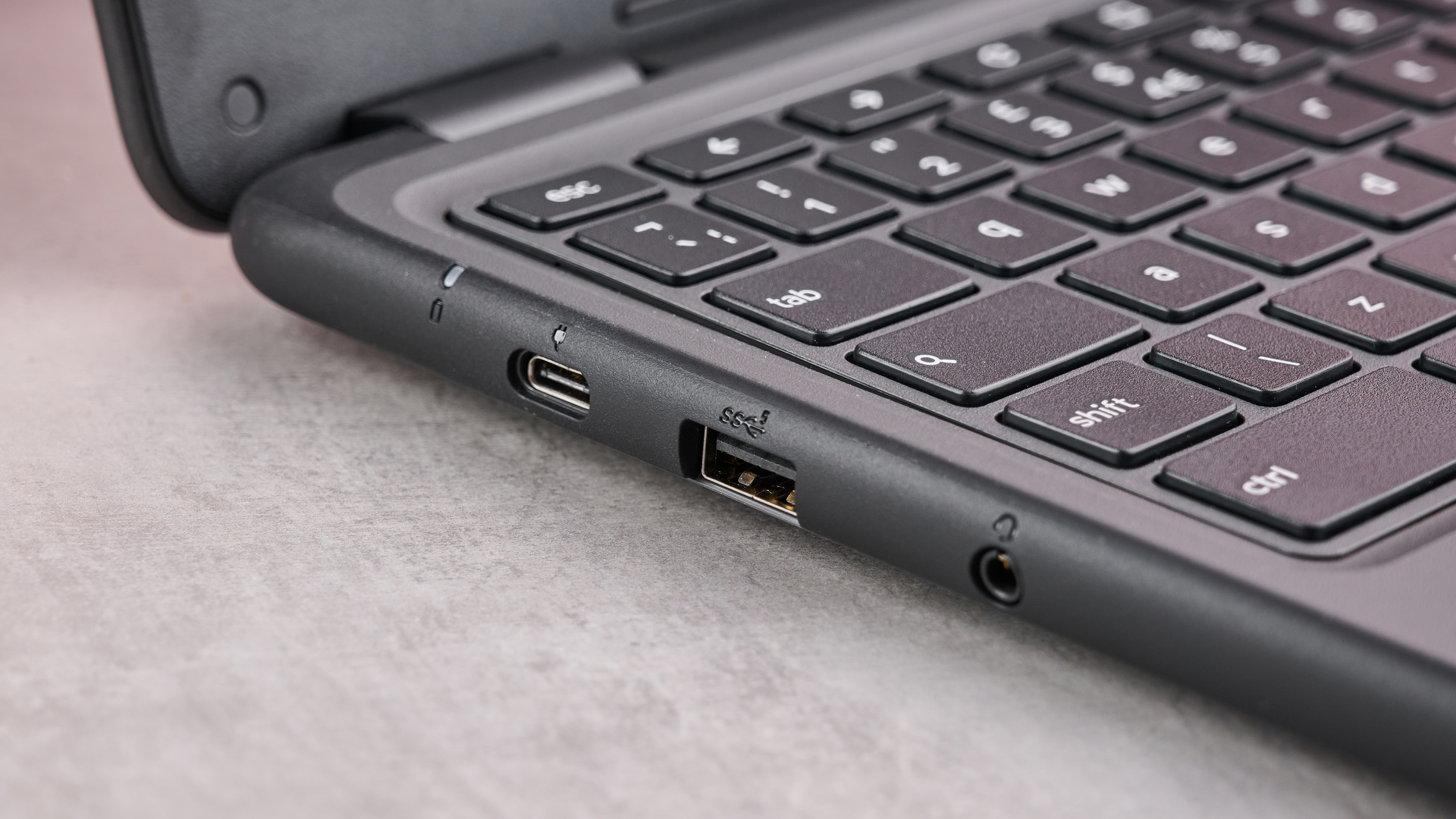
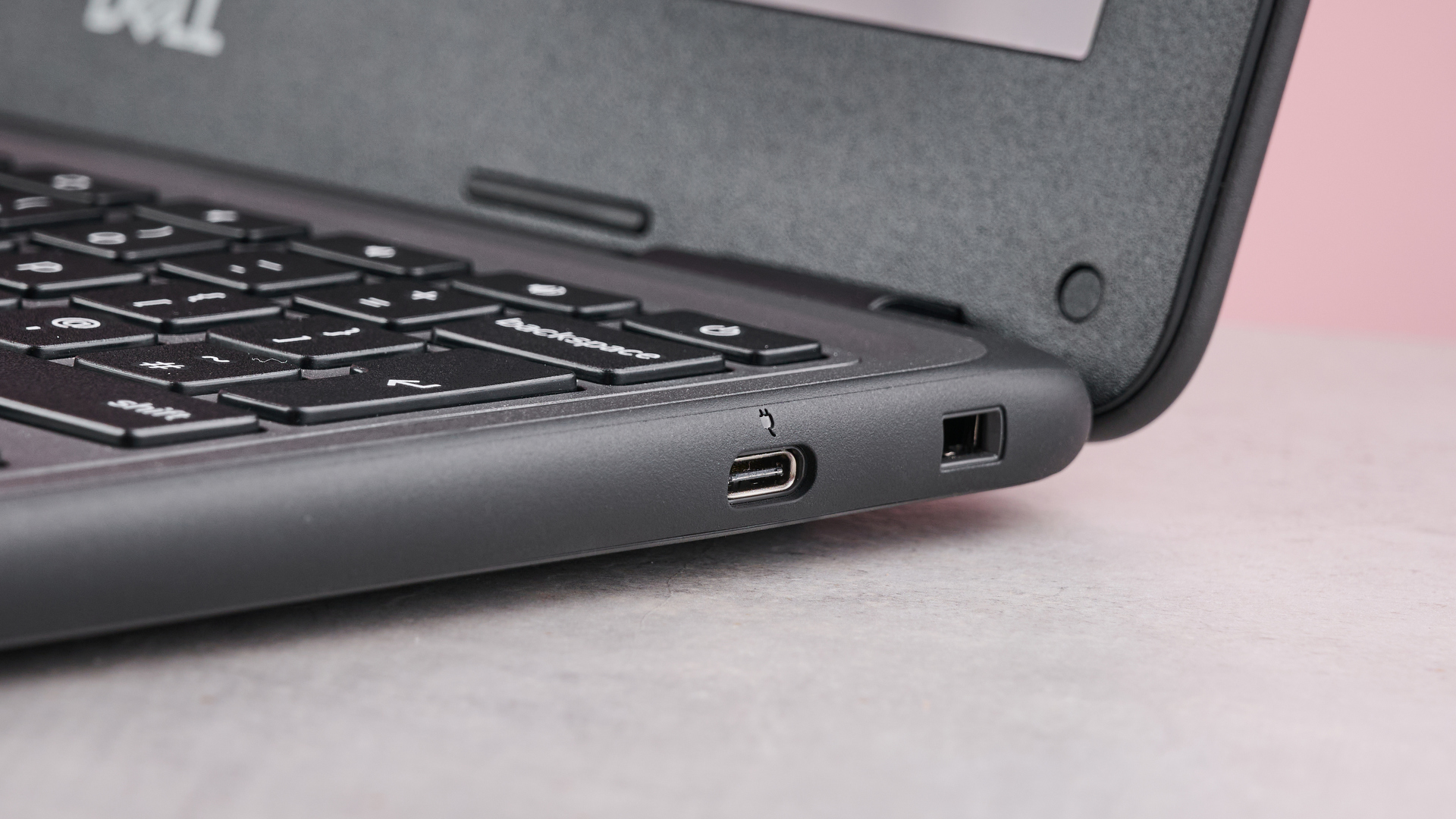
The Dell Chromebook 3120 offers a reasonable selection of ports for its intended use. It includes two USB-C ports, one USB-A port, and a headset jack. The placement of the USB-C ports on either side of the device enhances versatility, allowing for convenient charging and external display connections from either side. This port configuration is sufficient for most student tasks, such as connecting peripherals, external storage devices, and displays.
However, users requiring more extensive connectivity options, such as an HDMI port or an SD card reader, may find the Chromebook 3120 lacking. While adapters can be used to expand connectivity, they add to the overall cost and inconvenience of carrying additional accessories. For students who primarily rely on cloud-based services and basic peripherals, the port selection should prove adequate. For those needing to connect more specialized equipment, this limitation should be considered.
Performance: Suitable for Student Tasks
The performance of the Dell Chromebook 3120 is generally acceptable for the typical tasks students perform. It handles web browsing, document editing, and online research without significant lag or slowdown. The Chromebook 3120 can also manage HD video streaming and light gaming, providing a decent multimedia experience. However, it’s important to manage expectations, as it doesn’t match the performance of higher-end laptops or gaming-focused devices. For students focused on academic work and light entertainment, the performance should be sufficient.
When comparing to other budget-friendly options, consider that the Asus Chromebook CX15 offers similar performance at a comparable price point. The choice between the two often boils down to design preferences and specific feature requirements.
Display Quality: A Mixed Bag
The display of the Chromebook 3120 is reasonably sharp and vibrant, making it enjoyable for watching videos and viewing images. However, its lack of brightness can pose challenges, especially in brightly lit environments or when viewing darker scenes. The screen’s reflectivity can also be distracting at times, particularly under direct sunlight. While the display is adequate for basic tasks, users who prioritize image quality or frequently work outdoors may find these limitations significant.
Despite these drawbacks, the inclusion of a touchscreen, even on the non-convertible model, is a welcome addition. The touchscreen can be useful for navigation and interacting with applications, although it may not be smooth enough for demanding tasks like digital illustration or handwriting. The touchscreen functionality adds an extra layer of versatility to the device, making it more appealing to students who prefer touch-based interactions.
Keyboard and Trackpad: Functional but Basic
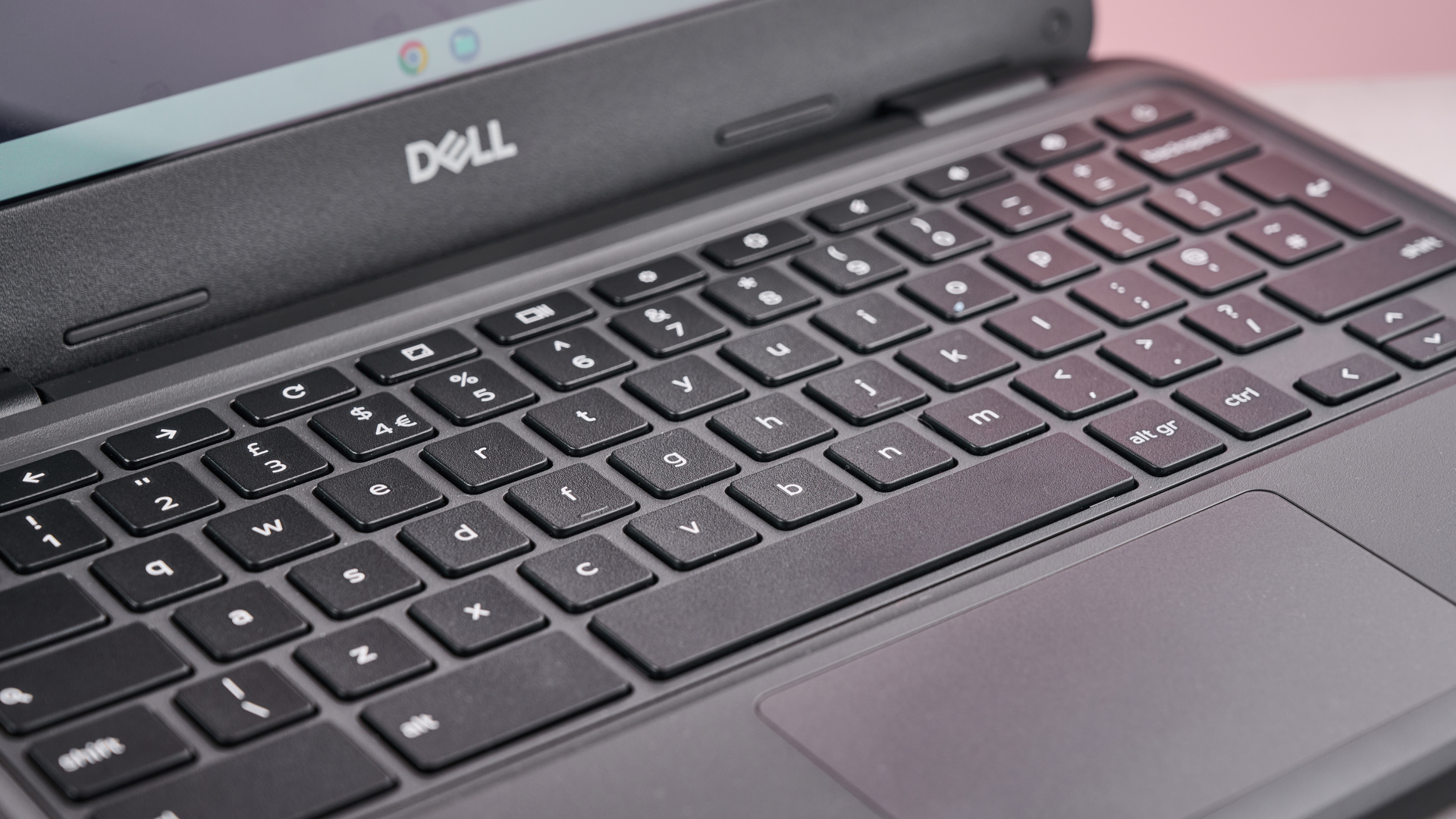
The keyboard layout on the Dell Chromebook 3120 is generally comfortable for typing, with adequate key spacing and travel. However, the keys themselves may feel somewhat mushy or lack tactile feedback, which can affect typing speed and accuracy for some users. The keyboard is functional for basic tasks, but it may not be ideal for extended writing sessions or users who prefer a more responsive keyboard. While serviceable, the keyboard’s quality is a compromise to keep costs down.
The trackpad is similarly functional but basic. It provides adequate tracking and responsiveness for navigation and basic gestures. However, it may not be as smooth or precise as trackpads found on higher-end laptops. The trackpad is suitable for general use, but users who require precise cursor control or frequently perform complex gestures may find it lacking. This is where a mouse becomes a valuable addition.
Why a Mouse is Recommended
While the Dell Chromebook 3120 is usable with the built-in trackpad, a mouse can significantly enhance the user experience, especially for certain tasks. A mouse provides more precise cursor control, making it easier to select small objects, navigate complex interfaces, and perform detailed tasks. This is particularly beneficial for students who work with spreadsheets, graphic design software, or any application that requires fine motor skills.
A mouse can also improve overall efficiency and productivity. It allows for faster navigation and quicker access to frequently used functions. For students who spend long hours working on their laptops, a mouse can reduce strain on the wrist and hand, preventing discomfort and potential injuries. While the Chromebook 3120 is usable without a mouse, it is highly recommended for a more comfortable and efficient user experience. For instance, when working with design applications, you might find the precision of a mouse more helpful than the built-in trackpad, similar to the needs of professionals using devices like the Apple iPhone 14 Pro Max for graphic-intensive tasks.
Chrome OS: Simplicity and Security
The Dell Chromebook 3120 runs on Chrome OS, a lightweight and user-friendly operating system designed for simplicity and security. Chrome OS is based on the Chrome web browser and primarily focuses on web-based applications and cloud storage. This makes it ideal for students who primarily use online tools for research, writing, and collaboration. Chrome OS offers several advantages, including fast boot times, automatic updates, and built-in virus protection.
Chrome OS also supports a wide range of Android apps, expanding the functionality of the Chromebook 3120 beyond web-based applications. This allows students to access popular productivity apps, educational tools, and entertainment options directly on their Chromebook. The integration of Android apps enhances the versatility of the device and makes it a more compelling option for students who rely on a variety of software applications.
Battery Life: All-Day Performance
The Dell Chromebook 3120 offers excellent battery life, typically lasting for a full school day on a single charge. This is a significant advantage for students who spend long hours in class, libraries, or study groups. The long battery life eliminates the need to constantly search for power outlets and allows students to focus on their work without worrying about running out of power. The Chromebook 3120’s battery performance is a key selling point for students who value portability and convenience.
The actual battery life may vary depending on usage patterns, screen brightness, and the types of applications being used. However, even with moderate to heavy usage, the Chromebook 3120 should easily provide enough power to last through a typical school day. This makes it a reliable and practical choice for students who need a laptop that can keep up with their busy schedules.
Value for Money: A Budget-Friendly Option
The Dell Chromebook 3120 offers excellent value for money, providing a solid combination of durability, performance, and features at an affordable price. It is a budget-friendly option for students who need a reliable laptop for academic tasks without breaking the bank. The Chromebook 3120’s affordability makes it accessible to a wider range of students, including those on a tight budget. Considering the Dell Latitude 3420, while more powerful, comes at a higher price point, the Chromebook 3120 remains a competitive option for students.
While the Chromebook 3120 may not offer the same level of performance or features as higher-end laptops, it provides a compelling package for its price point. Its rugged design, decent performance, long battery life, and user-friendly operating system make it an excellent choice for students who prioritize practicality and affordability. The Dell Chromebook 3120 is a smart investment for students who need a reliable laptop for their studies.
Conclusion: A Solid Choice for Students
The Dell Chromebook 3120 is a solid choice for students seeking a durable, affordable, and reliable laptop for their studies. Its rugged design, decent performance, long battery life, and user-friendly operating system make it well-suited for the demands of academic life. While the large bezel around the screen and the basic keyboard and trackpad are drawbacks, they are acceptable compromises given the device’s overall value. The recommendation to use it with a mouse stems from the improved precision and efficiency it offers, particularly for detailed tasks. The Chromebook 3120 is a practical and budget-friendly option for students who need a dependable laptop for their studies.
The Dell Chromebook 3120 is a device designed for the modern student, balancing affordability with the essential features needed for academic success. Its durable build ensures it can withstand the rigors of daily use, while Chrome OS provides a secure and streamlined environment for learning. While the trackpad is functional, the addition of a mouse can significantly enhance productivity, particularly for tasks requiring precision. For students seeking a reliable and budget-friendly laptop, the Dell Chromebook 3120 is a compelling option. Considering alternatives like the Ford Bronco El Bandito might seem out of place, but the point is to choose tools that fit the job at hand – in this case, a sturdy, reliable Chromebook for studies.
The long battery life is another significant advantage, allowing students to power through a full day of classes and study sessions without needing to constantly search for a power outlet. The integration of Android apps further expands the Chromebook’s functionality, providing access to a wide range of productivity and educational tools. Overall, the Dell Chromebook 3120 offers a well-rounded package for students on a budget, making it a smart investment for academic success. In the realm of mobile technology, the Apple iPhone 14, while not directly comparable, showcases how technology can be tailored for specific user needs, just as the Chromebook 3120 is designed for students.
While it may not be the most powerful or feature-rich laptop on the market, the Dell Chromebook 3120 excels in providing a reliable and affordable solution for students. Its focus on durability, security, and ease of use makes it a practical choice for those who need a dependable device for their studies. The recommendation to use a mouse is simply a suggestion to enhance the user experience, particularly for tasks requiring precision and efficiency. In conclusion, the Dell Chromebook 3120 is a well-rounded and budget-friendly option for students seeking a reliable laptop for their academic pursuits. Just as the Cadillac Lyriq V represents a specific niche in the automotive world, the Chromebook 3120 caters to the needs of students seeking an affordable and functional device.
The long-term cost-effectiveness of the Dell Chromebook 3120 is also worth noting. Its durable design reduces the likelihood of needing frequent repairs or replacements, while Chrome OS’s automatic updates ensure that the device remains secure and up-to-date. This combination of durability and software support can save students money in the long run, making it a smart investment for their education. The Apple iPhone 14 Plus also emphasizes long-term value through software updates and hardware durability. The Chromebook 3120, therefore, stands out as a practical and budget-conscious choice for students.