Acer Aspire Go 15: Budget-Friendly Performance Review
The Acer Aspire Go 15 aims to deliver a solid computing experience without breaking the bank. This review delves into its key features, performance, display quality, and overall value proposition to help you determine if it’s the right laptop for your needs. The Acer Aspire Go 15 seeks to be a “well-priced, snappy performer,” but does it live up to the hype?
Design and Build Quality of the Aspire Go 15
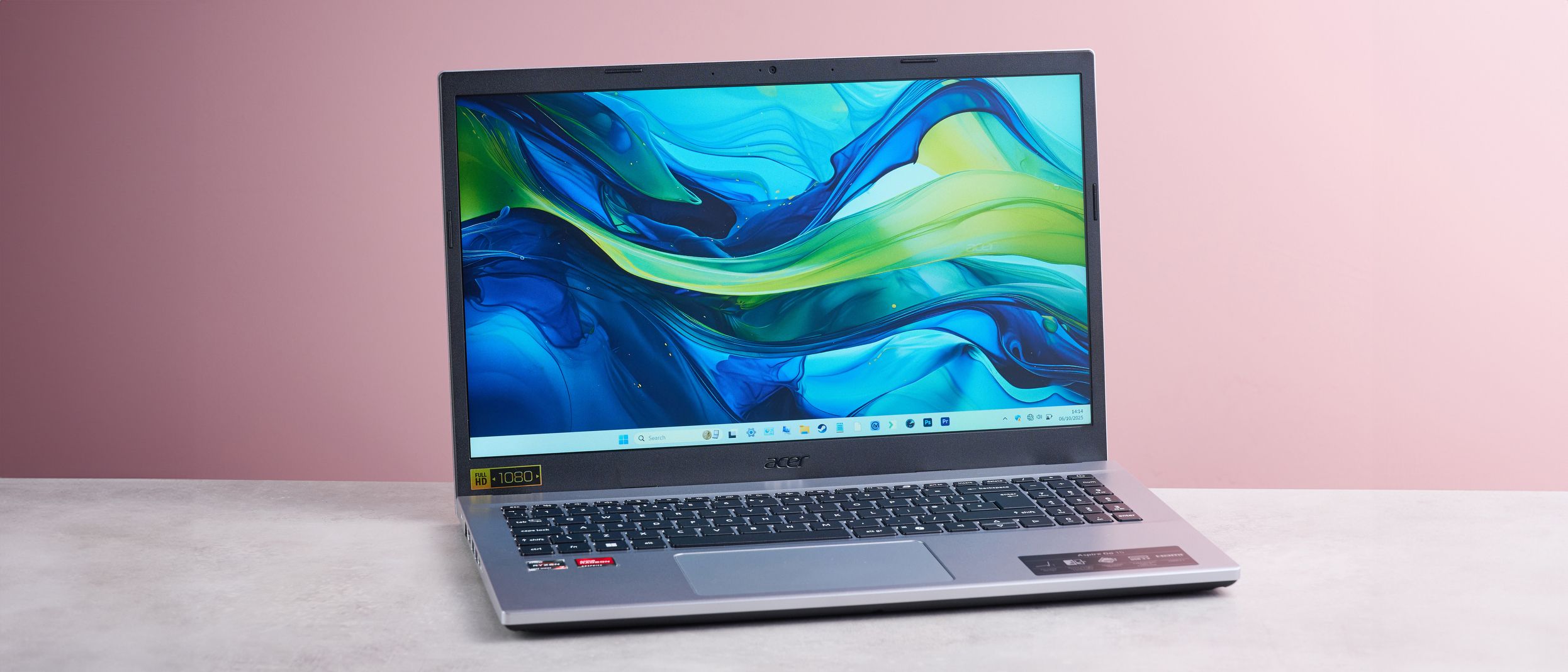
The Acer Aspire Go 15 sports a sleek and slender design, especially considering its 15.6-inch form factor. Its light silver finish and minimalist aesthetic give it a touch of style, making it more appealing than some other budget laptops. The overall design is relatively thin and light, making it more portable than expected for a laptop of this size. However, there are a few angular design choices that might not appeal to everyone.
While the design is aesthetically pleasing, the build quality doesn’t quite match that of premium laptops. The materials used aren’t top-of-the-line, and the construction doesn’t feel as solid as one might like. The lid, in particular, isn’t the most stable. Additionally, the lid’s protrusion can lift the rear of the laptop when opened beyond 90 degrees, which some users might find impractical. For those seeking a more premium build, exploring options such as the Dell Inspiron 16 Plus might be worthwhile.

Connectivity and Ports
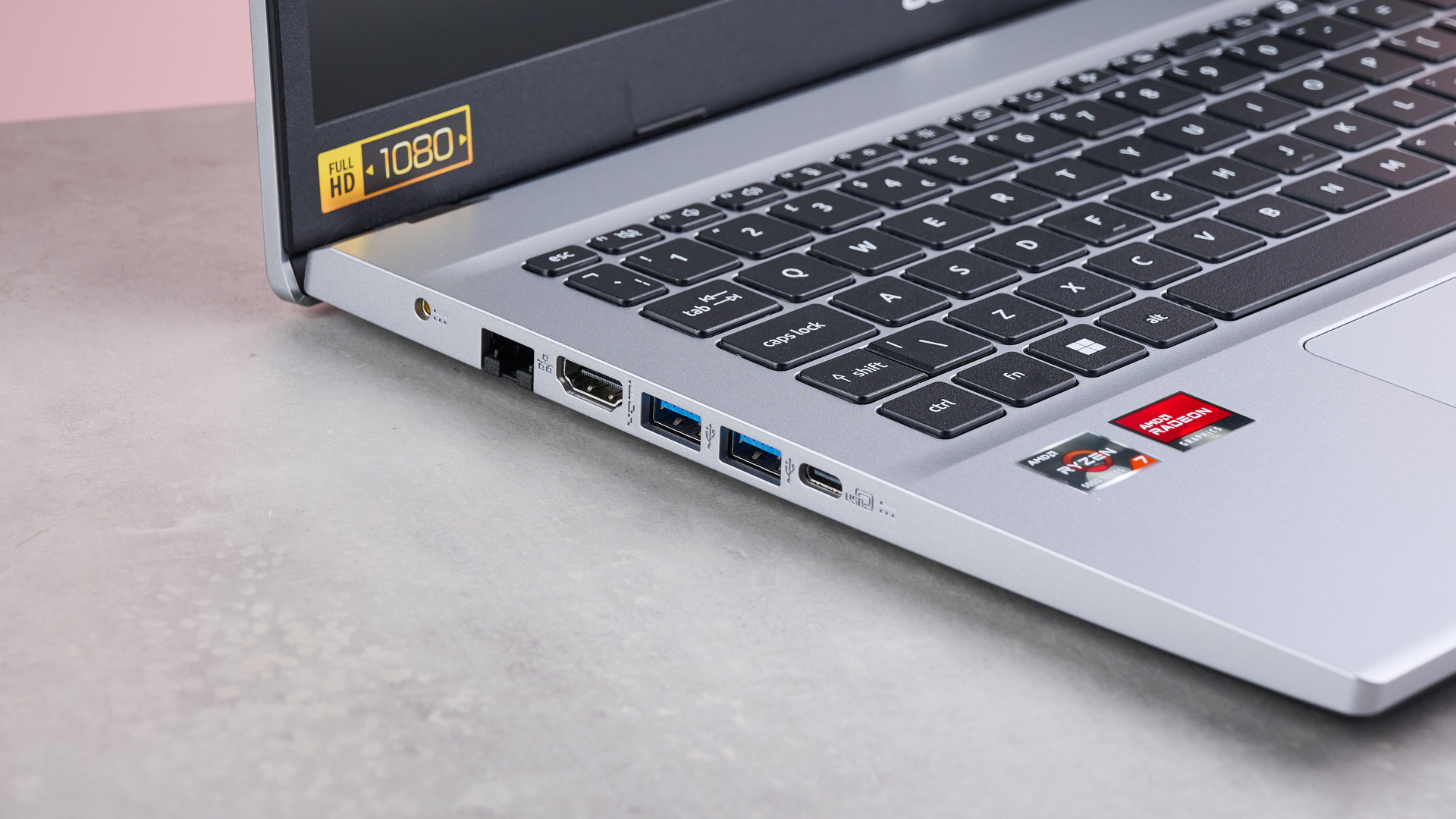
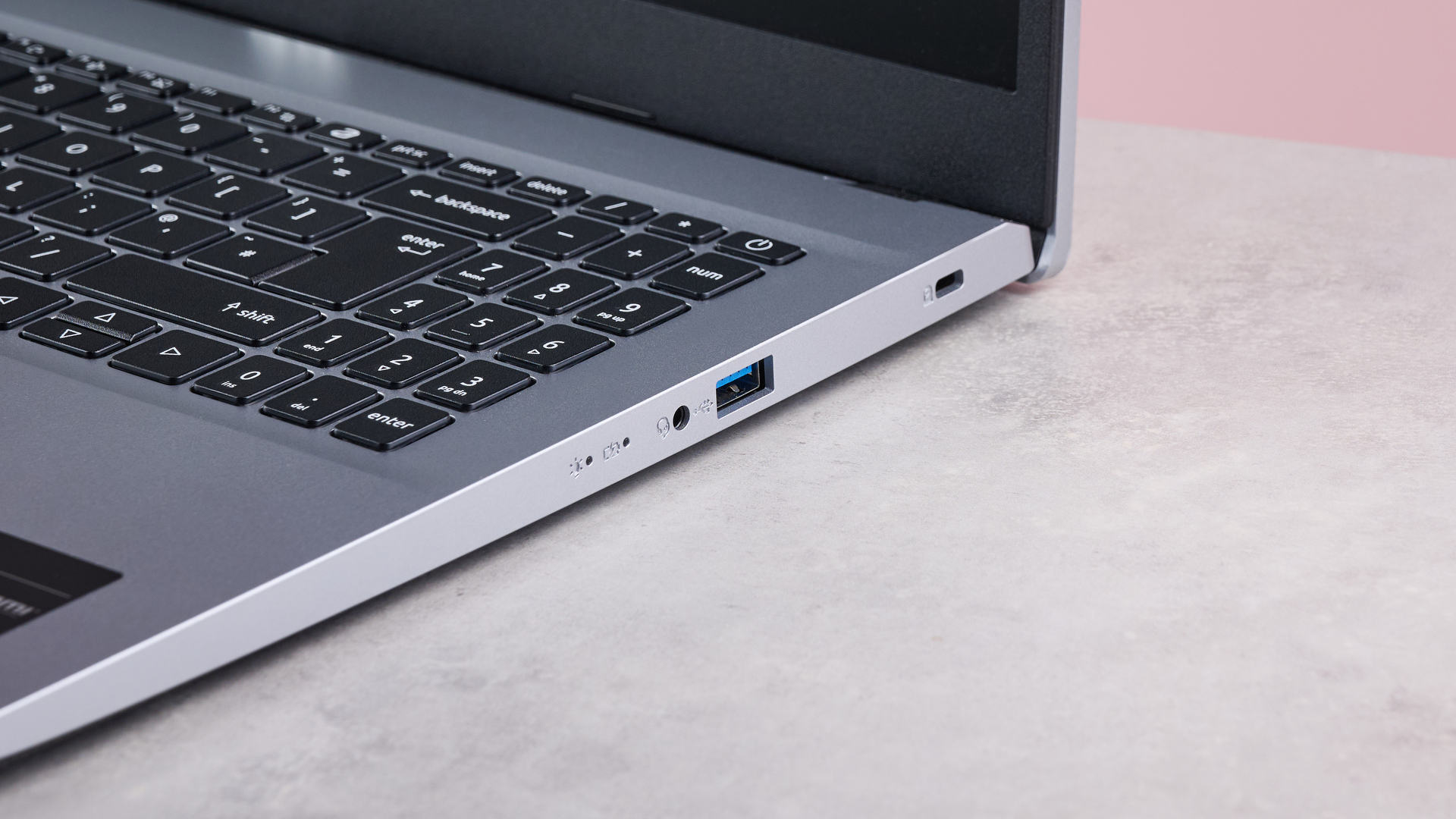
The Aspire Go 15 offers a decent selection of ports. It includes three USB-A ports, an HDMI port for connecting to external displays, and an Ethernet port for wired network connections. This is a welcome addition for users who prefer a stable, wired internet connection. However, it only has one USB-C port, which may be limiting for some users, especially those who rely on USB-C for charging and data transfer. The absence of an SD card reader is also a notable omission, particularly for photographers and videographers who frequently need to transfer files from memory cards. If you’re looking to save big on laptops, consider exploring Black Friday laptop deals.
Everyday Performance of the Acer Aspire Go 15
In terms of everyday performance, the Acer Aspire Go 15 performs admirably. It handles light productivity tasks, such as word processing, web browsing, and email, with ease. It’s also suitable for entertainment purposes, such as streaming videos and listening to music. The laptop’s performance is particularly impressive given its affordable price point. However, more intensive tasks, such as video editing and gaming, are more challenging due to the lack of a dedicated GPU. Light gaming is still possible, but don’t expect to run demanding games at high settings. Fan noise and temperatures are generally kept to a minimum, even during slightly more demanding tasks.
Display Quality: A Major Drawback
One of the most significant drawbacks of the Acer Aspire Go 15 is its display quality. The grainy finish can be distracting, especially when viewing text or images with fine details. Colors can also appear washed out in some cases, lacking the vibrancy and accuracy found in higher-end laptops. The viewing angles are particularly restrictive, with images and scenes becoming obscured when the display is viewed from even slightly off-center. This can be problematic when sharing the screen with others or when working in environments with varying lighting conditions. If display quality is paramount, it might be beneficial to explore alternatives, perhaps looking at the iMac 24 (2021) and its display features for comparison.
Battery Life
The battery life of the Acer Aspire Go 15 is adequate for typical use. Users can expect to get several hours of use on a single charge, depending on the workload. Light web browsing and document editing will consume less power than streaming videos or running more demanding applications. While not exceptional, the battery life is sufficient for most users who need a laptop for on-the-go productivity. For users who prioritize long battery life, it’s worth considering other laptops with larger batteries or more power-efficient components.
Acer Aspire Go 15: Value for Money
The Acer Aspire Go 15 offers good value for money, especially for users on a tight budget. Its affordable price point makes it accessible to a wide range of consumers. While it has some drawbacks, such as the display quality and build materials, its overall performance and feature set are impressive for the price. It’s a suitable option for students, home users, and anyone who needs a basic laptop for everyday tasks. However, users with more demanding needs may want to consider investing in a more powerful and feature-rich laptop.
Alternatives to the Acer Aspire Go 15
If the Acer Aspire Go 15 doesn’t quite meet your needs, there are several alternatives to consider. These alternatives offer different features, performance levels, and price points. Here are a few examples:
- Lenovo IdeaPad Flex 5: Offers a 2-in-1 design with a touchscreen, making it versatile for both productivity and entertainment.
- HP Pavilion Aero 13: A lightweight and portable laptop with a bright display and solid performance.
- Microsoft Surface Laptop Go 2: A compact and stylish laptop with a premium design and user-friendly interface.
Detailed Specifications
To provide a comprehensive overview, here’s a table detailing the key specifications of the Acer Aspire Go 15:
User Experience
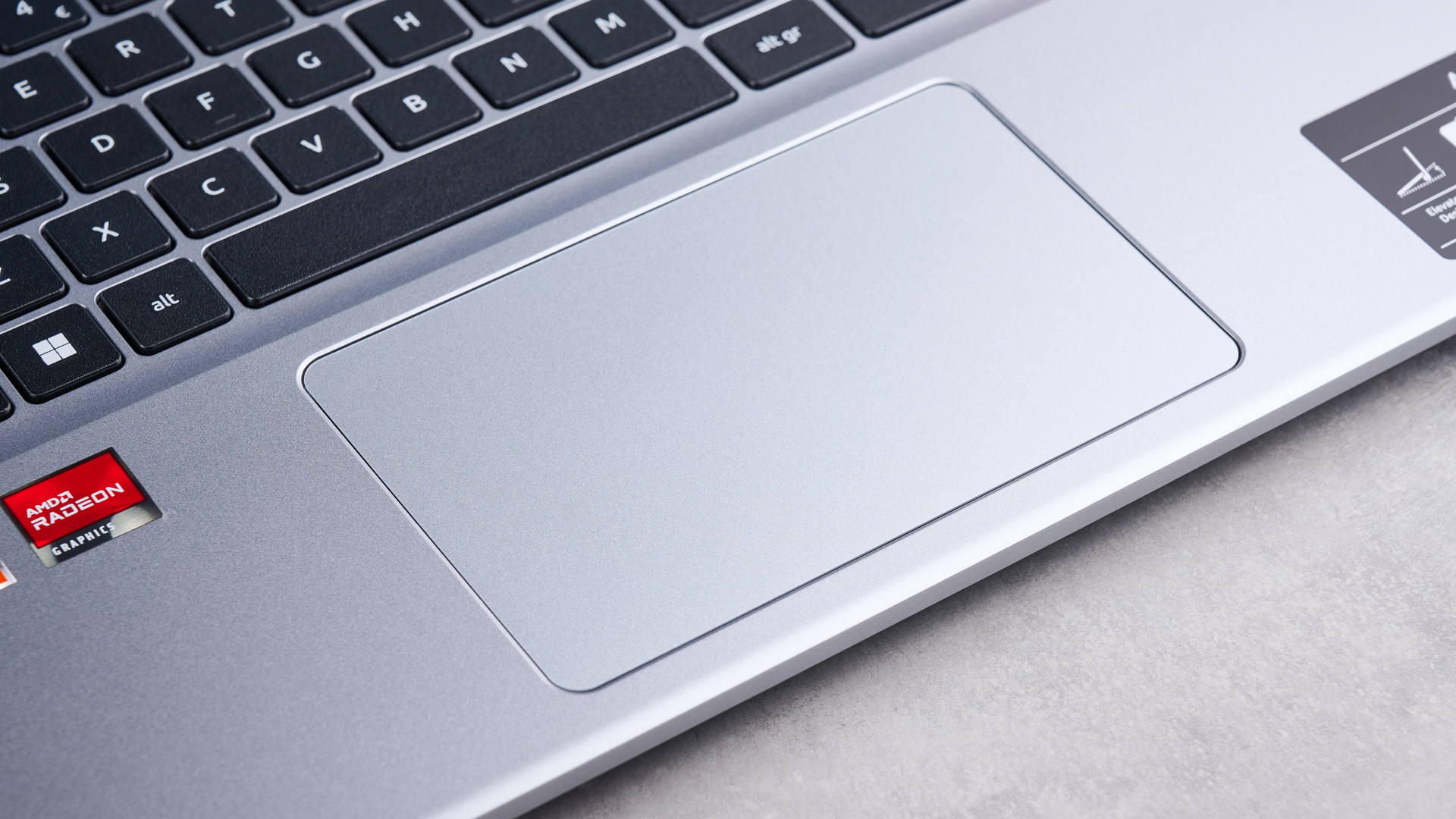
The Acer Aspire Go 15 offers a generally positive user experience, especially for those with basic computing needs. The keyboard is comfortable to type on, and the trackpad is responsive. The laptop boots up quickly thanks to its SSD storage. Windows 11 Home provides a familiar and intuitive interface. However, the display quality can detract from the overall experience, particularly for users who are sensitive to grainy screens or require accurate color reproduction. The lack of an SD card reader can also be inconvenient for some users.
Target Audience
The Acer Aspire Go 15 is primarily targeted at budget-conscious users who need a reliable laptop for everyday tasks. This includes students, home users, and anyone who needs a basic laptop for word processing, web browsing, email, and light entertainment. It’s not the best choice for gamers, video editors, or anyone who needs a powerful laptop for demanding applications. Understanding the target audience is key to appreciating the value proposition of the generic device on Android and how it caters to specific user needs.
Conclusion: Is the Acer Aspire Go 15 Right for You?
The Acer Aspire Go 15 is a well-priced laptop that offers snappy performance for everyday tasks. Its sleek design and lightweight build make it a portable option for users on the go. While the display quality is a notable drawback, its overall value proposition is compelling for budget-conscious consumers. If you need a basic laptop for productivity and entertainment and don’t require a high-end display, the Acer Aspire Go 15 is a solid choice. However, if display quality or demanding performance are priorities, you may want to consider other options. Just remember to check the Apple iPhone 13 Pro (2021) specs before making any decisions.