
Google Pixel 4: A Comprehensive Look at Its Features and Specs
The Google Pixel 4, released in 2019, was a flagship smartphone that showcased Google’s vision for a seamless and intelligent mobile experience. While it may be a few years old, understanding the Google Pixel 4 characteristics remains relevant, especially for those interested in the evolution of smartphone technology and the unique features Google brought to the table. This article will delve into the key features, specifications, and overall performance of the Google Pixel 4, providing a comprehensive overview of what made this phone stand out.
Design and Display
The Google Pixel 4 featured a minimalist design with a matte finish on the back, providing a comfortable grip. It was available in three colors: Clearly White, Just Black, and Oh So Orange (limited edition). The phone’s dimensions were relatively compact, making it easy to handle with one hand. The lack of a physical fingerprint sensor on the back contributed to a cleaner aesthetic.
The display was a 5.7-inch Smooth Display with a 90Hz refresh rate. This high refresh rate made scrolling and animations feel incredibly smooth and responsive. The resolution was 1080 x 2280 pixels, resulting in a pixel density of approximately 444 ppi. The display also supported HDR, providing vibrant colors and excellent contrast. The screen was protected by Corning Gorilla Glass 5, offering reasonable scratch resistance. For those looking for a larger screen experience, the Pixel 4 XL offered a bigger display.
Performance and Hardware
Under the hood, the Google Pixel 4 was powered by the Qualcomm Snapdragon 855 processor. This chipset, while not the latest at the time, provided excellent performance for everyday tasks, gaming, and demanding applications. The phone came with 6GB of RAM, which was sufficient for multitasking and running multiple apps simultaneously. Storage options included 64GB or 128GB, but there was no option for expandable storage via microSD card. Considering the storage limitations, users often rely on cloud storage solutions and AI enhancements like those described in this article about AI features in Google Photos.
The Pixel 4 included a 2,800 mAh battery, which was a point of criticism for many users. Battery life was generally considered to be average, and some users found it necessary to charge the phone more than once a day with heavy usage. The phone supported 18W fast charging and wireless charging, providing some convenience in terms of power management.
Camera Capabilities
The camera was one of the standout features of the Google Pixel 4. It featured a dual-lens setup on the rear, consisting of a 12.2MP primary lens with an f/1.7 aperture and a 16MP telephoto lens with an f/2.4 aperture. The telephoto lens allowed for 2x optical zoom, providing greater flexibility in capturing distant subjects.
Google’s computational photography prowess was on full display with the Pixel 4’s camera. Features like Night Sight, Super Res Zoom, and Portrait Mode were significantly improved compared to previous Pixel phones. Night Sight allowed for stunning low-light photos with incredible detail and minimal noise. Super Res Zoom used computational techniques to enhance the clarity of zoomed-in photos. Portrait Mode created beautiful background blur effects, making subjects stand out.
The Pixel 4 could record video at up to 4K resolution at 30fps. It also supported optical image stabilization (OIS) and electronic image stabilization (EIS), resulting in smooth and stable video footage. The front-facing camera was an 8MP lens with an f/2.0 aperture, capable of capturing detailed selfies and recording 1080p video.
Software and Unique Features
The Google Pixel 4 launched with Android 10 and received regular software updates directly from Google. This ensured that users had access to the latest features, security patches, and performance improvements. The Pixel 4 also included several unique features that set it apart from other Android phones.
One of the most notable features was Motion Sense, which used a Soli radar chip to detect hand gestures. This allowed users to control certain aspects of the phone without touching it, such as skipping songs, silencing alarms, and answering calls. However, Motion Sense was somewhat limited in its functionality, and it wasn’t always reliable.
Another unique feature was the improved Google Assistant integration. The Pixel 4 had a dedicated Visual Core chip that accelerated machine learning tasks, enabling faster and more accurate voice recognition. The Google Assistant could be activated with a squeeze of the phone’s sides or by saying “Hey Google.” It could perform a wide range of tasks, such as setting reminders, sending messages, playing music, and controlling smart home devices.
The Pixel 4 also included a Titan M security chip, which provided hardware-level security for sensitive data. This chip helped protect against malware and other security threats. Google consistently focuses on security, much like Apple does with their watches; you can explore the features of the Apple Watch SE 2 for comparison.
Viewport Resolution and Pixel Density
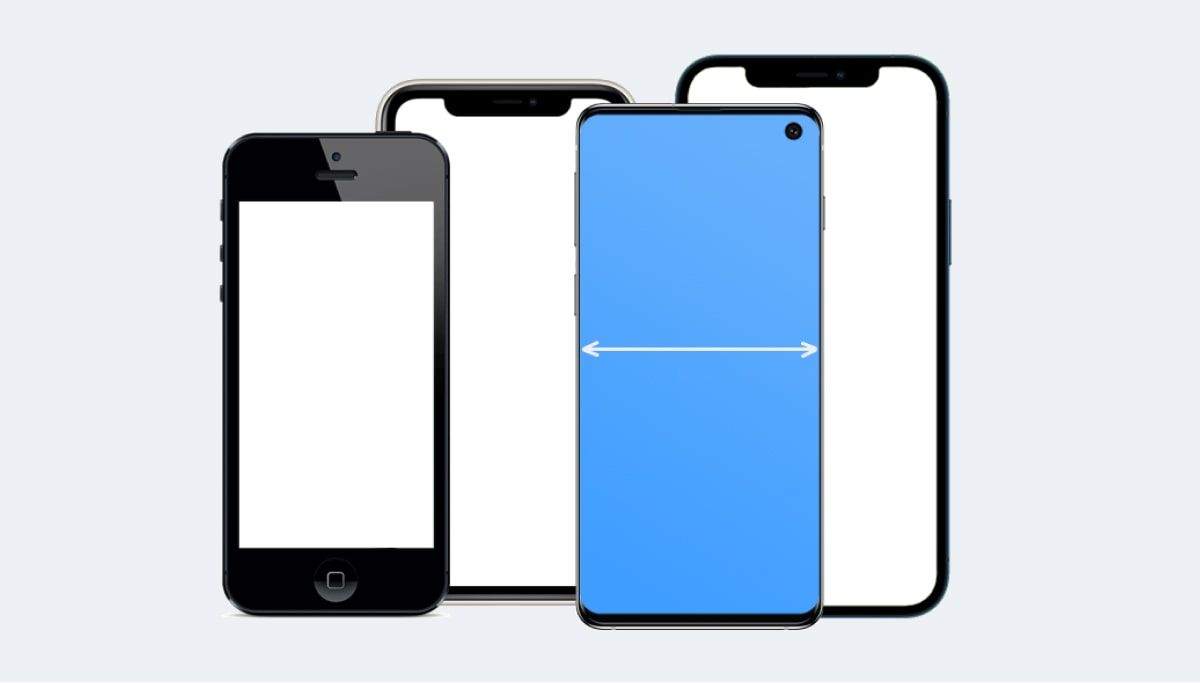
Understanding the viewport resolution and pixel density is crucial for web designers and developers who want to optimize their websites for the Google Pixel 4. The viewport resolution refers to the actual screen dimensions available for displaying web content. According to specifications, the Google Pixel 4 characteristics include a viewport resolution of 393 pixels in width and 830 pixels in height. It’s important to note that the height can vary slightly depending on the browser and the user interface elements displayed on the screen.
The pixel density of the Google Pixel 4 is 2.75. This means that there are 2.75 physical pixels for every logical pixel. Web developers can use media queries in CSS to target devices with this pixel density and ensure that their websites are displayed correctly. For example, the following media query can be used to target devices with a pixel density of at least 2.75:
@media only screen and (-webkit-min-device-pixel-ratio: 2.75) {

     /* CSS rules for devices with a pixel density of at least 2.75 */

}
In JavaScript, the window.devicePixelRatio property can be used to retrieve the pixel density of the device.
Constructor Resolution
The constructor resolution of the Google Pixel 4 is 1080 pixels in width and 2280 pixels in height. This refers to the physical resolution of the screen. The viewport resolution is different from the constructor resolution because it takes into account the pixel density and the scaling applied by the operating system.
Table of Specifications
Here’s a table summarizing the key specifications of the Google Pixel 4:
Pros and Cons
Like any smartphone, the Google Pixel 4 had its strengths and weaknesses. Here’s a summary of the pros and cons:
- Pros:
- Excellent camera performance
- Smooth 90Hz display
- Fast performance
- Clean Android experience with timely updates
- Unique features like Motion Sense and improved Google Assistant integration
- Cons:
- Average battery life
- No expandable storage
- Motion Sense was not always reliable
- Design was somewhat polarizing
The Google Pixel 4 in Today’s Market
While the Google Pixel 4 is no longer the latest smartphone on the market, it still holds up reasonably well in terms of performance and camera capabilities. However, its average battery life and lack of expandable storage may be deal-breakers for some users. Newer smartphones offer significant improvements in these areas, as seen in devices like the Amazfit T-Rex 3, which boasts impressive battery life.
If you’re considering purchasing a used Google Pixel 4, it’s important to weigh the pros and cons carefully. If camera performance and a clean Android experience are your top priorities, the Pixel 4 may still be a good option. However, if you need long battery life or expandable storage, you may want to consider a newer smartphone.
Alternatives to the Google Pixel 4
If you’re looking for alternatives to the Google Pixel 4, there are several options to consider. The Google Pixel 5, released in 2020, offered improvements in battery life and design. Other alternatives include smartphones from Samsung, Apple, and OnePlus. For example, the OnePlus 7T was a strong contender at the time, offering a high refresh rate display and fast charging capabilities.
Conclusion
The Google Pixel 4 was a well-rounded smartphone that offered excellent camera performance, a smooth display, and a clean Android experience. While it had some limitations, such as average battery life and no expandable storage, it was still a competitive device at the time of its release. Understanding the Google Pixel 4 characteristics provides valuable insight into the evolution of Google’s smartphone lineup and the unique features that set it apart from the competition. Even today, it remains a relevant case study in smartphone design and functionality.




