
RCS on iOS & Android: Bridging the Messaging Gap
The advent of RCS (Rich Communication Services) messaging on iOS devices with the release of iOS 18 marked a significant step towards unifying the mobile messaging experience. Finally, green bubble Android users are getting closer to feature parity with iMessage users. But what exactly does RCS messaging between iOS and Android enable, and where do the limitations still lie? This article delves into the capabilities and constraints of RCS on both platforms, offering clarity on what’s possible today and what might be on the horizon.
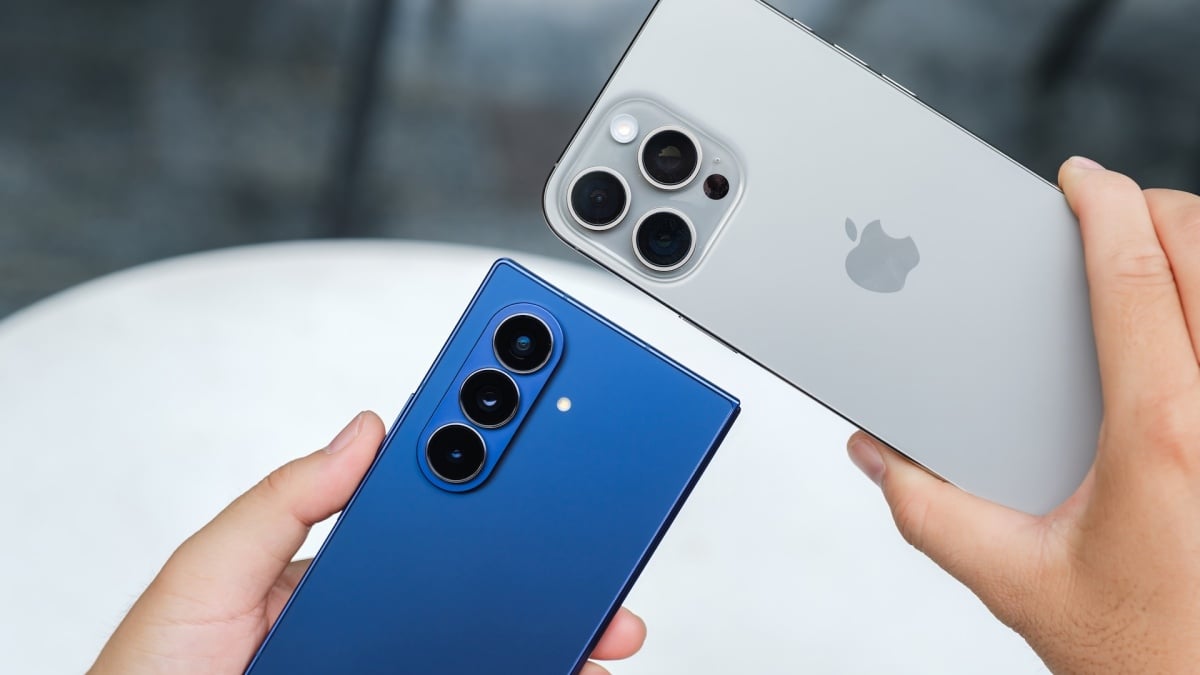
For those with contacts on both iOS and Android, understanding the nuances of this cross-platform communication is crucial. We’ll explore the features that work seamlessly, the areas where disparities persist, and the potential future of RCS messaging across these dominant mobile ecosystems. We will also look at how this change impacts the overall mobile user experience and the future of mobile communication. Before diving into the specifics, let’s clarify what RCS is and why it matters.
What is RCS and Why is it Important?
RCS, or Rich Communication Services, is the next-generation SMS protocol designed to replace the aging Short Message Service (SMS) and Multimedia Messaging Service (MMS). It aims to provide a richer, more interactive messaging experience, bringing features commonly found in modern messaging apps like WhatsApp, Telegram, and iMessage to the default messaging platforms on smartphones. It’s a significant upgrade that promises to enhance how we communicate on our mobile devices.
The importance of RCS lies in its potential to create a universal, feature-rich messaging standard across all mobile devices. Unlike SMS/MMS, RCS supports features like:
- High-resolution photo and video sharing
- Read receipts and typing indicators
- Group chats with advanced features
- Location sharing
- File transfers
- Enhanced business messaging
By adopting RCS, Google aims to provide users with a more unified and consistent messaging experience, regardless of the device or operating system they use. This is especially crucial in a world where users are increasingly fragmented across different messaging platforms. The introduction of RCS on iOS aims to bridge the gap between the two major mobile operating systems, making communication smoother and more seamless.
RCS on iOS and Android: What Works Now
With iOS 18’s integration of RCS, specifically the RCS Universal Profile 2.4, the messaging landscape between iOS and Android has seen significant improvements. While complete parity with iMessage is not yet a reality, several features now work seamlessly across platforms. The goal is to improve communication and collaboration between users on different operating systems, eliminating some of the frustrations associated with traditional SMS/MMS messaging.
Here’s a breakdown of what RCS messaging between iOS and Android currently supports:
- High-Resolution Media Sharing: Say goodbye to blurry photos and videos. RCS enables the transfer of high-resolution images and videos without significant compression, ensuring clearer and more visually appealing media sharing.
- Improved Web Link Previews: Web links now display rich previews, providing context and visual appeal to shared links. This makes it easier for recipients to understand the content before clicking.
- Location Sharing: Users can share their current location with contacts, albeit as a static pin rather than a live, updating location. This is useful for coordinating meetups or providing location information.
- Read Receipts and Typing Indicators: These features provide real-time feedback on message delivery and the other person’s typing status, enhancing the conversational flow.
These advancements represent a considerable improvement over the limitations of SMS/MMS, offering a more modern and engaging messaging experience. However, it’s essential to acknowledge that not all features are created equal, and some are still exclusive to specific platforms or conversation types.

Limitations of RCS Between iOS and Android (For Now)
Despite the progress made, RCS messaging between iOS and Android still faces several limitations. These constraints primarily stem from differences in platform implementation and the ongoing feature gap between RCS and iMessage. Understanding these limitations is crucial for managing expectations and navigating the current messaging landscape.
Here are some key limitations to consider:
- Lack of End-to-End Encryption: One of the most significant drawbacks of RCS is the absence of end-to-end encryption in group chats. While one-to-one RCS conversations are encrypted, group chats rely on transit encryption, which is less secure. This is a major security concern for many users, especially those who prioritize privacy.
- Limited Feature Parity with iMessage: iMessage offers a range of features not yet available in RCS, such as message effects, Memoji stickers, and advanced collaboration tools. These features remain exclusive to the Apple ecosystem, creating a disparity in the messaging experience.
- No Live Location Sharing: While RCS supports location sharing, it’s limited to static pins. The ability to share a live, updating location, as offered by iMessage and other messaging apps, is not currently available.
- Reliance on Carrier Support: Although most carriers now support RCS, its functionality still depends on carrier implementation. This can lead to inconsistencies in features and performance across different networks.
- “Green Bubble” Stigma: For some iOS users, the green bubble associated with RCS/SMS conversations with Android users carries a social stigma. This perception can influence communication preferences and create a sense of division between users on different platforms.
These limitations highlight the ongoing challenges in achieving a truly unified messaging experience across iOS and Android. While RCS represents a step forward, further development and standardization are needed to address these gaps.
The Technical Underpinnings of RCS
To fully appreciate the capabilities and limitations of RCS, it’s helpful to understand its technical architecture. RCS operates on the IP Multimedia Subsystem (IMS) network, utilizing IP-based data transfer rather than traditional circuit-switched networks used by SMS/MMS. This allows for richer media support and more advanced features. The key components of RCS include:
- RCS Client: The messaging app on the user’s device that supports RCS functionality.
- IMS Network: The IP-based network infrastructure that enables RCS communication.
- Messaging as a Platform (MaaP): A framework that allows businesses to integrate with RCS to provide enhanced services, such as rich cards, chatbots, and interactive messaging experiences.
- Universal Profile: A set of standards and specifications that define the core features and functionalities of RCS, ensuring interoperability across different devices and networks.
The Universal Profile, developed by the GSMA (Global System for Mobile Communications Association), plays a crucial role in standardizing RCS implementation. By adhering to the Universal Profile, device manufacturers and carriers can ensure that RCS features work consistently across different platforms. However, variations in implementation and carrier support can still lead to inconsistencies in the user experience.
It’s also worth noting that RCS relies on data connectivity, either through mobile data or Wi-Fi. This means that users without data access will not be able to use RCS features and will fall back to SMS/MMS messaging. This dependency on data connectivity can be a limitation in areas with poor network coverage or for users with limited data plans.
Setting Up and Using RCS on iOS and Android
Enabling RCS on both iOS and Android is a straightforward process. Here’s a step-by-step guide:
On Android (Google Messages):
- Open the Google Messages app.
- Tap your profile picture in the top right corner.
- Select “Messages settings.”
- Tap “RCS chats.”
- Toggle the “Turn on RCS chats” option to enable the feature.
You may be prompted to verify your phone number. Follow the on-screen instructions to complete the setup. Once enabled, you can start enjoying RCS features with contacts who also have RCS enabled.
On iOS (iPhone):
- Open the Settings app.
- Scroll down and tap “Messages.”
- Tap “RCS Messaging”.
- Toggle the “RCS Messaging” option to enable the feature.
Ensure that your carrier supports RCS and that you have a stable data connection. Once enabled, you can start using RCS features when communicating with Android users who also have RCS enabled. It is important to note that RCS will only be used when messaging someone who also has the feature enabled; otherwise, messages will be sent via SMS/MMS.
The Business Implications of RCS
Beyond personal communication, RCS has significant implications for businesses. Messaging as a Platform (MaaP) allows businesses to engage with customers in more interactive and personalized ways. RCS business messaging offers several advantages over traditional SMS marketing:
- Rich Media Support: Businesses can send high-resolution images, videos, and GIFs to showcase products and services.
- Interactive Carousels: Businesses can present multiple products or options in a visually appealing carousel format.
- Suggested Actions: RCS supports suggested actions, such as buttons that allow customers to quickly make a purchase, book an appointment, or get directions.
- Chatbots: Businesses can use chatbots to automate customer service inquiries and provide instant support.
- Verified Sender Identities: RCS allows businesses to verify their sender identities, building trust and preventing fraud.
These features enable businesses to create more engaging and effective marketing campaigns, improve customer service, and drive sales. RCS business messaging is particularly useful for industries such as retail, travel, finance, and healthcare. For example, a retailer could send a rich card with product images and pricing information, allowing customers to make a purchase directly from the messaging app. A travel agency could send flight and hotel booking confirmations with interactive buttons for managing reservations. A bank could send fraud alerts with options for verifying transactions or reporting suspicious activity.
However, businesses must adhere to RCS guidelines and best practices to avoid spamming customers or violating privacy regulations. Providing clear opt-in and opt-out options is essential for maintaining customer trust and complying with legal requirements. Additionally, businesses should personalize their messaging and provide relevant and valuable content to avoid annoying or alienating customers.
The Future of RCS: What to Expect
The future of RCS looks promising, with ongoing development and standardization efforts aimed at addressing current limitations and expanding its capabilities. Several key trends are expected to shape the evolution of RCS in the coming years:
- Enhanced Security: End-to-end encryption for group chats is a top priority for RCS developers. Implementing this feature will address a major security concern and make RCS a more secure messaging platform.
- Feature Parity with iMessage: While RCS may never fully replicate all iMessage features, expect to see ongoing efforts to bridge the gap. This could include adding support for message effects, Memoji stickers, and advanced collaboration tools.
- Improved Interoperability: Continued standardization and collaboration among device manufacturers, carriers, and messaging app developers will improve interoperability and ensure a more consistent user experience.
- Integration with AI and Machine Learning: AI and machine learning can enhance RCS in several ways, such as providing personalized recommendations, automating customer service interactions, and detecting spam and fraud.
- Expansion of Business Messaging: RCS business messaging is expected to grow rapidly as more businesses adopt the platform and leverage its interactive features to engage with customers.
The goal is to make RCS a ubiquitous and feature-rich messaging standard that works seamlessly across all devices and networks. This will require ongoing collaboration and innovation from all stakeholders in the mobile ecosystem. As RCS evolves, it has the potential to transform the way we communicate and interact with businesses on our mobile devices.
The integration of RCS with other technologies, such as IoT (Internet of Things) and 5G, could also unlock new possibilities. For example, RCS could be used to control smart home devices, receive real-time updates from connected sensors, and participate in immersive augmented reality experiences. The possibilities are endless, and the future of RCS is limited only by our imagination.
RCS vs. Other Messaging Apps: A Comparison
While RCS aims to replace SMS/MMS as the default messaging standard, it also competes with a plethora of other messaging apps, such as WhatsApp, Telegram, Signal, and iMessage. Each of these apps has its own strengths and weaknesses, and users often choose based on factors such as features, security, privacy, and network effects.
Here’s a brief comparison of RCS with some of the leading messaging apps:
RCS has the advantage of being the default messaging standard on Android, giving it a wide reach and potential for mass adoption. However, it faces challenges in terms of security, feature parity, and competition from established messaging apps. Whether RCS can successfully compete and become the dominant messaging platform remains to be seen. The ongoing investments in RCS are a positive indicator.
Overcoming the “Green Bubble” Problem
The “green bubble” phenomenon, where SMS/MMS messages from Android users appear as green bubbles on iPhones, has become a source of social stigma and frustration for many users. This visual distinction can create a sense of otherness and exclusion for Android users in group chats with iPhone users. Addressing this issue is crucial for fostering a more inclusive and equitable messaging experience.
Several solutions have been proposed to overcome the “green bubble” problem:
- Apple’s Adoption of RCS: By adopting RCS, Apple has taken a significant step towards bridging the gap between iOS and Android messaging. RCS enables richer features and a more consistent experience for users on both platforms, reducing the visual and functional differences between iMessage and SMS/MMS.
- Cross-Platform Messaging Apps: Encouraging users to adopt cross-platform messaging apps like WhatsApp, Telegram, or Signal can bypass the limitations of SMS/MMS and provide a more uniform experience for users on all platforms. However, this requires users to switch from the default messaging apps and convince their contacts to do the same.
- Education and Awareness: Raising awareness about the technical and social implications of the “green bubble” can help reduce the stigma and promote a more inclusive mindset. Emphasizing that the color of the bubble does not reflect the value or worth of the person sending the message can help foster a more positive and respectful communication environment.
- Alternative Messaging Clients: Third-party messaging clients that support RCS and offer a customizable interface could provide a solution for users who want to avoid the “green bubble” while still using the default messaging app. These clients could allow users to change the color of the bubbles or hide them altogether.
Ultimately, overcoming the “green bubble” problem requires a combination of technical solutions, social awareness, and a willingness to embrace diversity and inclusivity in communication. By working together, device manufacturers, messaging app developers, and users can create a more equitable and enjoyable messaging experience for everyone.