
Unlock Your Creativity: XP-Pen Magic Note Pad Black Friday Deal
Black Friday is here, and with it comes a wave of deals that can transform your creative workflow. Among the most compelling offers for artists and designers is a significant discount on the XP-Pen Magic Note Pad. This versatile device, usually priced at $400, is now available for just $260 – a massive $140 saving. This makes the XP-Pen Magic Note Pad an even more attractive proposition for anyone looking to enhance their digital art experience or simply seeking a high-quality note-taking and sketching solution. Let’s dive into what makes this device so special and why artists are raving about it, especially with this incredible Black Friday discount.
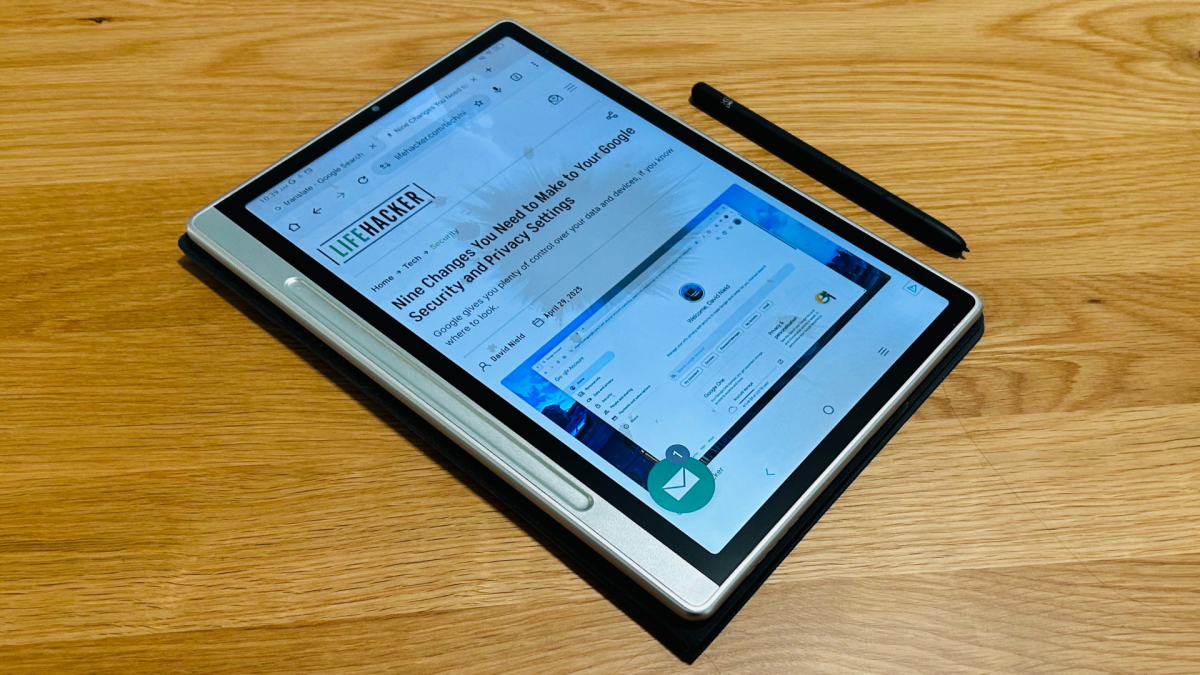
The XP-Pen Magic Note Pad isn’t just another tablet; it’s a multifaceted tool designed to cater to a variety of needs. From digital art and sketching to note-taking and media consumption, this device aims to be your all-in-one creative companion. With its unique “X-Paper” display, multiple color modes, and responsive stylus, the Magic Note Pad offers a distinct experience that sets it apart from traditional tablets. And with the Black Friday deal slashing the price, now is the perfect time to see if it lives up to the hype.
Why Artists Are Drawn to the XP-Pen Magic Note Pad
The XP-Pen Magic Note Pad has garnered attention, particularly among artists, for several compelling reasons:
- Versatile Display Technology: The Magic Note Pad boasts what XP-Pen calls an “X-Paper” screen, which seems to be a rebranded version of TCL’s NXTPAPER display. This display offers a 1920 x 1200 resolution and a 90 Hz refresh rate, ensuring smooth visuals and responsiveness. The maximum brightness of 400 nits allows for comfortable use in various lighting conditions.
- Multiple Color Modes: One of the standout features is its ability to switch between three different color modes. This allows users to transition from a full-color display for media consumption to an e-ink-like mode for focused reading and writing, mimicking the experience of traditional paper.
- Drawing and Sketching Experience: While it functions as a tablet for general use, the Magic Note Pad truly shines as a drawing tablet. The etched surface of the screen provides a tactile feel that simulates the texture of paper, making it a joy to sketch and draw on. The included stylus is pressure-sensitive, allowing for nuanced control over line weight and shading.
- Portability and Convenience: Its slim and lightweight design makes it easy to carry around, allowing artists to create on the go. The long battery life ensures that you can work for extended periods without needing to constantly recharge.
These features combine to create a device that is not only functional but also inspiring. The ability to seamlessly switch between different modes caters to a variety of creative tasks, making it a valuable tool for artists of all levels. Moreover, if you are looking to enhance your productivity, it might be useful to discover how to reclaim your time with productivity apps.
Key Features of the XP-Pen Magic Note Pad
To fully appreciate the appeal of the XP-Pen Magic Note Pad, let’s delve into its key features:
- “X-Paper” Display: This unique display technology aims to reduce glare and provide a paper-like feel. The 1920 x 1200 resolution ensures sharp and clear visuals, while the 90 Hz refresh rate provides a smooth and responsive experience.
- Three Color Modes: The ability to switch between full color, grayscale, and e-ink modes allows users to tailor the display to their specific needs. Full color is ideal for watching videos and viewing images, while grayscale and e-ink modes are perfect for reading and writing.
- Pressure-Sensitive Stylus: The included stylus is pressure-sensitive, allowing for precise control over line weight and shading. This is essential for artists who want to create detailed and nuanced drawings.
- Android Operating System: The Magic Note Pad runs on Android, giving you access to a wide range of apps and tools. This allows you to customize your workflow and use the device for a variety of tasks beyond drawing and note-taking.
- Long Battery Life: The long battery life ensures that you can work for extended periods without needing to constantly recharge. This is particularly important for artists who are often on the go.
Black Friday Deal: A Game Changer for Aspiring Artists
The current Black Friday discount makes the XP-Pen Magic Note Pad an incredibly attractive option for aspiring artists and creative professionals alike. At $260, it’s a significant investment, but the versatility and functionality it offers make it a worthwhile one. This price point makes it more accessible than ever before, opening up opportunities for those who may have been previously priced out of the market. You can also secure your digital life with an ultimate backup strategy, ensuring your creative work remains safe.
The discount also allows artists to allocate their budget to other essential tools and resources, such as software, online courses, and art supplies. This can significantly accelerate their artistic development and allow them to explore new techniques and styles.
Comparing the XP-Pen Magic Note Pad to Other Tablets
When considering the XP-Pen Magic Note Pad, it’s important to compare it to other tablets on the market. Here’s a brief overview:
As the table illustrates, the XP-Pen Magic Note Pad offers a unique combination of features at a competitive price point, especially with the Black Friday discount. Its “X-Paper” display and multiple color modes set it apart from the competition, while its Android operating system provides access to a wide range of apps and tools.
Real-World Applications for Artists
The XP-Pen Magic Note Pad can be used in a variety of ways by artists:
- Digital Sketching and Drawing: The pressure-sensitive stylus and paper-like feel of the screen make it ideal for digital sketching and drawing. Artists can use it to create everything from quick doodles to detailed illustrations.
- Note-Taking and Brainstorming: The ability to switch to e-ink mode makes it perfect for note-taking and brainstorming. The reduced glare and paper-like feel can help to reduce eye strain and improve focus.
- Photo Editing and Retouching: The vibrant display and precise stylus control make it suitable for photo editing and retouching. Artists can use it to make fine adjustments to their images and create stunning visual effects.
- Animation and Storyboarding: The smooth refresh rate and responsive stylus make it a valuable tool for animation and storyboarding. Artists can use it to create fluid animations and detailed storyboards.
- Digital Painting: The pressure sensitivity of the stylus allows for nuanced brush strokes and color mixing, making it suitable for digital painting.
The versatility of the XP-Pen Magic Note Pad makes it a valuable asset for artists working in a variety of disciplines. Its ability to seamlessly switch between different modes and functions allows artists to adapt to different tasks and workflows.
Tips for Maximizing Your XP-Pen Magic Note Pad Experience
Here are some tips to help you get the most out of your XP-Pen Magic Note Pad:
- Experiment with Different Apps: The Android operating system gives you access to a wide range of apps. Experiment with different drawing, painting, and note-taking apps to find the ones that best suit your needs.
- Customize Your Stylus Settings: The stylus settings can be customized to adjust the pressure sensitivity and other parameters. Experiment with different settings to find the ones that provide the most comfortable and responsive experience.
- Use a Screen Protector: A screen protector can help to protect the screen from scratches and smudges. This is particularly important if you plan to use the device for drawing and sketching.
- Take Advantage of Cloud Storage: Use cloud storage services like Google Drive or Dropbox to back up your artwork and notes. This will ensure that your work is safe and accessible from anywhere.
- Explore Different Color Modes: Experiment with the different color modes to find the ones that are most comfortable for your eyes and best suited for different tasks.
The Future of Digital Art and the XP-Pen Magic Note Pad
The field of digital art is constantly evolving, and devices like the XP-Pen Magic Note Pad are playing a key role in shaping its future. As technology advances, we can expect to see even more innovative and versatile tools that empower artists to create in new and exciting ways. Smart glasses, like 200 display smart glasses on sale, are also emerging as new tools for artists.
The XP-Pen Magic Note Pad represents a significant step forward in the evolution of digital art tools. Its unique combination of features, including its “X-Paper” display, multiple color modes, and pressure-sensitive stylus, provides artists with a versatile and intuitive platform for creating digital art. Its portability and ease of use make it accessible to artists of all levels, while its affordability (especially with the Black Friday discount) makes it a compelling option for those looking to enter the world of digital art.
As digital art continues to grow in popularity, devices like the XP-Pen Magic Note Pad will become increasingly important tools for artists. They provide a bridge between traditional art techniques and the digital realm, allowing artists to seamlessly transition between the two. They also offer a level of flexibility and convenience that is simply not possible with traditional art supplies.
Conclusion: Embrace the Black Friday Deal and Unleash Your Inner Artist
The XP-Pen Magic Note Pad is a versatile and innovative device that has captured the attention of artists and designers. Its unique features, including its “X-Paper” display, multiple color modes, and pressure-sensitive stylus, make it a valuable tool for a variety of creative tasks. And with the current Black Friday deal slashing the price to just $260, there’s never been a better time to experience the magic for yourself. Whether you’re a seasoned professional or an aspiring beginner, the XP-Pen Magic Note Pad can help you unleash your inner artist and bring your creative visions to life. Don’t miss out on this incredible opportunity to elevate your digital art experience. Also, remember that maintaining organization is key, and Google’s desktop search can help you reclaim your files with Google’s desktop search.




