
Unbeatable Deal: Amazon Fire HD 8 Kids Pro Tablet Price Drops
In an astonishing turn of events for tech-savvy parents and bargain hunters alike, the highly sought-after Amazon Fire HD 8 Kids Pro tablet has seen its price plummet to an unprecedented low, even surpassing its celebrated Black Friday offer. This unexpected discount presents a golden opportunity to acquire a durable, educational, and entertainment-rich device designed specifically for children, making it an ideal choice for holiday gifting or simply upgrading your child’s digital experience without breaking the bank. The Amazon Fire HD 8 Kids Pro tablet has consistently been a top contender in the children’s tablet market, lauded for its robust parental controls, kid-friendly design, and a vast library of age-appropriate content. Its current pricing makes it an irresistible proposition, challenging consumers to reconsider their post-holiday spending plans for a device that offers both value and peace of mind.
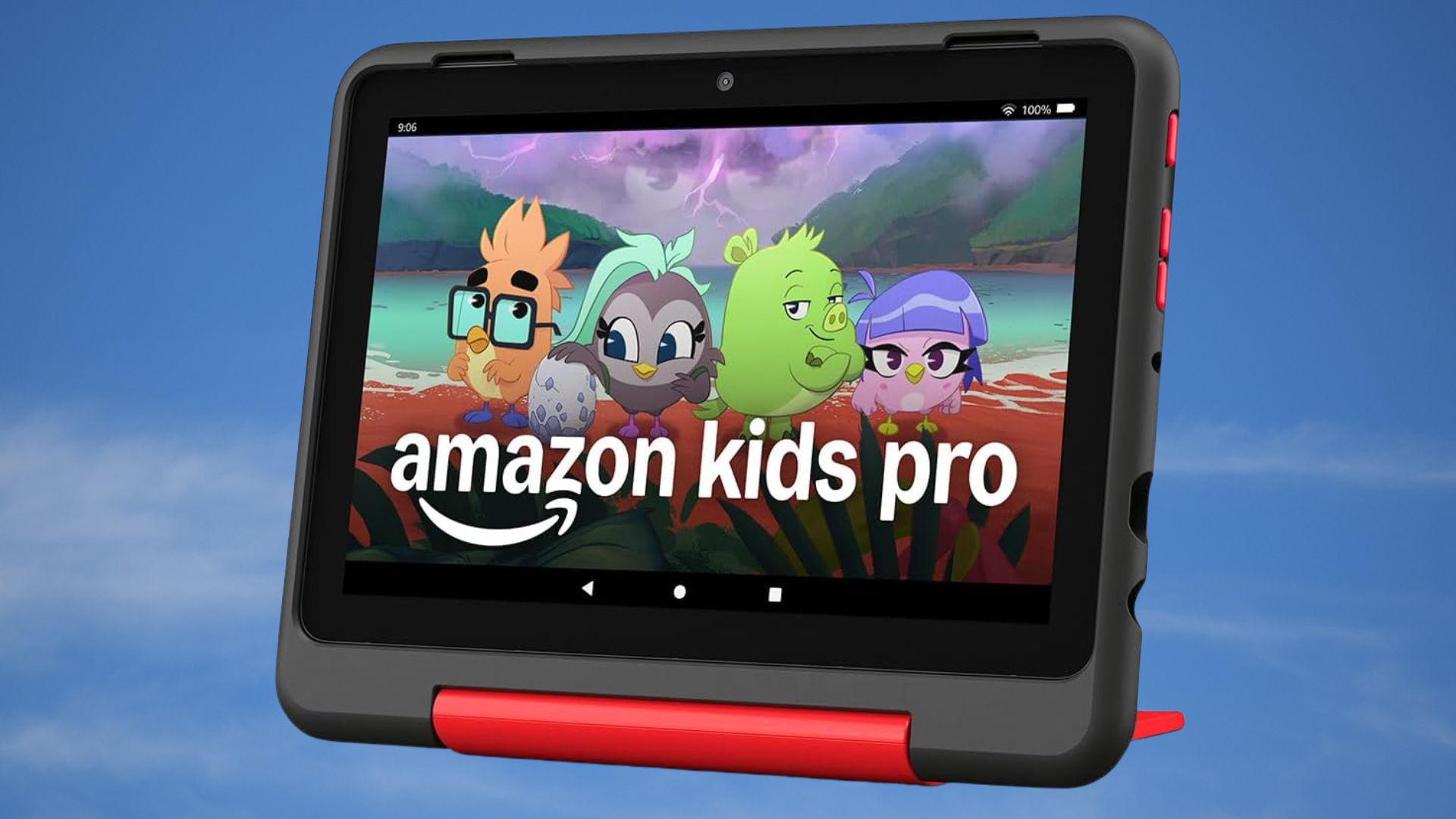
This article will delve into the specifics of this remarkable price drop, exploring what makes the Amazon Fire HD 8 Kids Pro tablet an exceptional device for kids, how it compares to other options on the market, and why now is arguably the best time to purchase one. We will also examine the comprehensive ecosystem Amazon has built around its Kids Pro tablets, emphasizing the educational value and entertainment options available through Amazon Kids+. For parents navigating the complexities of screen time and digital literacy, understanding the full scope of this device’s capabilities and safeguards is paramount. The current promotion isn’t just about a lower price tag; it’s about accessing a premium, child-focused technology solution at an entry-level cost, thereby democratizing access to high-quality digital learning and play.
Why This Deal Matters: A Post-Black Friday Phenomenon
The retail landscape typically sees its steepest discounts during major sales events like Black Friday and Cyber Monday. For a product to drop below those highly competitive prices weeks or even months later is a rare occurrence, signaling either a strategic move by Amazon or an aggressive market response. This post-Black Friday reduction on the Amazon Fire HD 8 Kids Pro tablet is particularly significant because it suggests a sustained commitment to making quality children’s technology accessible. Many consumers might have missed out on the initial holiday sales, or perhaps were hesitant to commit during the frenzy. This current deal offers a second, even better, chance. It also sets a new benchmark for value, forcing competitors to re-evaluate their own pricing strategies in the kids’ tablet segment. Such a price adjustment can often be a game-changer for families operating on tighter budgets, allowing them to provide their children with a tool that supports both educational development and healthy entertainment. The timing also aligns perfectly for those looking to purchase last-minute gifts or simply preparing for the new year with enhanced learning resources. The opportunity to acquire the Amazon Fire HD 8 Kids Pro tablet at this price point is not merely a fleeting offer; it’s a statement about market dynamics and consumer value.
Key Features of the Fire HD 8 Kids Pro
The Amazon Fire HD 8 Kids Pro tablet is not just a tablet; it’s a carefully curated digital environment for children aged 6-12. Its design and features are meticulously crafted to cater to this specific demographic, offering a blend of freedom and safety.
- Robust Parental Controls: At the heart of the Kids Pro experience are its industry-leading parental controls. Parents can manage screen time limits, set educational goals, filter content, approve app downloads, and monitor usage through an intuitive dashboard. This granular control ensures that children have access only to appropriate content and that their digital interactions are safe and balanced. These controls are far more comprehensive than what is typically found on standard tablets, offering peace of mind.
- Kid-Proof Case and Warranty: Understanding that children can be, well, children, the Fire HD 8 Kids Pro comes with a sturdy, brightly colored kid-proof case. This protective shell is designed to withstand drops, bumps, and spills. Furthermore, Amazon backs this up with a 2-year worry-free guarantee. If the tablet breaks, Amazon will replace it for free, no questions asked. This commitment to durability significantly enhances the value proposition, especially for a device intended for young users.
- Amazon Kids+ Subscription: Each Amazon Fire HD 8 Kids Pro tablet purchase includes a one-year subscription to Amazon Kids+. This service provides unlimited access to thousands of age-appropriate books, games, videos, apps, and Audible audiobooks from popular brands like Disney, PBS Kids, and National Geographic. The content is carefully vetted to be educational and entertaining, ensuring a rich and diverse learning experience. After the first year, the subscription renews, but parents have the flexibility to manage it.
- Enhanced Performance: Compared to its standard Kids Edition counterparts, the Kids Pro offers slightly enhanced specifications, including a faster processor, more RAM, and potentially better storage options, ensuring smoother performance for more demanding apps and multitasking. The 8-inch HD display provides crisp visuals, making it ideal for reading, watching videos, and playing interactive games.
- Web Browser with Curated Access: The Kids Pro version allows children to access a curated web browser. Parents can either allow access to a pre-selected list of websites and YouTube videos approved by Amazon Kids+ experts or add their own approved websites, giving them control over their child’s internet exposure. This feature is crucial for older children who are beginning to explore the web independently.
These features collectively make the Amazon Fire HD 8 Kids Pro tablet a powerful educational and entertainment tool, distinguishing it from generic tablets and offering a tailored experience for children. The integration of robust hardware with a carefully managed software ecosystem provides a comprehensive solution for modern parenting in a digital age.
A Closer Look at the Fire HD 8 Kids Pro Experience
Understanding the technical specifications and features is one thing, but truly appreciating the Amazon Fire HD 8 Kids Pro tablet requires a deeper dive into the actual user experience for both children and parents. This device is engineered from the ground up to be more than just a gadget; it’s a gateway to learning and discovery, thoughtfully designed to balance fun with safety.
Content for Growing Minds: Amazon Kids+
The cornerstone of the Fire HD 8 Kids Pro’s appeal is the Amazon Kids+ service. This subscription, included for a year with purchase, is a treasure trove of content meticulously selected for educational value and age-appropriateness. Imagine a child’s library, but infinitely expandable and interactive. Amazon Kids+ offers:
- Books and Reading: A vast collection of e-books, including popular series, early readers, and educational non-fiction. This encourages literacy and a love for reading from a young age. The ability to adjust font sizes and access definitions makes it a dynamic reading experience.
- Educational Apps and Games: Interactive apps that teach math, science, language arts, and critical thinking skills. These aren’t just repetitive drills; many are gamified, making learning an engaging adventure. For instance, children can learn coding basics through fun puzzles or explore historical events through interactive timelines.
- Videos and Movies: A curated selection of kid-friendly videos and movies from trusted sources, ensuring entertainment without exposure to inappropriate content. This includes documentaries, animated series, and educational shows that complement school curricula.
- Audible Audiobooks: A growing library of audiobooks allows children to enjoy stories and learn even when they’re not actively looking at the screen, fostering imagination and listening skills. This is particularly useful for car rides or winding down before bed.
The content within Amazon Kids+ is constantly updated and expanded, ensuring that children always have fresh and engaging material to explore. Parents can customize the content library further by adding apps and books they’ve purchased from the Amazon Appstore, provided they are deemed appropriate. This flexibility makes the Amazon Fire HD 8 Kids Pro tablet a highly adaptable learning tool that grows with your child. When considering the broader digital landscape and the array of content available, it’s reassuring to know that platforms like Amazon Kids+ are meticulously curating experiences, much like how one might explore accessing a wide range of digital audio content through dedicated music services, but with a focus on child safety and educational value.
Durability and Design: Built for Kids
One of the most immediate concerns for parents buying a tablet for a child is its resilience. The Fire HD 8 Kids Pro addresses this head-on with its “kid-proof” design. The included case is not merely a thin cover; it’s a thick, shock-absorbent bumper designed to protect the tablet from accidental drops, bumps, and even minor spills. The material is often a soft, non-toxic EVA foam, making it easy for small hands to grip and less likely to slip. This thoughtful design extends to the tablet itself, which is built to withstand more than the average adult tablet. The peace of mind offered by the 2-year worry-free guarantee is unparalleled. Knowing that a replacement is just a call away if the device breaks significantly reduces the stress associated with children using electronics. This level of protection means the tablet can accompany children on adventures, trips, or simply survive the rigors of daily play without constant parental supervision over its physical handling. It’s a testament to Amazon’s understanding of its target demographic and their unique needs.
Performance and Usability for Young Users
While not a powerhouse gaming machine, the Amazon Fire HD 8 Kids Pro tablet offers sufficient performance for its intended use. It typically features a quad-core processor and enough RAM (often 2GB or 3GB) to smoothly run educational apps, stream videos, and handle light multitasking. The 8-inch HD display (1280 x 800 resolution) provides clear and vibrant visuals, which is crucial for engaging children with rich media content.
Storage options usually start at 32GB, which is ample for downloading a substantial amount of apps, books, and videos. However, for families who wish to expand this, a microSD card slot allows for up to 1TB of additional storage, ensuring that the tablet can hold an ever-growing library of content. Battery life is also a significant factor, and the Fire HD 8 Kids Pro generally offers up to 12-13 hours of mixed-use battery life on a single charge. This means it can last through long car trips, multiple play sessions, or a full day of school without needing to be constantly tethered to a charger. The user interface is simplified and intuitive, making it easy for children to navigate independently, even those who are just beginning their digital journey. The home screen can be customized to show content approved by parents, reducing clutter and focusing on what’s relevant and safe for the child.
Comparing the Fire HD 8 Kids Pro to Other Kids’ Tablets
The market for children’s tablets is diverse, ranging from inexpensive, basic models to more advanced, feature-rich devices. The Amazon Fire HD 8 Kids Pro tablet carves out a unique niche by offering a balanced blend of affordability, robust features, and a carefully controlled ecosystem. Understanding where it stands against its competitors helps parents make an informed decision.
Value Proposition: Price vs. Features
At its current discounted price, the Amazon Fire HD 8 Kids Pro tablet offers an exceptional value proposition. Many generic kids’ tablets, while cheaper upfront, often lack the comprehensive parental controls, the extensive Amazon Kids+ content library, and the crucial 2-year worry-free guarantee. These “hidden costs” or missing features can quickly diminish the perceived savings of a cheaper device. For instance, adding third-party parental control apps or subscribing to multiple educational services to replicate Amazon Kids+ can quickly add up. Furthermore, the durability offered by the kid-proof case and warranty often means a longer lifespan for the device, reducing the need for premature replacements. When comparing it to more premium tablets like an entry-level iPad, the price difference becomes even more stark. While an iPad offers a wider range of apps and more powerful hardware, it lacks the integrated child-centric design and dedicated parental control ecosystem of the Fire HD 8 Kids Pro, often requiring additional purchases for cases, content subscriptions, and management software. For many families, the Fire HD 8 Kids Pro strikes the perfect balance between cost and functionality tailored specifically for children. This aligns with the broader consumer trend of seeking out significant savings on tech during holiday sales, extending into post-holiday periods for specific products.
The Ecosystem Advantage: Amazon’s Walled Garden
Amazon’s primary strength lies in its ecosystem. The Fire HD 8 Kids Pro tablet is deeply integrated with Amazon’s services, particularly Amazon Kids+. This “walled garden” approach, while sometimes seen as restrictive by advanced users, is a significant advantage for parents of young children. It means:
- Pre-vetted Content: Every app, book, video, and game within Amazon Kids+ is pre-screened and approved by Amazon’s team, ensuring it is age-appropriate and free from ads, in-app purchases, or external links that could expose children to unsuitable content.
- Simplified Management: All parental controls and content management are handled through a single, intuitive interface, either on the tablet itself or through the Amazon Parent Dashboard accessible from any web browser. This streamlines the process of setting limits and monitoring usage.
- Seamless Experience: The tablet’s interface is designed to push Amazon Kids+ content forward, making it easy for children to discover new educational and entertaining materials without navigating complex menus or app stores.
This integrated ecosystem removes much of the guesswork and anxiety for parents, providing a safe and controlled digital environment where children can explore and learn independently.
Beyond the Basics: What Sets It Apart
Beyond the core features, several subtle aspects make the Amazon Fire HD 8 Kids Pro tablet stand out. The ability to use the tablet in “adult” mode allows parents to access the full Fire OS experience, including the standard Amazon Appstore, Prime Video, and other Amazon services. This means the tablet isn’t solely a child’s device; it can serve dual purposes for the family, albeit with careful management. The web browser, with its curated access, is a key differentiator for the Pro model, offering a graduated approach to internet exposure. This allows children to develop digital literacy skills in a controlled environment, crucial for their transition to more open internet access as they grow older. The overall design aesthetic also appeals to older children (6-12), with a less “toy-like” appearance than some of the standard Kids Edition tablets, making it feel more like a “real” tablet. This thoughtful consideration for a child’s evolving preferences helps ensure the device remains appealing and relevant for a longer period.
Maximizing Your Investment: Tips for Parents
Purchasing an Amazon Fire HD 8 Kids Pro tablet is an investment in your child’s digital development and entertainment. To truly maximize its potential and ensure a positive experience, parents can implement several strategies.
Setting Up Effective Parental Controls
The robust parental controls are a major selling point of the Amazon Fire HD 8 Kids Pro tablet, but their effectiveness hinges on proper setup and ongoing management.
- Customize Profiles: Create individual profiles for each child, tailoring content access and settings to their specific age and developmental stage. This ensures a personalized and appropriate experience for everyone.
- Establish Screen Time Limits: Utilize the daily limits feature to set specific time allowances for different activities (e.g., educational apps vs. entertainment). You can also set “bedtime” curfews to ensure the tablet isn’t used late at night.
- Approve Content Manually: While Amazon Kids+ offers curated content, parents can further refine the library by manually approving or blocking specific apps, books, and videos. This is particularly useful if you have strong preferences regarding certain types of content.
- Monitor Activity: Regularly check the Amazon Parent Dashboard to review your child’s activity, see what they’ve been doing, and understand their interests. This data can inform future content choices and help identify potential issues early.
- Manage Web Access: For the Kids Pro tablet, leverage the curated web browser. Start with Amazon’s pre-approved list, and gradually add specific, trusted websites as your child demonstrates responsibility and interest. Avoid simply opening up full web access without careful consideration.
These controls are designed to be flexible, allowing parents to adjust them as their children grow and their needs change. For comprehensive guidance on making informed tech upgrade decisions, understanding how new features and controls impact user experience is essential, much like evaluating device upgrades in general.
Curating Educational Content
Beyond the default Amazon Kids+ library, parents can actively curate content to align with their child’s learning goals and interests.
- Explore the Amazon Appstore: Beyond Kids+, the regular Amazon Appstore offers a vast selection of educational apps. Parents can purchase and add these to their child’s profile, expanding the learning opportunities. Look for apps from reputable educational publishers.
- Utilize Reading Features: Encourage reading by downloading various e-books. The tablet’s display is comfortable for reading, and many books come with features like Word Wise that help with vocabulary.
- Discover STEM Content: Seek out apps and videos that focus on Science, Technology, Engineering, and Math. There are numerous interactive games that can introduce complex concepts in a fun and accessible way, laying foundational skills for future learning.
- Leverage Audiobooks: Audiobooks are excellent for developing listening comprehension and can introduce children to longer, more complex narratives than they might read on their own. They are also perfect for quiet time or during travel.
By being proactive in content curation, parents can transform




