
Sony PlayStation Portal: Ultimate PS5 Remote Play Handheld Unveiled
The landscape of console gaming is constantly evolving, pushing boundaries not just in graphical fidelity and processing power, but also in how and where we experience our favorite titles. Sony, a titan in the gaming industry, has once again captured the attention of enthusiasts with its latest innovation: the Sony PlayStation Portal. Initially teased under the codename Project Q, this dedicated handheld device is set to redefine the remote play experience for PlayStation 5 owners, offering a seamless extension of their console gaming library beyond the television screen. Priced at an accessible $200, the PlayStation Portal is poised to launch later this year, promising to deliver high-quality PS5 gaming directly to your hands, wherever your home Wi-Fi reaches.
At its core, the PlayStation Portal is not a standalone console, nor is it a cloud gaming device in the traditional sense. Instead, it is a specialized remote play device, meticulously engineered to leverage the existing capabilities of your PlayStation 5. It acts as a gateway, streaming games directly from your PS5 console over a Wi-Fi connection. This distinction is crucial, as it shapes the entire functionality and target audience for the Portal. It means your games are still rendered and processed by your powerful PS5, ensuring you get the full fidelity experience, but the output is mirrored onto the Portal’s vibrant display, complete with haptic feedback and adaptive triggers characteristic of the DualSense controller.
Understanding the Remote Play Paradigm
Remote Play itself is not new to the PlayStation ecosystem. Sony has offered this feature for years, allowing users to stream PS4 and PS5 games to various devices such as smartphones, tablets, PCs, and even other PlayStation consoles like the PS Vita. However, the experience has often been a compromise, requiring third-party accessories for comfortable controls or suffering from latency issues depending on the network conditions and the processing power of the receiving device. The PlayStation Portal aims to eliminate these compromises, providing a purpose-built hardware solution designed from the ground up to deliver the most optimized remote play experience possible. It’s about making the act of extending your PS5 gaming as effortless and enjoyable as possible, whether you’re in a different room, out on the patio, or simply prefer a handheld format for certain games.
The device’s announcement has sparked considerable discussion within the gaming community. Some view it as a brilliant solution for households with shared TVs or for gamers who desire more flexibility. Others question its necessity, given the existing remote play options and the Portal’s lack of local processing power. Regardless of perspective, the Sony PlayStation Portal represents a significant step in Sony’s strategy to expand the reach and versatility of the PlayStation 5, solidifying its position not just as a living room centerpiece, but as a hub for a broader, more flexible gaming lifestyle. This article will delve into the intricacies of the PlayStation Portal, exploring its features, capabilities, limitations, and its potential impact on the future of gaming.
Deep Dive into the Sony PlayStation Portal’s Features
The design and specifications of the Sony PlayStation Portal are central to understanding its role in the gaming ecosystem. Sony has crafted a device that immediately feels familiar to anyone who has held a DualSense controller, yet it introduces a new form factor tailored for extended handheld play. This combination of established comfort and novel presentation is a key aspect of the Portal’s appeal, aiming to bridge the gap between console-quality gaming and portable convenience.
Design and Ergonomics
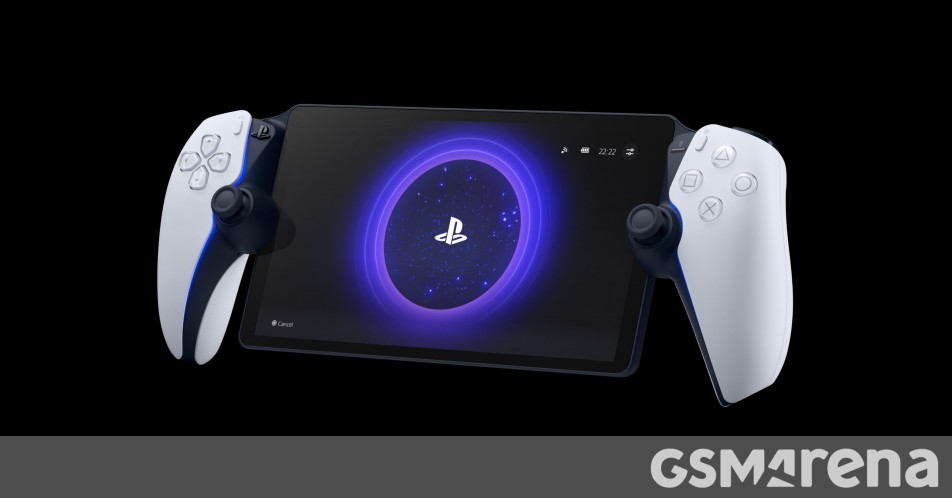
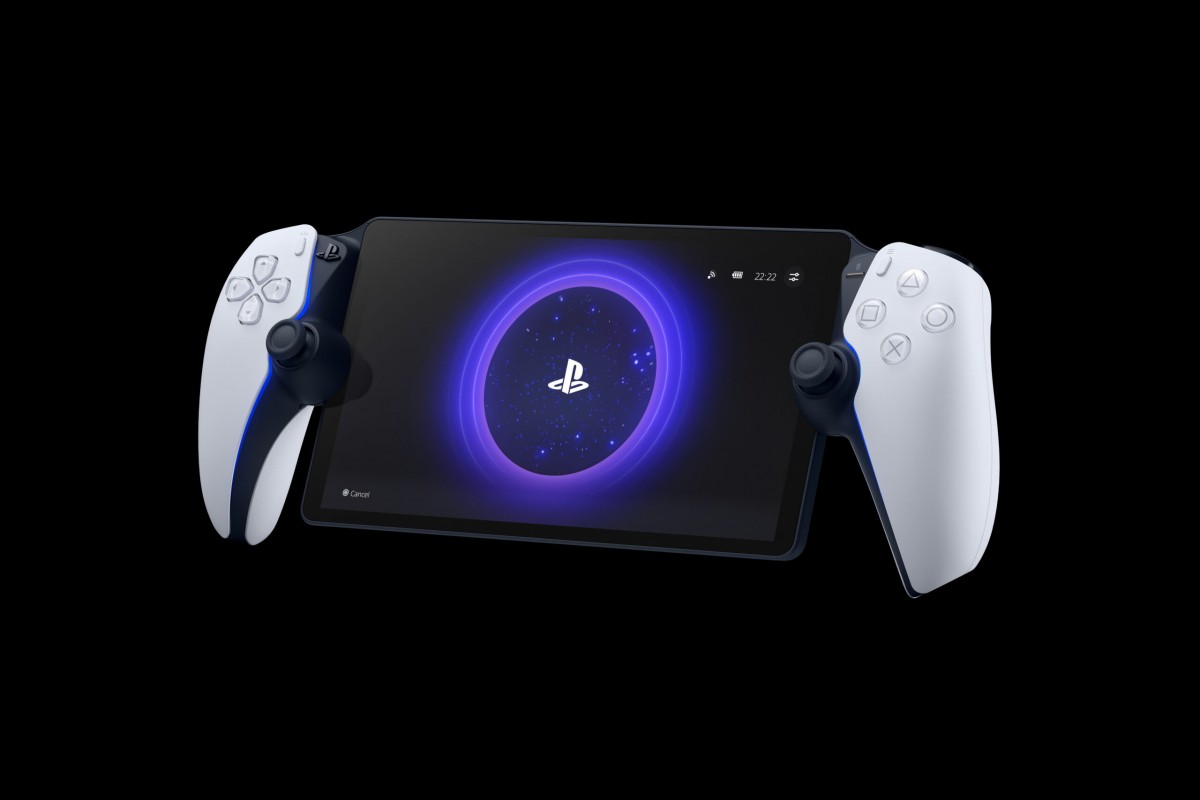
Perhaps the most striking visual feature of the PlayStation Portal is its integrated controller design. It essentially takes a standard PlayStation 5 DualSense controller, slices it in half, and places an 8-inch LCD screen squarely in the middle. This means users will experience the full tactile feedback of the DualSense, including its renowned haptic feedback and adaptive triggers, which are crucial for immersion in many PS5 titles. The ergonomic contours of the DualSense are largely preserved, suggesting that the Portal will be comfortable to hold for extended gaming sessions, a critical factor for any handheld device. The button layout, analog sticks, and touchpad functionality are all directly replicated, ensuring a consistent control scheme with your primary PS5 experience. This commitment to the DualSense experience sets the Sony PlayStation Portal apart from generic mobile gaming setups, aiming to provide a premium feel.
Display Technology
The centerpiece of the Portal is its 8-inch LCD display. While some might have hoped for an OLED panel for deeper blacks and more vibrant colors, the choice of LCD helps keep the device’s cost down while still delivering a respectable visual experience. The screen boasts a 1080p resolution, which is perfectly adequate for an 8-inch display at typical handheld viewing distances, ensuring crisp images and text. Crucially, it supports a 60Hz refresh rate. For a remote play device, a stable 60 frames per second is often more important than higher refresh rates, as network latency can introduce more noticeable stutter or lag than the display’s maximum refresh. This combination of resolution and refresh rate is optimized for the streaming nature of the device, balancing visual quality with performance stability.
Connectivity: Wi-Fi and PlayStation Link
Connectivity is paramount for a remote play device, and the PlayStation Portal relies entirely on Wi-Fi. Sony states that a minimum of 5Mbps internet speed is required for the device to function, though it strongly recommends 15Mbps for an optimal gaming experience. This emphasis on Wi-Fi underscores the Portal’s intent as a primarily in-home streaming device, though it could theoretically work on public Wi-Fi networks if speeds are sufficient and stable. The quality of your home network, including router placement and potential interference, will play a significant role in the responsiveness and visual fidelity of your gaming sessions.
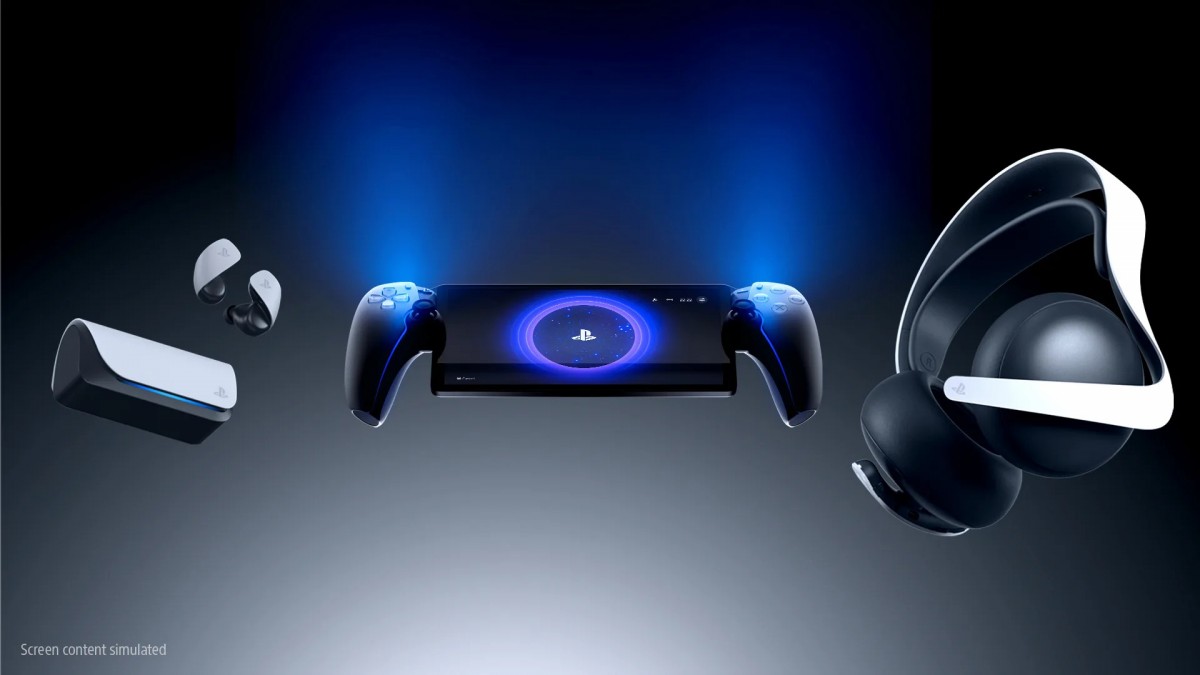
Intriguingly, the PlayStation Portal does not come with Bluetooth connectivity. This is a notable omission in an era where most personal electronic devices integrate Bluetooth as a standard for wireless audio. Instead, Sony has introduced a new proprietary wireless connectivity standard called PlayStation Link. This technology is designed to deliver low-latency, lossless audio, and seamless switching between compatible devices. This focus on audio quality and reliability suggests Sony is prioritizing an uncompromised sound experience for Portal users. For those interested in innovative wireless charging solutions or other modern accessories for electronic devices, the Portal’s choice of proprietary audio connectivity is a distinct design decision, contrasting with more universal standards like Qi2.
The Lack of Bluetooth and Local Processing
The absence of Bluetooth is a key decision that impacts accessory compatibility. Users will need to invest in Sony’s new PlayStation Link-compatible audio devices, such as the Pulse Explore wireless earbuds or the Pulse Elite headset, to enjoy wireless audio with the Portal. While this creates a closed ecosystem, it does promise an optimized audio experience, free from the common latency issues associated with standard Bluetooth. This approach to dedicated peripherals for gaming audio aligns with Sony’s commitment to a high-quality, seamless user experience, similar to how advancements in audio technology are continually improving sound in various sectors, from personal devices to innovative car audio solutions.
Equally important is the fact that the PlayStation Portal does not support local game or media playback. It cannot run any games independently, nor can it stream content from services like Netflix or YouTube. This firmly establishes its identity as a pure remote play client for the PS5. This contrasts sharply with general-purpose mobile devices or even other handheld gaming consoles that offer a broader range of functionalities. The Portal’s singular focus means it won’t replace your smartphone or tablet for other media consumption, nor will it serve as a portable gaming console in the vein of a Nintendo Switch or Steam Deck, which can run games natively. This specialized approach means that while it excels at its core function, it does not participate in the broader trend of multipurpose mobile devices or the evolution of mobile operating systems that are constantly expanding device capabilities. For instance, comparing its functionality to upcoming advancements in mobile platforms like those teased for iOS 27 and iOS 28 shows a clear divergence in design philosophy.
How the Sony PlayStation Portal Works: The Remote Play Experience
Understanding the operational mechanics of the Sony PlayStation Portal is crucial for prospective owners. It is not a magical device that conjures games out of thin air; rather, it’s a sophisticated conduit, designed to flawlessly extend your PlayStation 5 experience. This section will elaborate on the practical aspects of using the Portal, from setting it up to understanding its performance requirements and limitations.
Requirements for Optimal Performance
The entire functionality of the PlayStation Portal hinges on a stable and fast Wi-Fi connection. Sony’s recommendation of 15Mbps internet speed for optimal performance isn’t just a suggestion; it’s a critical benchmark for a smooth, low-latency gaming experience. This speed is essential not only for the download bandwidth to receive the video stream from your PS5 but also for the upload bandwidth to send your controller inputs back to the console with minimal delay. A weak or congested Wi-Fi network can lead to noticeable input lag, pixelation, and dropped frames, significantly diminishing the gaming experience. Factors such as the distance from your Wi-Fi router, the presence of physical obstructions (walls, furniture), and other devices competing for bandwidth can all impact performance. For the best results, having a robust Wi-Fi 6 or Wi-Fi 6E router and ensuring your PS5 is connected via an Ethernet cable to the router can greatly enhance stability and reduce latency. It’s a dedicated streaming device, and like any streaming service, its quality is directly proportional to the network it operates on.
Supported Games and Limitations
One of the most important caveats for the Sony PlayStation Portal is its game compatibility. You can only play supported games that are installed on your PS5 console. This means the Portal isn’t capable of accessing PlayStation Plus Premium cloud streaming, which allows subscribers to play a library of games without installing them. This limitation reinforces the Portal’s identity as an extension of your physical PS5, rather than a standalone cloud gaming platform. Furthermore, any game that requires a PlayStation VR2 headset or other specific peripherals that aren’t integrated into the Portal’s DualSense-like controls will naturally not be playable. This singular focus on local PS5 streaming means you cannot run any other games or media locally, making it distinct from general-purpose tablets or even dedicated handhelds that offer native game playback or broader app support. For gamers looking for ways to transform smartphones into dedicated gaming devices, there are alternative solutions that offer different ecosystems and functionalities, highlighting the Portal’s specific niche.
Setting Up Your Portal
Setting up the Sony PlayStation Portal is designed to be straightforward, leveraging the existing PlayStation ecosystem. Once powered on, the device will guide you through connecting to your Wi-Fi network and linking with your PS5 console. This process typically involves a few simple steps, often including scanning a QR code or entering a code displayed on your PS5 screen. Once paired, the Portal will automatically detect and connect to your PS5 whenever both devices are active and within range of a suitable Wi-Fi network. This seamless integration is a core part of the Portal’s value proposition, aiming to make the transition from TV to handheld gaming as effortless as possible. The goal is to provide a “pick up and play” experience, allowing users to quickly jump into their favorite PS5 titles without complex configurations or troubleshooting, much like how new features for popular navigation applications aim to simplify user experience.
The internal hardware, though not fully detailed by Sony, is optimized for this specific task. It needs sufficient processing power to decode the incoming video stream, encode controller inputs, and manage the display and audio outputs efficiently. While the exact specifications remain under wraps, it’s clear that every component is selected to serve the remote play function, ensuring a stable and responsive connection to the PS5. This dedicated hardware approach differentiates it from generic mobile devices attempting remote play, where varying chipsets and software optimizations can lead to inconsistent performance. The Portal offers a consistent, purpose-built experience.
Price, Availability, and Market Positioning of the Sony PlayStation Portal
The Sony PlayStation Portal arrives with a clear price tag and a defined market strategy. Understanding its cost, release window, and how it stacks up against other devices is crucial for consumers contemplating this latest PlayStation offering. Sony has positioned the Portal not as a competitor to existing handhelds, but as a complementary device within its own ecosystem.
The $200 Price Point
The PlayStation Portal is priced at $200 (€220/£200), a figure that places it squarely in the mid-range of gaming accessories. This price point is a key consideration for its target audience. While $200 is not insignificant, it is considerably less than a dedicated handheld console like the Nintendo Switch or a high-end smartphone. Sony appears to be aiming for an impulse-purchase price for dedicated PlayStation enthusiasts who already own a PS5 and desire more flexible ways to play their games. It’s an investment in convenience and expanded utility for an existing console, rather than a standalone gaming system. This pricing strategy suggests Sony is confident in the value proposition of a premium remote play experience, differentiating it from more general strategies for acquiring complementary tech gadgets or the value propositions seen with bundles in the consumer electronics market, such as those that might include a Google Pixel Watch with a high-end smartphone.
For many, the $200 price will be justifiable if it genuinely delivers a lag-free, high-quality streaming experience within their home. It allows PS5 owners to free up their main TV, play from different rooms, or simply enjoy handheld gaming without needing to purchase an entirely new console. However, for those who already use a smartphone or tablet for remote play, the additional cost for a dedicated device might require a deeper evaluation of the Portal’s unique advantages, primarily the integrated DualSense controls and optimized display.
Release Window and Expectations
Sony has confirmed that the PlayStation Portal is set to debut later this year, with more specific details and official launch dates to be announced soon. This timing places it strategically for the holiday shopping season, a prime period for consumer electronics releases. The anticipation for its launch is building, as gamers eagerly await the opportunity to get their hands on a device that promises to transform their PS5 gaming habits. The success of the Portal will likely depend on its real-world performance—how consistently it delivers a smooth experience across various home network conditions, and how effectively it addresses the common frustrations associated with traditional remote play setups. Initial reviews and user feedback will be critical in shaping its perception in the market.
Comparing with Alternatives
It’s vital to clarify that the Sony PlayStation Portal is not designed to compete directly with devices like the Nintendo Switch, Valve Steam Deck, or even the latest smartphone releases like the Motorola Edge 70. These devices offer native game processing, a full operating system, and a broader range of applications. The Portal’s closest “competitors” are actually the existing remote play apps on smartphones and tablets, often paired with third-party controllers. In this comparison, the Portal aims to win on integration and optimization. Its built-in DualSense controls, dedicated hardware for streaming, and the promise of low-latency PlayStation Link audio are its strongest selling points. While an iPhone can be turned into a gaming device on the cheap with certain controllers, the Portal offers an uncompromised PS5 controller experience. The table below provides a quick comparison of the Portal’s core function against other handheld gaming options:




