
iOS 26.2: Unveiling Enhanced Features and Refinements
Apple recently released iOS 26.1, incorporating subtle yet significant improvements to the iPhone experience. However, just a day after introducing modifications to alarm functionality and expanding customization options for Liquid Glass, the tech giant is already back with another iteration: iOS 26.2. This article delves into the exciting new features and refinements that are anticipated with the release of iOS 26.2, examining the enhancements that could potentially elevate the user experience.
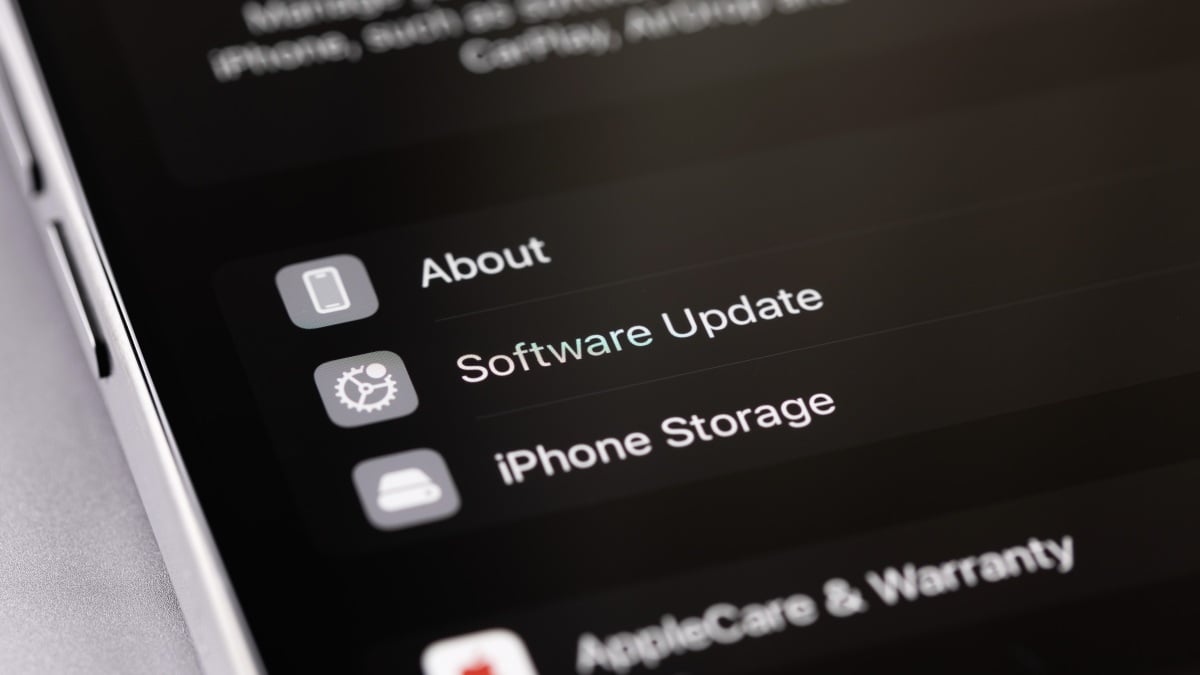
It’s important to note that at the time of writing, iOS 26.2 is currently undergoing beta testing by Apple. This phase allows developers to evaluate the software against their applications, identifying and reporting any potential issues back to Apple. While technically accessible for download, it is generally advised to refrain from installing this beta version on primary devices. iOS 26.2 is designed for testing purposes and may introduce unforeseen stability issues. Users interested in beta testing are encouraged to await the public beta release, which is expected shortly.
As anticipated, iOS 26.2 appears to be a more incremental update. Apple incorporated many of the significant features and changes in iOS 26, followed by a few adjustments in iOS 26.1. Nevertheless, iOS 26.2 introduces some notable improvements, even in its initial beta phase. Let’s explore the new additions that have been observed thus far.
Liquid Glass Slider for Lock Screen Clock
With iOS 26.1, Apple introduced the option to adjust the appearance of Liquid Glass, allowing users to choose between “Clear,” the original Liquid Glass look, or “Tinted,” which increases the opacity of elements, transforming Liquid Glass into a frosted glass effect. This addition was well-received, especially by those who preferred a more subdued aesthetic.
While this enhancement addressed some user preferences, some individuals requested finer control over the glassy design. Apple seems to have responded with iOS 26.2 by introducing a slider, but its application is limited to the Lock Screen clock. This slider allows users to precisely adjust the appearance of the clock’s Liquid Glass effect, giving them a personalized touch to their device’s aesthetics. This granular control caters to individual preferences, allowing users to customize their Lock Screen clock to match their style.
Enhanced Reminder Integration with Alarms
Reminders have become an integral part of many iPhone users’ daily routines. They are essential for managing tasks, appointments, and deadlines. The existing integration between Reminders and other iOS features is already robust, but Apple is taking it a step further with iOS 26.2. It’s speculated that users will be able to set alarms directly from within the Reminders app. This seamless integration allows users to set a specific time for a reminder to trigger an alarm, ensuring that they don’t miss critical events or tasks. This streamlined workflow could significantly enhance productivity and time management.
Imagine, for instance, setting a reminder to take medication at 8:00 AM and simultaneously setting an alarm to ensure you don’t forget. This integration eliminates the need to switch between apps, simplifying the process and reducing the chances of oversight. Such features illustrate Apple’s ongoing commitment to improving user convenience and efficiency. Consider reading more about how similar integrations enhance user experience in other platforms; contextual anchor text here offers insights into AI-driven enhancements.
Improved Health App Integration
The Health app on iOS devices has become a central hub for tracking various health and fitness metrics. With each iteration of iOS, Apple continues to expand the capabilities of this app. iOS 26.2 is expected to bring even more advanced integration with third-party health devices and services. This may include support for new types of health data, such as blood glucose monitoring or advanced sleep analysis. The improved integration could also facilitate seamless data sharing with healthcare providers, enabling more informed medical decisions.
For example, users might be able to connect their continuous glucose monitors (CGMs) directly to the Health app, providing real-time blood sugar readings and alerts. This data could then be shared with their doctors, allowing for better management of diabetes. Apple’s commitment to health and wellness is evident in these continuous enhancements to the Health app. The Health app improvements also align well with the broader trend of personalized health management, offering users greater control over their well-being. Similar trends are observed in other tech domains; contextual anchor text here explores how AI is integrated into different platforms.
Enhanced Privacy Controls
Privacy has become a major concern for many users, and Apple has consistently emphasized its commitment to protecting user data. iOS 26.2 is anticipated to include further enhancements to privacy controls, giving users greater transparency and control over how their data is used. This may involve new settings to limit ad tracking, restrict app access to sensitive information, or encrypt user data more effectively. Apple is dedicated to empowering users to make informed decisions about their privacy.
One potential enhancement could be a more granular control over app permissions. Users might be able to grant apps access to specific data categories only when the app is actively in use. This would prevent apps from collecting data in the background without the user’s explicit consent. Such features demonstrate Apple’s proactive approach to addressing privacy concerns. The focus on privacy is a distinguishing factor for Apple; contextual anchor text here sheds light on the importance of data security and privacy in the digital age.
Siri Enhancements
Siri, Apple’s virtual assistant, is constantly evolving to become more intelligent and helpful. iOS 26.2 is expected to introduce several enhancements to Siri’s capabilities. This may include improved natural language processing, allowing Siri to better understand and respond to user requests. Siri could also become more proactive, anticipating user needs and offering helpful suggestions based on their past behavior and context. Apple is continuously working to make Siri a more seamless and intuitive part of the iOS experience.
For instance, Siri might be able to learn your daily routine and proactively suggest setting a reminder to leave for work based on traffic conditions. Or, Siri could automatically play your favorite music playlist when you arrive at the gym. These types of proactive features could significantly enhance Siri’s usefulness. Apple is also likely to focus on improving Siri’s integration with third-party apps, allowing users to control a wider range of services with their voice. The evolution of virtual assistants like Siri is transforming how we interact with technology; contextual anchor text here illustrates how similar technologies are being integrated into other domains.
Detailed Look at Key Features in iOS 26.2
Let’s delve deeper into some of the most anticipated features of iOS 26.2, examining their potential impact on the user experience.
Customizable Lock Screen Clock with Liquid Glass Slider
The introduction of a Liquid Glass slider for the Lock Screen clock is a welcome addition for users who value personalization. This slider allows users to fine-tune the appearance of the clock, creating a unique and visually appealing Lock Screen. The ability to adjust the opacity and blur of the Liquid Glass effect gives users greater control over the overall aesthetic of their device.
This feature demonstrates Apple’s attention to detail and its commitment to providing users with a customizable experience. Users can experiment with different settings to find the perfect balance between clarity and visual appeal. This level of customization is particularly appealing to users who take pride in their device’s appearance. Customization extends to other areas of technology; contextual anchor text here showcases how personalized designs enhance user satisfaction.
Advanced Alarm Integration with Reminders
The integration of alarms with Reminders is a significant step towards streamlining task management. This feature allows users to set alarms directly from within the Reminders app, eliminating the need to switch between apps. This streamlined workflow saves time and reduces the chances of missing important events or deadlines.
This integration is particularly useful for users who rely heavily on Reminders for managing their daily schedules. By combining the functionality of alarms and Reminders, Apple is creating a more cohesive and efficient user experience. The integration of alarms and reminders reflects a trend toward simplifying user workflows and enhancing productivity. Similar features are being implemented across various platforms; contextual anchor text here highlights efficiency improvements in other devices.
Enhanced Health Data Management and Sharing
The enhancements to the Health app in iOS 26.2 are expected to significantly improve health data management and sharing. The expanded support for third-party health devices and services allows users to track a wider range of health metrics in one central location. The improved data sharing capabilities facilitate seamless communication with healthcare providers, enabling more informed medical decisions.
This feature is particularly beneficial for users who are actively managing chronic health conditions. By providing a comprehensive view of their health data, the Health app empowers users to take a more proactive role in their care. The integration of health data management with iOS exemplifies the growing importance of technology in healthcare. The importance of health data is underscored by technological advancements; contextual anchor text here shows how health features are integrated into smartphone design.
Improved Privacy Controls and Data Transparency
The privacy enhancements in iOS 26.2 are a testament to Apple’s commitment to protecting user data. The new privacy controls give users greater transparency and control over how their data is used. This empowers users to make informed decisions about their privacy and to limit the amount of data that is collected by apps and services.
This feature is particularly important in today’s digital landscape, where privacy concerns are on the rise. By providing users with robust privacy controls, Apple is building trust and fostering a more secure user experience. The emphasis on privacy reflects a broader societal trend towards greater data protection. The need for privacy is increasingly important in the digital age; contextual anchor text here highlights the importance of security in different contexts.
Siri’s Enhanced Proactive Assistance
The enhancements to Siri in iOS 26.2 are expected to make the virtual assistant more intelligent and helpful. The improved natural language processing allows Siri to better understand and respond to user requests. The proactive features enable Siri to anticipate user needs and offer helpful suggestions based on their past behavior and context.
This feature is particularly useful for users who rely on Siri for managing their daily tasks and schedules. By becoming more proactive, Siri can save users time and effort. The evolution of virtual assistants like Siri is transforming how we interact with technology. The development of AI assistants is changing the tech landscape; contextual anchor text here delves into the capabilities and limitations of AI.
Potential Impact of iOS 26.2 on User Experience
The anticipated features of iOS 26.2 have the potential to significantly enhance the user experience in several ways. The customizable Lock Screen clock allows users to personalize their devices to reflect their individual style. The advanced alarm integration with Reminders streamlines task management and improves productivity. The enhanced health data management and sharing empowers users to take a more proactive role in their health. The improved privacy controls provide users with greater transparency and control over their data. And Siri’s enhanced proactive assistance saves users time and effort.
Overall, iOS 26.2 appears to be a promising update that will further solidify Apple’s position as a leader in mobile innovation. The focus on personalization, productivity, health, privacy, and intelligence demonstrates Apple’s commitment to creating a user-centric experience. The continued development of iOS reflects a commitment to innovation and user satisfaction. The improvements show how tech companies are adapting to user needs; contextual anchor text here offers insight into how other platforms are evolving.
Conclusion: iOS 26.2 – A Promising Step Forward
In conclusion, iOS 26.2 is shaping up to be a valuable update that will enhance the iPhone experience for users. The new features and refinements, including the Liquid Glass slider for the Lock Screen clock, enhanced alarm integration with Reminders, improved Health app integration, and enhanced privacy controls, all contribute to a more personalized, efficient, and secure user experience. As Apple continues to beta test iOS 26.2, we can expect to see even more refinements and improvements before its official release. Stay tuned for further updates as we approach the launch of iOS 26.2. The continuous evolution of iOS demonstrates Apple’s dedication to providing a cutting-edge mobile experience.
Frequently Asked Questions (FAQ)
| What is the main topic of this article? |
This article provides comprehensive information about the upcoming iOS 26.2 update and covers all related aspects in detail. |
| Where can I find more detailed information? |
Additional information and resources are available through the internal links provided throughout the article. You can also check the references section for more sources. |
| How current is this information? |
This article contains up-to-date information relevant to current trends and developments in the field. We regularly update our content to ensure accuracy. |
| Who is this article intended for? |
This article is designed for readers seeking comprehensive understanding of the topic, from beginners to advanced learners. It covers both basic concepts and advanced insights. |
| Are there any important updates I should know about? |
Yes, we regularly monitor developments and update our content accordingly. Check the publication date and any update notices for the most current information. |
Important Notice
This content is regularly updated to ensure accuracy and relevance for our readers. If you have any questions, feel free to contact us.
Content Quality: This article has been carefully researched and written to provide valuable insights and practical information. Our team works hard to maintain high standards.




