
Is “Smartphone Pinky” Real? Addressing Hand Strain
Have you ever felt a strange ache or a persistent dent in your little finger after using your smartphone for an extended period? You might be experiencing what’s increasingly being called “smartphone pinky.” This phenomenon, where prolonged smartphone use leads to discomfort or even deformation in the pinky finger, is gaining attention as phones become larger and heavier. But is “smartphone pinky” a genuine concern, or just another modern-day myth? Let’s delve into the potential causes, effects, and preventative measures you can take to protect your hands.
The Rise of “Smartphone Pinky”: A Modern Ailment?
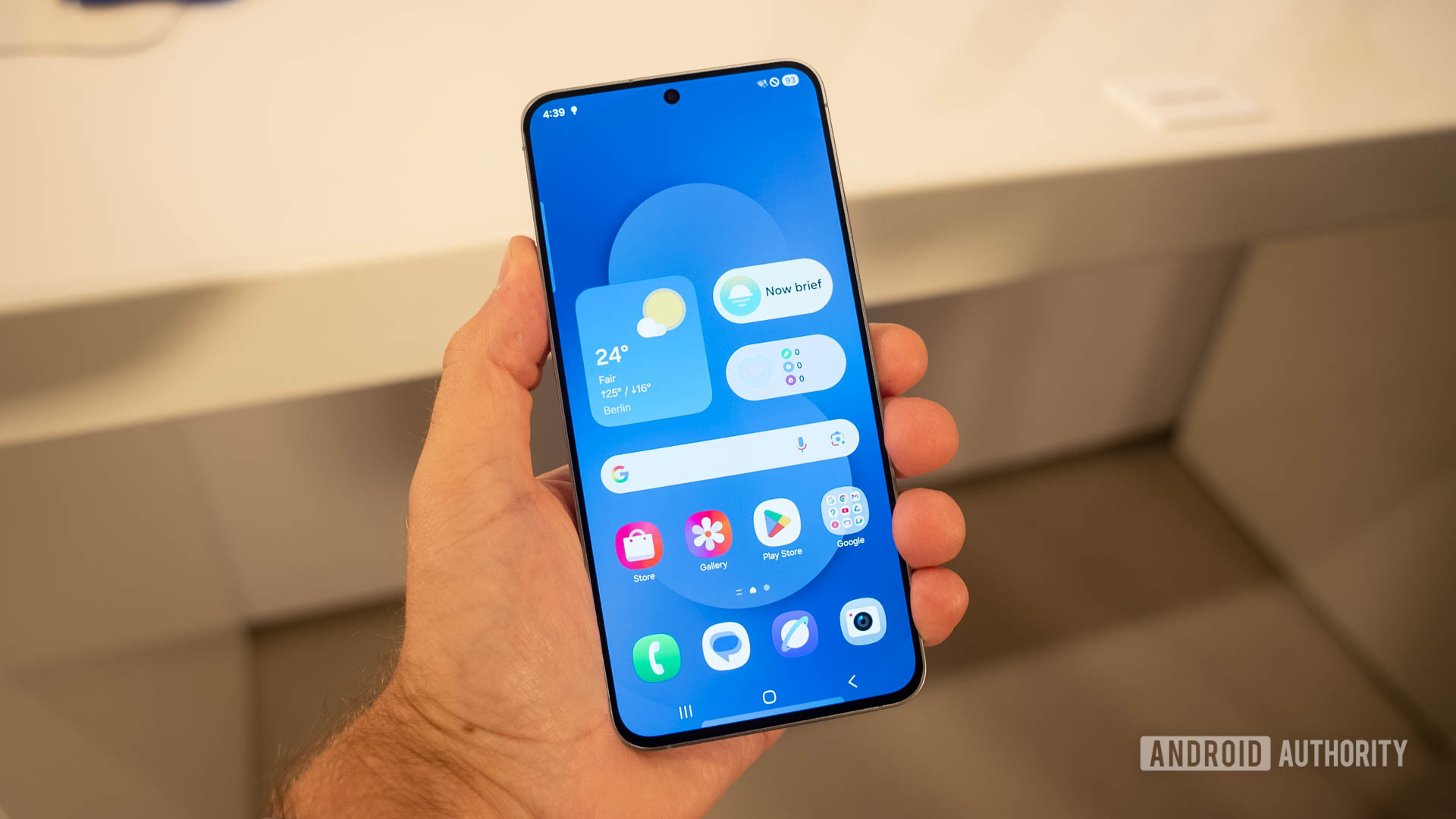
The term “smartphone pinky” has emerged alongside the trend of increasingly large and heavy smartphones. While early mobile phones prioritized portability and lightness, modern smartphones boast larger screens, powerful processors, and robust batteries, all contributing to their increased size and weight. This shift has placed new demands on our hands, particularly the little finger, which often serves as a support base when holding these devices. The seemingly minor increase in weight from one phone to the next can accumulate over time, leading to strain and discomfort.
This isn’t just anecdotal evidence. Many users report feeling a groove or indentation forming on their pinky finger, accompanied by aches, numbness, or even a slight bend. While not officially recognized as a medical condition, the prevalence of these complaints suggests a real issue worthy of attention. Understanding the mechanics behind “smartphone pinky” is crucial to addressing it effectively.
Understanding the Mechanics: How Smartphones Affect Your Hands
To understand “smartphone pinky,” it’s essential to consider the biomechanics of hand usage when operating a smartphone. Holding a phone, especially a large one, for extended periods requires sustained muscle contraction in the hand and fingers. The little finger, often positioned underneath the phone for support, bears a significant portion of the weight. This constant pressure can lead to several issues:
- Muscle Fatigue: Prolonged muscle contraction can cause fatigue, leading to aches and stiffness.
- Nerve Compression: The pressure on the little finger can compress nerves, causing numbness and tingling.
- Tendon Strain: Repeated use can strain the tendons in the hand and fingers, leading to inflammation and pain.
- Skeletal Changes: In extreme cases, sustained pressure over long periods can potentially lead to minor skeletal changes, such as the aforementioned indentation or bend.
These issues are exacerbated by factors such as poor posture, repetitive motions (like swiping and typing), and pre-existing conditions like arthritis. Moreover, the way people hold their phones varies, with some individuals putting more pressure on their pinky than others. Understanding your own holding habits is the first step towards preventing “smartphone pinky.”

Beyond the Pinky: Other Hand and Wrist Problems Associated with Smartphone Use
While “smartphone pinky” is a relatively new term, it’s part of a broader category of hand and wrist problems associated with excessive smartphone use. These include:
- Carpal Tunnel Syndrome: Repetitive motions and awkward wrist positions can compress the median nerve in the carpal tunnel, leading to pain, numbness, and tingling in the hand and fingers.
- De Quervain’s Tenosynovitis: This condition affects the tendons on the thumb side of the wrist, causing pain and tenderness when moving the thumb. Frequent texting and scrolling can contribute to this problem.
- Trigger Finger: This condition causes a finger to catch or lock when bent, often due to inflammation of the tendons in the hand.
- Text Claw: A general term for the cramping and aching in the hands and fingers caused by prolonged texting and scrolling.
These conditions highlight the importance of ergonomic smartphone use and taking regular breaks to stretch and rest your hands. Ignoring these symptoms can lead to chronic pain and long-term damage.
Prevention is Key: Ergonomic Tips and Exercises for Smartphone Users
The good news is that “smartphone pinky” and other smartphone-related hand problems are often preventable with simple lifestyle adjustments and ergonomic practices. Here are some tips to protect your hands:
- Use Both Hands: Distribute the weight of your phone by using both hands whenever possible. This reduces the strain on your little finger.
- Change Your Grip: Experiment with different holding positions to avoid putting constant pressure on the same spot.
- Take Frequent Breaks: Set reminders to take breaks every 20-30 minutes to stretch and rest your hands.
- Use a Phone Grip or Stand: Consider using a phone grip, pop socket, or stand to provide additional support and reduce the need to grip the phone tightly.
- Improve Your Posture: Maintain good posture while using your phone to reduce strain on your neck, shoulders, and hands.
- Voice Input: Utilize voice-to-text features to minimize typing and reduce repetitive motions.
- Strengthening Exercises: Perform hand and finger strengthening exercises regularly to improve muscle endurance and stability.
These preventative measures can significantly reduce your risk of developing “smartphone pinky” and other related conditions. Integrating these practices into your daily routine is a small investment that can pay off in long-term hand health.

Simple Hand Exercises to Combat “Smartphone Pinky” and Hand Strain
Regular hand exercises can improve flexibility, strength, and circulation, helping to prevent and alleviate “smartphone pinky” and other hand-related issues. Here are a few simple exercises you can do at home or at work:
- Finger Stretches: Extend your fingers straight out and then gently bend them backward, holding for a few seconds. Repeat several times.
- Wrist Rotations: Rotate your wrists clockwise and counterclockwise for a few repetitions each.
- Fist Clenches: Make a gentle fist and then slowly release, extending your fingers. Repeat several times.
- Thumb Stretches: Gently stretch your thumb away from your hand, holding for a few seconds. Repeat on both hands.
- Stress Ball Squeezes: Squeeze a stress ball or soft object for a few seconds, then release. Repeat several times.
These exercises can be done throughout the day, especially during breaks from smartphone use. Listen to your body and stop if you feel any pain. Consider also exploring apps that encourage you to take regular breaks, similar to how productivity apps help manage your time.
When to Seek Professional Help: Recognizing the Signs of a Serious Problem
While many cases of “smartphone pinky” can be managed with self-care and preventative measures, it’s important to recognize when to seek professional help. Consult a doctor or physical therapist if you experience any of the following:
- Persistent Pain: Pain that doesn’t improve with rest and home remedies.
- Severe Numbness or Tingling: Numbness or tingling that interferes with your daily activities.
- Loss of Strength or Dexterity: Difficulty gripping objects or performing fine motor tasks.
- Visible Deformity: A noticeable bend or indentation in your finger that doesn’t resolve on its own.
A healthcare professional can diagnose the underlying cause of your symptoms and recommend appropriate treatment, which may include physical therapy, medication, or, in rare cases, surgery. Early intervention can prevent long-term complications and improve your quality of life.
The Future of Smartphone Design: Addressing Ergonomic Concerns
As awareness of “smartphone pinky” and other hand-related issues grows, smartphone manufacturers may begin to prioritize ergonomic design. This could include:
- Lighter Materials: Using lighter materials, such as advanced polymers or magnesium alloys, to reduce the overall weight of smartphones.
- Improved Weight Distribution: Optimizing the internal layout of components to distribute weight more evenly across the device.
- Ergonomic Designs: Designing phones with curved or contoured edges that fit more comfortably in the hand.
- Adjustable Sizes: Exploring modular designs or foldable screens that allow users to adjust the size and shape of their phones.
These design innovations could significantly reduce the strain on our hands and make smartphones more comfortable to use for extended periods. The development of future iOS versions might also incorporate features that promote ergonomic usage habits, such as reminders to take breaks and adjust grip.
The Role of Software: Promoting Healthy Smartphone Usage Habits
In addition to hardware design, software can also play a role in promoting healthy smartphone usage habits. Features such as:
- Usage Tracking: Providing users with data on their smartphone usage patterns, including the amount of time spent holding the phone and the frequency of breaks.
- Ergonomic Reminders: Sending reminders to take breaks, stretch your hands, and adjust your grip.
- Voice Control Integration: Enhancing voice control capabilities to allow users to perform more tasks hands-free.
- Customizable Interfaces: Allowing users to customize the size and layout of on-screen elements to reduce strain on their hands and eyes.
These software features can empower users to make informed decisions about their smartphone usage and adopt healthier habits. By combining ergonomic hardware design with supportive software features, smartphone manufacturers can create devices that are both powerful and comfortable to use.
Beyond Smartphones: The Impact of Technology on Hand Health
The issue of “smartphone pinky” highlights a broader trend: the increasing impact of technology on our physical health. From computers and gaming consoles to tablets and e-readers, we are spending more and more time interacting with digital devices, often in ways that strain our bodies. It’s crucial to be mindful of the potential health risks associated with technology use and to adopt preventative measures to protect our well-being. As we continue to integrate technology into our lives, it’s essential to prioritize ergonomics and healthy habits to avoid long-term health problems. Even the design of car interfaces is moving towards touchscreens, further emphasizing the need for awareness.
Conclusion: Taking Control of Your Hand Health in the Digital Age
“Smartphone pinky” may not be a formally recognized medical condition, but the discomfort and potential long-term effects associated with prolonged smartphone use are real concerns. By understanding the mechanics behind these issues, adopting ergonomic practices, and seeking professional help when needed, you can take control of your hand health and enjoy the benefits of technology without compromising your well-being. Remember to listen to your body, take frequent breaks, and prioritize healthy habits in the digital age.




