
Google Messages Desktop Experience: Addressing Core Frustrations
For many Android users, Google Messages has become the default and preferred messaging application. Over the past year, Google has poured significant effort into refining the mobile app, transforming it into a sleek, feature-rich platform that leverages the power of RCS (Rich Communication Services). From enhanced group chats to vibrant reactions and robust media sharing, the mobile experience is undeniably polished. However, this commendable progress on smartphones starkly highlights a glaring deficiency: the **Google Messages desktop experience**. As a daily user, the constant struggle with its web and desktop counterparts has become a source of profound frustration, creating a fragmented and often unreliable communication workflow that urgently needs Google’s attention.
The promise of a seamless messaging experience across all devices is fundamental in today’s interconnected world. While the mobile app shines, the desktop version often feels like an afterthought, plagued by inconsistencies, missing features, and an irritating authentication loop. This disparity isn’t just an inconvenience; it actively undermines productivity and user satisfaction, forcing users to constantly switch contexts or resort to less preferred messaging alternatives. It’s time Google extended its commitment to a superior messaging experience beyond the confines of the smartphone, recognizing that communication doesn’t stop when we sit down at our computers or pick up our tablets.
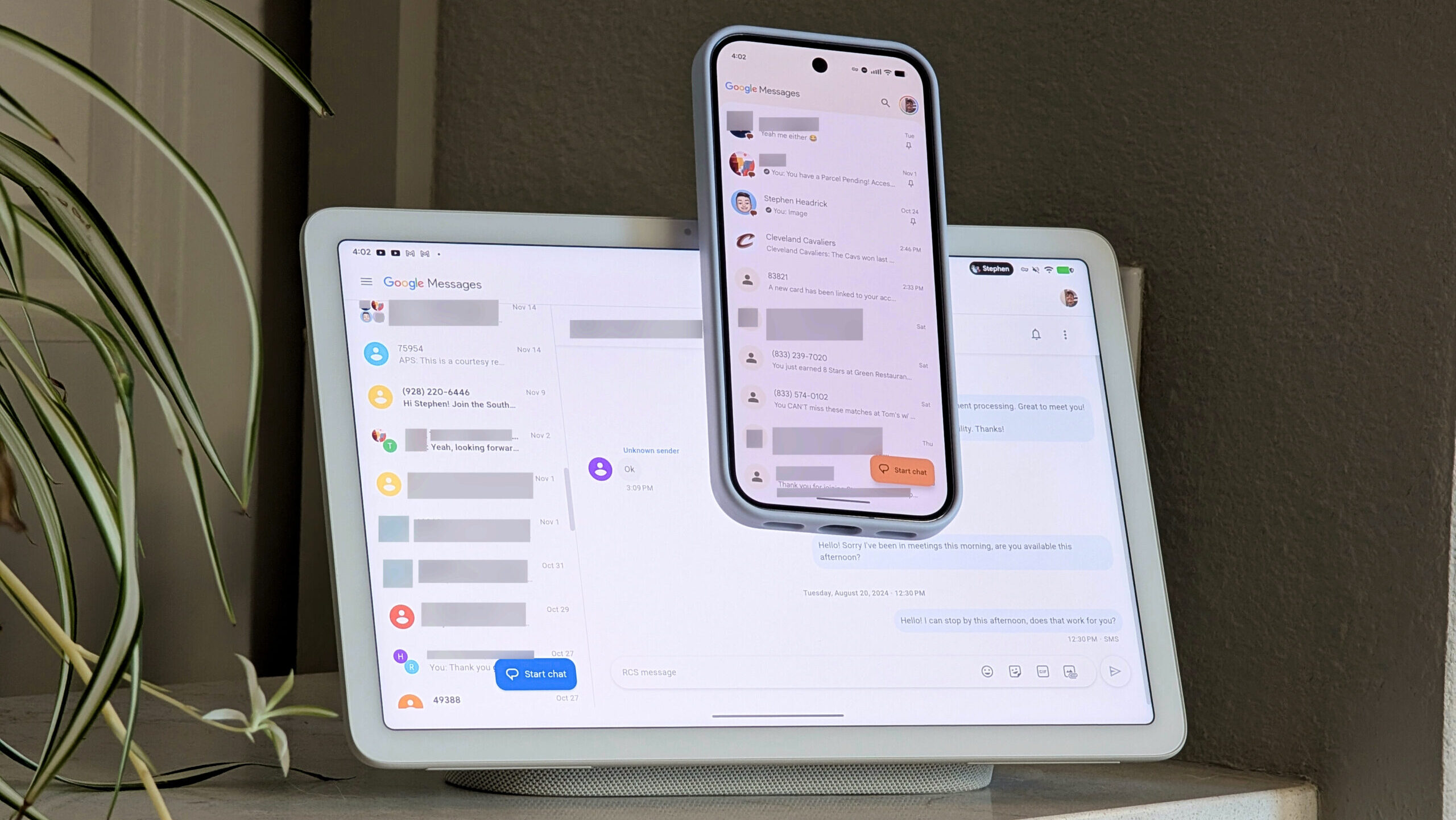
A Tale of Two Messaging Apps: Mobile vs. Web
The contrast between the mobile Google Messages application and its web-based counterpart is striking. On an Android phone, the app is a testament to modern design principles, utilizing Google’s Material 3 Expressive guidelines to deliver a fluid, intuitive, and visually appealing interface. Animations are smooth, interactions are responsive, and new features are integrated seamlessly. It feels native, robust, and truly built for the platform. This dedication to user experience on mobile is precisely why the shortcomings of the **Google Messages desktop experience** are so glaring.
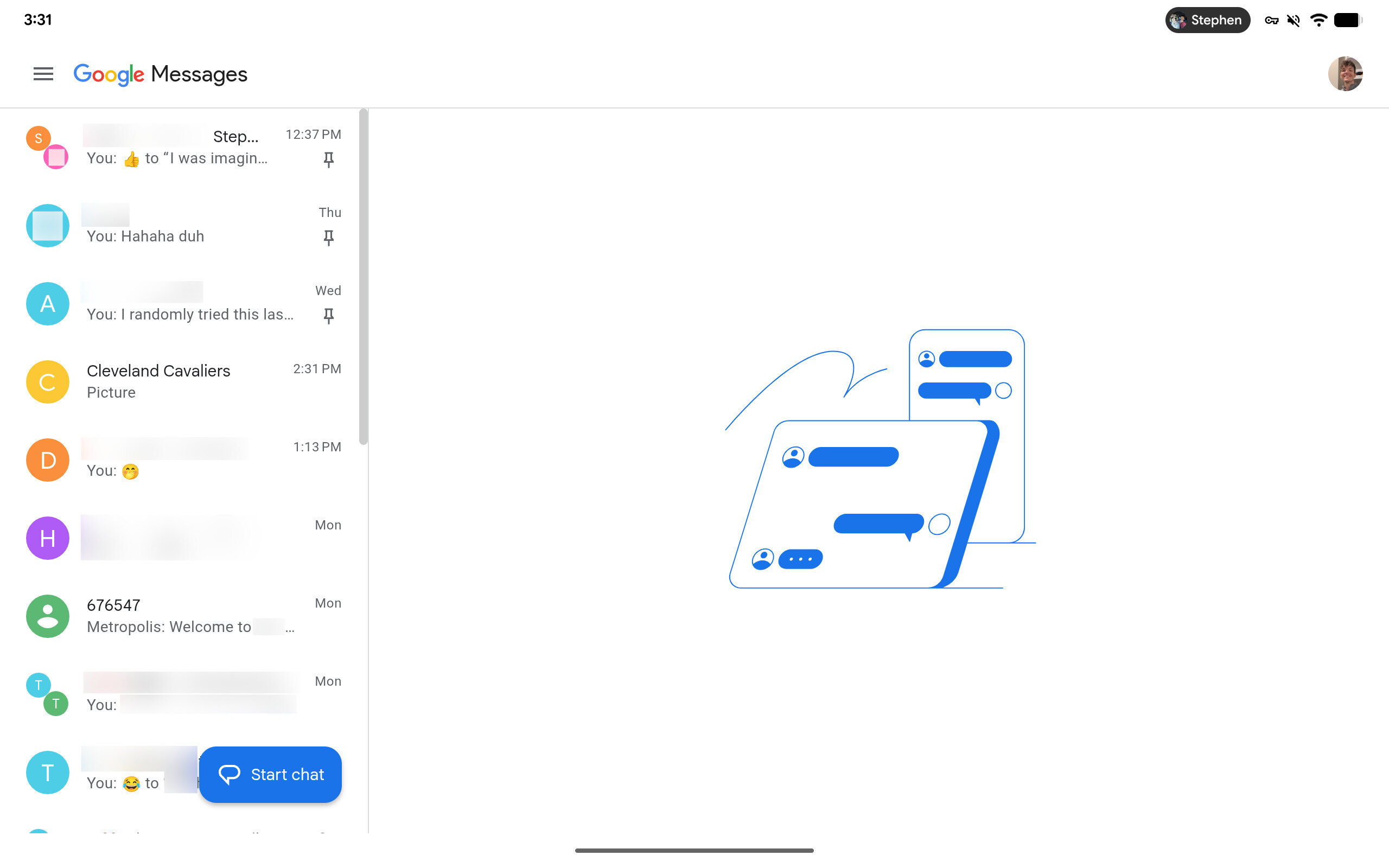
Switching to the web version, or even a tablet, is like stepping into a different era. The clean, modern aesthetic of the mobile app often gives way to a more utilitarian, less engaging interface. While the core function of sending and receiving messages remains, the “extras” that make the mobile app so enjoyable are largely absent. This isn’t merely a cosmetic issue; it reflects a fundamental lack of feature parity that impacts usability and overall satisfaction. Users expect a consistent experience across their devices, especially from a company that champions cross-platform integration.
Feature Gaps and Missing Functionality
The most immediate problem with the web version of Google Messages is its limited feature set. While it handles basic SMS and RCS messaging, the advanced capabilities that define the modern mobile experience are conspicuously absent. Consider the following:
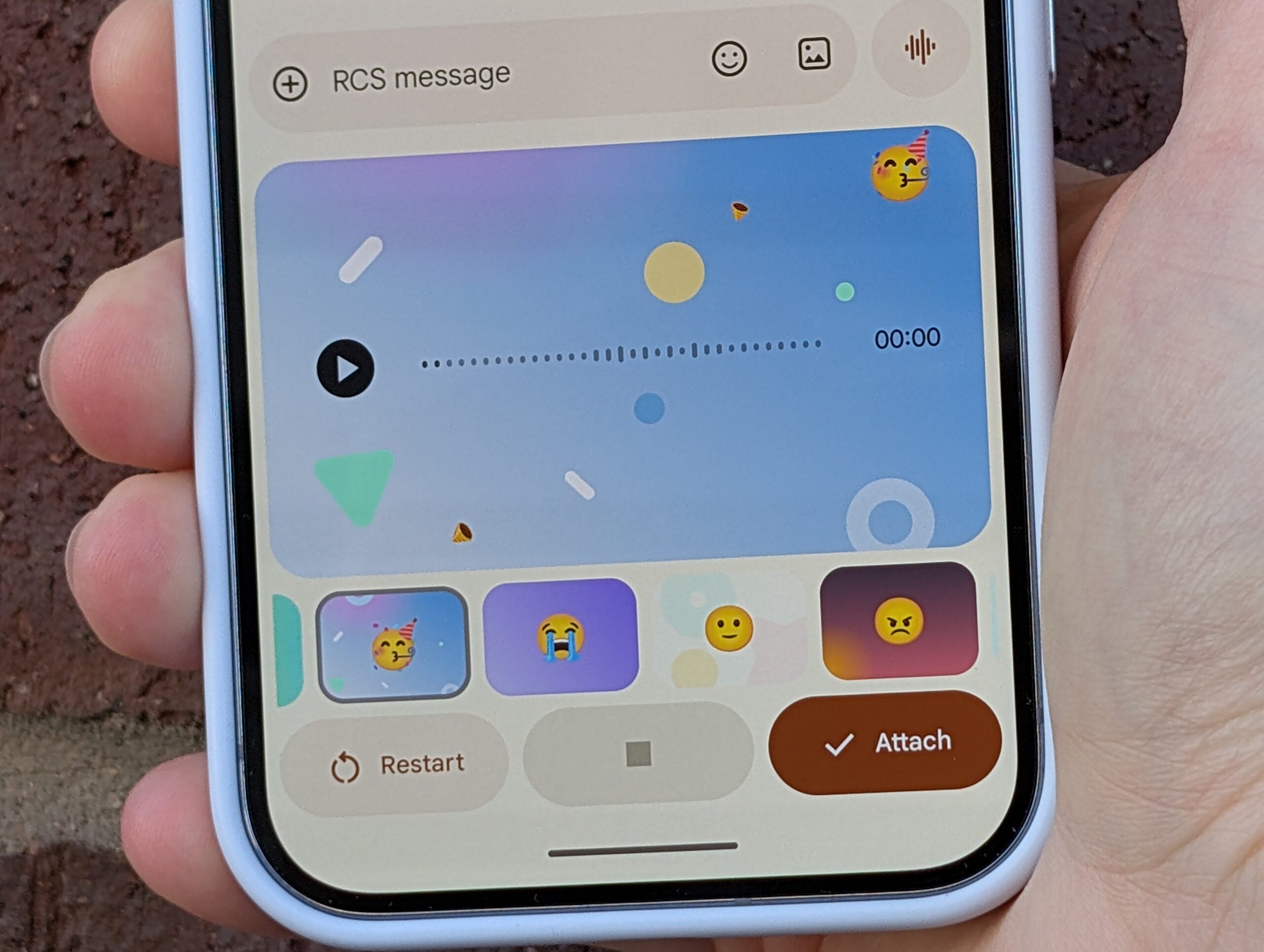
- Voice Messages: A staple in modern messaging, voice messages are completely unavailable on the web. This forces users to switch back to their phones for a simple audio clip, disrupting workflow.
- Advanced Media Editing: While photos and videos can be sent, the rich editing tools available on mobile for quick tweaks before sending are missing.
- Customization Options: The depth of customization for chat bubbles, themes, and notification settings found on mobile is significantly reduced on desktop.
- Scheduled Messages: A convenient feature for planning communications, scheduled messages are absent from the web interface.
- Integrated Google Photos Sharing: While you can attach local files, the seamless integration with Google Photos for quick access to your cloud library is not as robust as on mobile.
These aren’t niche features; they are functionalities that users have come to expect from a leading messaging platform. Their absence on the web creates a feeling of being tethered to the phone, undermining the very purpose of a multi-device messaging solution. It’s a clear indication that the **Google Messages desktop experience** has not received the same level of development priority as its mobile counterpart.
Constant Re-verification: A Barrier to Seamless Communication
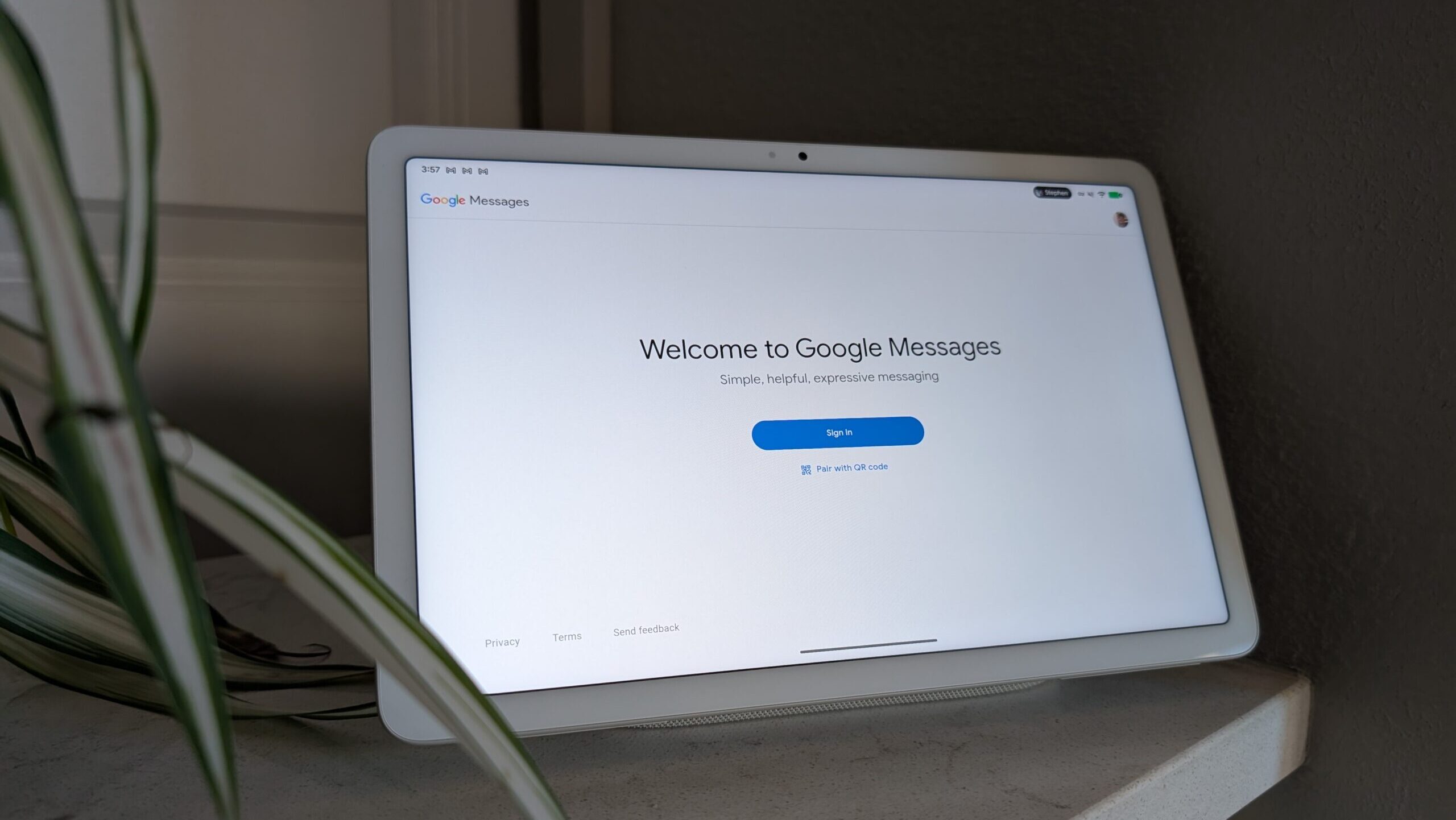
Perhaps the most infuriating aspect of the **Google Messages desktop experience** is the incessant need for re-verification. Users are frequently logged out or asked to rescan a QR code, sometimes multiple times a day. This is not only disruptive but also counterintuitive for a service designed for convenience. Imagine being in the middle of a conversation, only for the web interface to suddenly demand re-authentication. It breaks concentration, wastes time, and erodes trust in the platform’s reliability.
Why Google’s Security Measures Hurt Usability
While security is paramount, Google’s implementation for Messages on the web feels overly aggressive and poorly optimized for user flow. Unlike other messaging services that maintain persistent, secure sessions across devices, Google Messages often acts as if each web session is entirely new. This could be due to several factors:
- Session Management: It appears the web app struggles with long-term session management, leading to frequent timeouts.
- Browser Specifics: Some users report more frequent issues with certain browsers or when using privacy extensions that clear cookies.
- Lack of Native App: Without a true native desktop application, the web version is more susceptible to browser-level session management quirks.
The re-verification process often requires scanning a QR code with your phone, meaning your phone must be nearby and functional. If your phone is dead, lost, or simply out of reach, your desktop messaging capabilities are effectively cut off. This dependency creates a single point of failure that competing platforms have long since overcome. For users who rely on their computers for extended periods, this constant interruption makes the **Google Messages desktop experience** feel more like a chore than a convenience.
Essential Features Missing from the Desktop
Beyond the fundamental problem of re-verification, the absence of crucial features significantly diminishes the utility of Google Messages on non-mobile devices. These aren’t just “nice-to-haves” but functionalities that have become standard in modern communication.
Voice Messages: A Simple Yet Crucial Omission
Voice messages have become an indispensable part of digital communication for many, offering a quick and personal alternative to typing. Whether it’s to convey tone, explain something complex quickly, or simply respond hands-free, voice notes are widely used. The complete absence of this feature from the **Google Messages desktop experience** is baffling. Users are forced to pick up their phone, record the message, and then put it back down, creating an unnecessary barrier and interrupting their workflow on the computer. This is a basic function that many other web messaging clients, including WhatsApp and Telegram, have supported for years.
Rich Communication Services (RCS) on the Web: Still a Dream?
Google has been a fierce advocate for RCS, positioning it as the successor to SMS and a direct competitor to iMessage. The mobile app offers a fantastic RCS experience, with read receipts, typing indicators, high-quality media sharing, and enhanced group chat features. Yet, the full potential of RCS feels muted on the web. While some RCS features like read receipts and high-quality image previews do work, the overall integration and user experience don’t match the mobile fluidity. For instance, the ability to send larger files or experience interactive rich cards feels limited or entirely absent. This partial implementation dilutes the very advantage Google seeks to promote with RCS, especially when considering the integrated experience offered by Apple’s consistent updates to its operating systems like iOS 26.2 and iPadOS 26.2.
The Lack of Native Desktop Applications
Perhaps the most significant underlying issue is the reliance on a web-based client rather than dedicated native desktop applications. A native app for Windows, macOS, and even Linux would offer several advantages:
- Improved Performance: Native apps generally run faster and more smoothly than web apps, especially for real-time communication.
- Better System Integration: Access to native notifications, system-wide sharing menus, and deeper OS integration would enhance the user experience.
- Persistent Sessions: Native apps are far better equipped to maintain secure, persistent login sessions, mitigating the re-verification problem.
- Offline Capabilities: Some level of offline message access or drafting could be possible with a native client.
Google has proven it can build excellent native desktop apps with services like Google Drive and Google Photos. The absence of a similar commitment to Google Messages for desktop is a missed opportunity, especially when considering the evolving tablet market, including new models like the ZTE Pad X1102N with 5G support, which could greatly benefit from a dedicated, robust messaging client.
Comparing to Competitors: What Others Get Right
To understand the depth of the issue with the **Google Messages desktop experience**, it’s helpful to look at how other prominent messaging services handle cross-device communication. The benchmark for a truly seamless experience has been set high by competitors, and Google is currently falling short.
iMessage’s Ecosystem Advantage
Apple’s iMessage is often cited as the gold standard for integrated messaging. Its strength lies in its deep integration within the Apple ecosystem. Messages sent from an iPhone appear instantly on a MacBook, iPad, and Apple Watch, complete with full feature parity, including voice messages, rich media, and robust group chat functionalities. Authentication is handled seamlessly through iCloud, requiring minimal user intervention once set up. This unified experience is a major draw for Apple users and highlights what Google is aiming for with RCS, but failing to deliver consistently across devices. The consistent updates to its operating systems, such as the recent iOS 26.2 and iPadOS 26.2 releases, ensure this ecosystem remains robust and integrated.
WhatsApp, Signal, and Telegram: Unified Across Devices
Even outside of a tightly controlled ecosystem like Apple’s, cross-platform messaging apps have mastered the multi-device experience. WhatsApp, for example, offers dedicated desktop applications for Windows and macOS, alongside a highly functional web client. These clients provide almost full feature parity with the mobile app, including voice messages, video calls, and document sharing. Crucially, they maintain persistent, secure sessions, rarely requiring re-authentication once linked. Signal and Telegram follow a similar model, offering robust native desktop clients that provide a consistent and reliable experience, allowing users to communicate without constantly reaching for their phones.
These platforms demonstrate that it’s entirely possible to deliver a feature-rich, stable, and secure messaging experience across mobile, web, and desktop without compromising usability. Their success underscores the urgent need for Google to re-evaluate its strategy for the **Google Messages desktop experience** and invest in building truly competitive multi-device solutions.
The Impact on Productivity and User Experience
The limitations of the **Google Messages desktop experience** extend beyond mere inconvenience; they actively impede productivity and contribute to a frustrating overall user experience. In an era where multitasking and efficient workflow are paramount, a fragmented communication tool is a significant drawback.
Breaking the Workflow: Context Switching Costs
Every time a user has to switch from their computer to their phone to send a voice message, re-authenticate, or access a specific feature, it introduces a “context switch.” These switches are not trivial; they break concentration, interrupt thought processes, and reduce overall efficiency. What might seem like a minor action—picking up a phone—accumulates into significant time loss and mental fatigue over the course of a workday. For professionals who spend hours at their desks, this constant disruption makes the **Google Messages desktop experience** a hindrance rather than an aid. The need to frequently handle such interruptions can detract from focus, impacting tasks that require sustained attention, such as managing complex projects or engaging with the latest flagship Android devices, like the Pixel 10 Pro Fold or Galaxy S25 lineup.
The Frustration of a Fragmented Experience
The core promise of modern technology is to simplify and integrate our digital lives. When a fundamental communication tool like Google Messages fails to deliver a consistent experience across devices, it creates a sense of fragmentation. Users feel like they are working with two different applications rather than a unified service. This fragmentation leads to frustration, as users are forced to remember which features are available where, and to constantly adapt their communication habits based on the device they are using. This is particularly disappointing given Google’




