
The future of travel and identity verification is here, and it’s residing within your iPhone. Apple’s recent introduction of “Digital ID” is revolutionizing how we manage and present our identification documents. Now, you can add your passport to your iPhone, streamlining your airport experience and paving the way for a more secure and convenient future. This article delves into the specifics of this groundbreaking feature, its benefits, how to set it up, and what the future holds for digital identification.
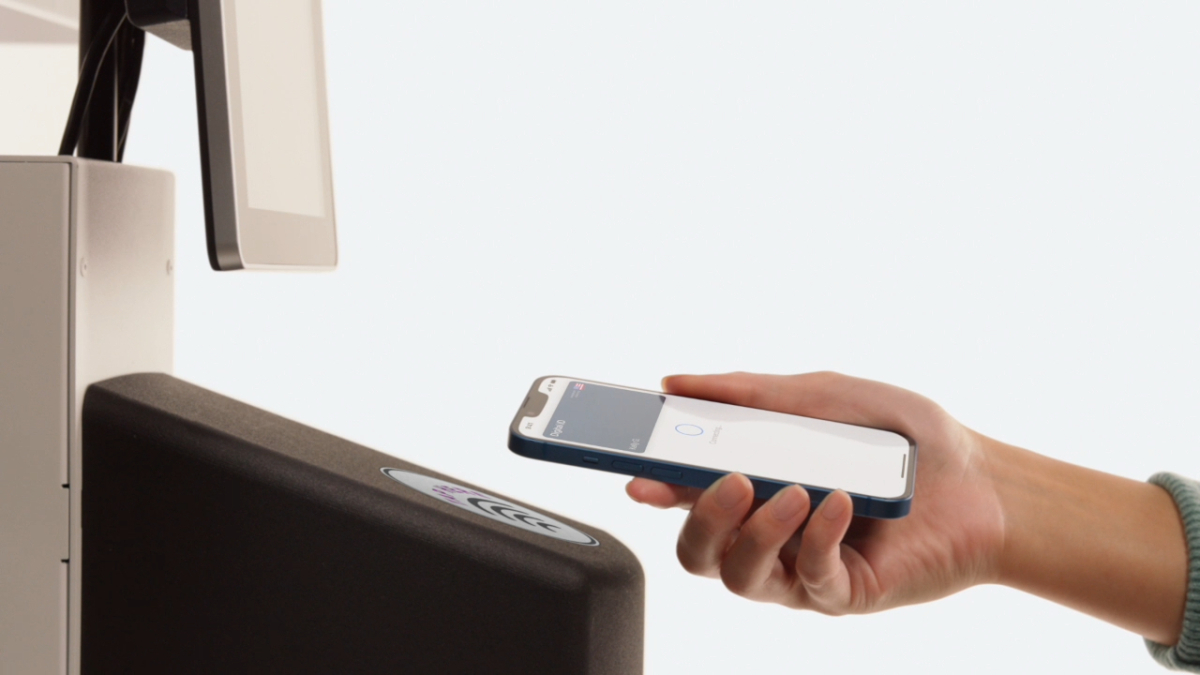
The Dawn of Digital Identification: Adding Your Passport to iPhone
For years, the promise of a truly digital wallet has lingered on the horizon. While Apple introduced the ability to add driver’s licenses and state IDs to iPhones back in 2021, adoption has been slow, with only a limited number of states supporting the feature. This left many users waiting for their respective states to catch up. The introduction of “Digital ID,” which allows you to add your passport to your iPhone, bypasses this limitation for US passport holders.
This new feature, currently in beta, allows you to create a digital version of your passport within the Wallet app. This is a significant step forward, especially for those residing in the 38 states that don’t yet support digital driver’s licenses and state IDs. Even in states that do support these features, a passport offers advantages, particularly if you lack a REAL ID-compliant driver’s license. The ability to add your passport to your iPhone expands access to the Wallet ID feature to a broader user base.
However, it’s important to manage expectations. Just as with previous attempts at virtual IDs, don’t expect to use your Digital ID everywhere you would normally present physical documentation. The initial rollout of this feature is primarily focused on air travel. Apple states that Digital ID is launching in beta at over 250 airports, specifically for use at TSA checkpoints. Currently, this feature is limited to domestic flights; you’ll still need your physical passport for international travel. Apple envisions expanding the use of Digital ID in the future for other purposes, such as booking flights and hotels, and even opening new accounts.
The implementation of Digital ID aligns with the broader trend of digital transformation, mirroring efforts to seamlessly connect various aspects of our lives through technology. As more services and institutions embrace digital identification, the convenience and security benefits will become increasingly apparent.
The Benefits of a Digital Passport on Your iPhone
Adding your passport to your iPhone offers several compelling advantages, making it a worthwhile endeavor for frequent travelers and anyone seeking a more streamlined and secure way to manage their identification.
- Enhanced Security: Your digital passport is securely stored on your iPhone, protected by Face ID or Touch ID. This provides a higher level of security compared to carrying a physical passport, which is susceptible to theft or loss. The encrypted storage makes it significantly harder for unauthorized individuals to access your personal information.
- Convenience: No more fumbling through your bag or pockets to find your passport. With your digital passport on your iPhone, your identification is readily accessible with a simple scan. This is especially useful when navigating busy airport security lines.
- Reduced Wear and Tear: Physical passports can become damaged or worn over time, requiring costly replacements. A digital passport eliminates this concern, ensuring your identification remains in pristine condition.
- Future Applications: While currently limited to domestic air travel, Apple plans to expand the functionality of Digital ID to include other use cases, such as booking flights and hotels, opening new accounts, and verifying your identity for various online services. This makes it a future-proof investment in digital identity management.
- Streamlined Airport Experience: Imagine breezing through TSA checkpoints with a simple tap of your iPhone. This is the reality that Digital ID promises to deliver, making air travel less stressful and more efficient.
The convenience offered by a digital passport extends beyond just ease of access. Consider situations where you might need to quickly verify your age or identity. Having your passport readily available on your phone simplifies these interactions. Furthermore, the potential for integrating this feature with other services, such as loyalty programs and travel booking platforms, could create a truly seamless travel experience.
How to Add Your Passport to Your iPhone: A Step-by-Step Guide
Adding your passport to your iPhone is a straightforward process. Here’s a detailed guide to help you get started:
- Requirements: Ensure you have the necessary prerequisites. You’ll need a valid U.S. passport, an iPhone 11 or later with iOS 16.1 or later, or an Apple Watch Series 6 or later with WatchOS 9.1.
- Open the Wallet App: Locate and open the Wallet app on your iPhone.
- Tap the “+” Button: Look for the “+” button, usually located in the top right corner of the Wallet app.
- Select “Driver’s License or State ID”: Choose the option to add a driver’s license or state ID. Even though you’re adding a passport, this is the correct initial step.
- Choose “Passport”: The app will prompt you to select the type of ID you want to add. Choose “Passport” from the available options.
- Follow the On-Screen Instructions: The app will guide you through the process of scanning your passport. Make sure to follow the instructions carefully, ensuring proper lighting and alignment.
- Verification: Apple will verify your information with the Department of Homeland Security. This process may take a few minutes.
- Accept Terms and Conditions: Review and accept the terms and conditions for using Digital ID.
- Setup Complete: Once the verification process is complete, your digital passport will be added to your Wallet app.
It is crucial to ensure that your iPhone’s software is up to date before attempting to add your passport. Outdated software may lack the necessary features or security updates required for the Digital ID functionality. If you encounter any issues during the setup process, consult Apple’s support documentation or contact Apple Support for assistance. Remember, this feature is currently in beta, so occasional glitches or unexpected behavior may occur.
Security and Privacy Considerations
While the convenience of adding your passport to your iPhone is undeniable, it’s essential to address the security and privacy implications. Apple has implemented several measures to protect your personal information and ensure the security of your Digital ID.
- Encryption: Your digital passport is encrypted and securely stored on your iPhone. This makes it extremely difficult for unauthorized individuals to access your information, even if they gain access to your device.
- Face ID and Touch ID: Access to your digital passport requires authentication via Face ID or Touch ID, adding an extra layer of security. This prevents anyone other than you from accessing your identification.
- Limited Sharing: You control when and with whom you share your digital passport. When presenting your ID at a TSA checkpoint, for example, you’ll be prompted to authorize the sharing of your information.
- Data Minimization: Apple only shares the necessary information required for verification purposes. This minimizes the risk of oversharing personal data.
- Privacy Policy: Apple has a comprehensive privacy policy that outlines how they collect, use, and protect your personal information. Review this policy to understand your rights and how your data is handled.
Despite these security measures, it’s important to remain vigilant. Protect your iPhone with a strong passcode and enable features like “Find My iPhone” to help locate your device if it’s lost or stolen. Be cautious about sharing your iPhone with others, and be aware of potential phishing scams that could attempt to steal your Apple ID and password. It’s also worth exploring options for managing app permissions to further safeguard your privacy.
The Future of Digital ID and its Impact on Travel
The introduction of Digital ID marks a significant step towards a future where physical identification documents become obsolete. While the current implementation is limited to domestic air travel, the potential applications are vast.
Imagine a future where you can use your digital passport to:
- Book Flights and Hotels: Verify your identity when booking travel arrangements online.
- Open New Accounts: Streamline the process of opening bank accounts or applying for credit cards.
- Verify Age for Purchases: Easily verify your age when purchasing age-restricted items, such as alcohol or tobacco.
- Access Government Services: Access government services and benefits online.
- Cross-Border Travel: Eventually, use your digital passport for international travel, eliminating the need to carry a physical passport.
The widespread adoption of Digital ID could revolutionize the way we interact with businesses and government agencies. It would simplify countless processes, reduce fraud, and enhance security. However, the transition to a fully digital identity system will require careful planning and collaboration between governments, technology companies, and industry stakeholders.
One potential challenge is ensuring accessibility for all individuals, including those who may not have access to smartphones or who are less comfortable using technology. Addressing this digital divide will be crucial to ensure that everyone can benefit from the advantages of digital identification. Furthermore, establishing international standards and interoperability will be essential to facilitate seamless cross-border travel. The evolution of communication protocols is a parallel example of the need for interoperability in the digital age.
Potential Challenges and Considerations
While the future of Digital ID is promising, it’s important to acknowledge the potential challenges and considerations that need to be addressed to ensure its successful implementation.
- Security Risks: As with any digital system, Digital ID is susceptible to security threats, such as hacking and identity theft. Robust security measures are essential to protect users’ personal information.
- Privacy Concerns: The collection and use of personal data raise privacy concerns. Clear and transparent privacy policies are needed to ensure that users understand how their data is being used and protected.
- Accessibility: Ensuring accessibility for all individuals, regardless of their technological proficiency or access to smartphones, is crucial. Alternative methods of identification may be needed for those who cannot or choose not to use Digital ID.
- Interoperability: Establishing international standards and interoperability is essential to facilitate seamless cross-border travel and ensure that Digital ID can be used in different countries.
- Government Regulation: Clear and consistent government regulations are needed to govern the use of Digital ID and protect users’ rights.
- Fraud Prevention: Robust fraud prevention measures are necessary to prevent the misuse of Digital ID and protect against identity theft.
Addressing these challenges will require a collaborative effort between governments, technology companies, and industry stakeholders. Open dialogue and public consultation are essential to ensure that Digital ID is implemented in a way that is secure, private, accessible, and beneficial to all.
Conclusion: Embracing the Future of Identity
The ability to add your passport to your iPhone represents a significant leap forward in the evolution of digital identity. While the current implementation is limited, the potential for future applications is vast. As technology continues to advance, we can expect to see Digital ID become an increasingly integral part of our lives, simplifying countless processes and enhancing security. By embracing this innovation, we can pave the way for a more convenient, secure, and efficient future.
The journey towards a fully digital identity system will not be without its challenges. However, by addressing these challenges proactively and collaborating effectively, we can unlock the full potential of Digital ID and create a future where identity is seamless, secure, and accessible to all. Just as advancements in TV technology offer better viewing experiences, like Hisense’s Mini-LED TVs, so too does Digital ID offer a better way to manage our identity.




