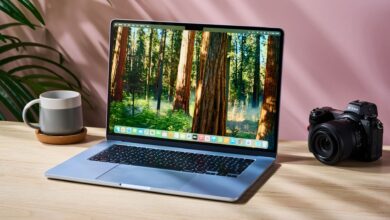
Black Friday Chromebook Deals: Top Picks After Extensive Testing
Black Friday is the perfect time to snag a great deal on a new laptop, and Chromebooks are definitely worth considering. These Google-powered devices offer a unique blend of affordability and functionality, thanks to their reliance on cloud computing and the lightweight ChromeOS. This keeps component costs down, making them generally cheaper than traditional Windows or macOS laptops. This Black Friday, the deals are even more compelling.

Having personally tested dozens of Chromebooks over the years, I’ve developed a keen sense of what makes a great device. It’s not just about the price; performance, build quality, and user experience all play crucial roles. This year, I’ve been particularly impressed with a few models that stand out from the crowd. Let’s dive into my top recommendations for the best Black Friday Chromebook deals.
One standout is the Samsung Galaxy Chromebook Go. This sleek and lightweight laptop is currently available for a significantly reduced price. Its portability and ease of use make it an excellent choice for students or anyone who needs a reliable device for on-the-go tasks. Another compelling option is the Asus Chromebook CX15, especially for younger or less tech-savvy users. Its simplicity and affordability make it a fantastic first laptop.
Chromebooks excel at essential tasks like web browsing, video streaming, and document creation. While they may not be ideal for demanding software or intensive gaming, they handle everyday computing needs with ease. The access to Android apps via the Google Play Store expands their functionality, and the robust parental controls make them a safe choice for children. If you are looking for tech gifts for college students, a Chromebook is a great option.
Finding the perfect Chromebook involves understanding your specific needs and usage patterns. Whether you prioritize portability, performance, or affordability, there’s a Chromebook out there that’s right for you. The key is to identify the features that matter most and then compare models within your budget. Let’s explore some of the best options available this Black Friday.
Why Choose a Chromebook This Black Friday?
Chromebooks offer several advantages that make them attractive to a wide range of users. Their simplicity, affordability, and ease of use are particularly appealing to those who are new to laptops or who primarily use their devices for basic tasks. But beyond the surface-level benefits, there are deeper reasons why a Chromebook might be the perfect choice for you this Black Friday.

Simplicity and Ease of Use
ChromeOS is designed with simplicity in mind. Its clean and intuitive interface makes it easy for anyone to pick up and start using, regardless of their technical expertise. The familiar, smartphone-like user interface is particularly helpful for those who are new to laptops. Navigating the operating system is straightforward, and the settings are easy to customize.
One of the biggest advantages of ChromeOS is its automatic updates. You don’t have to worry about manually installing updates or dealing with complicated software installations. ChromeOS handles everything in the background, ensuring that your Chromebook is always up-to-date with the latest security patches and features. This makes it a hassle-free experience for users who want a device that just works.
Affordability
Chromebooks are generally more affordable than traditional laptops running Windows or macOS. This is due to their reliance on cloud computing and the lightweight nature of ChromeOS. Because Chromebooks don’t require powerful processors or large amounts of storage, manufacturers can keep the component costs down. This translates to lower prices for consumers, making Chromebooks an attractive option for budget-conscious shoppers.
The affordability of Chromebooks also makes them a great choice for students. Many students are on a tight budget and need a reliable laptop for schoolwork. Chromebooks offer excellent value for money, providing all the essential features needed for writing papers, doing research, and attending online classes. Several Chromebooks also feature in our guide to the best student laptops, highlighting their suitability for academic use.
Security
ChromeOS is built with security in mind. The operating system is designed to be resistant to viruses and malware. Because ChromeOS runs apps in a sandboxed environment, it’s difficult for malicious software to infect the system. Additionally, ChromeOS features verified boot, which ensures that the operating system hasn’t been tampered with.
Google also provides regular security updates for ChromeOS, protecting users from the latest threats. These updates are installed automatically in the background, so you don’t have to worry about manually patching your system. This makes Chromebooks a secure and reliable choice for users who want peace of mind.
Top Chromebook Recommendations for Black Friday
Now that we’ve discussed the benefits of Chromebooks, let’s take a look at some of the best models available this Black Friday. These Chromebooks have been selected based on their performance, features, and value for money.
Samsung Galaxy Chromebook Go
The Samsung Galaxy Chromebook Go is a sleek and lightweight laptop that’s perfect for on-the-go use. It features a durable design, a comfortable keyboard, and a long-lasting battery. The Galaxy Chromebook Go is powered by an Intel Celeron processor and has 4GB of RAM, providing enough performance for everyday tasks.
One of the standout features of the Galaxy Chromebook Go is its portability. It weighs just over 2 pounds and is less than an inch thick, making it easy to carry around in a backpack or bag. The battery life is also impressive, lasting up to 12 hours on a single charge. This makes it a great choice for students or anyone who needs a laptop that can last all day.
Asus Chromebook CX15
The Asus Chromebook CX15 is an excellent option for younger or less tech-savvy users. It features a simple and intuitive interface, a large 15.6-inch display, and a durable design. The CX15 is powered by an Intel Celeron processor and has 4GB of RAM, providing enough performance for basic tasks like web browsing and document creation.
The large display of the CX15 makes it easy to see and use, especially for users who have difficulty with smaller screens. The keyboard is also comfortable to type on, and the touchpad is responsive. The CX15 also features a built-in webcam and microphone, making it easy to video chat with friends and family.
Lenovo Chromebook Duet
The Lenovo Chromebook Duet is a versatile 2-in-1 device that can be used as a laptop or a tablet. It features a detachable keyboard and a vibrant 10.1-inch display. The Duet is powered by a MediaTek Helio P60T processor and has 4GB of RAM, providing enough performance for everyday tasks.
One of the standout features of the Duet is its portability. It’s incredibly thin and lightweight, making it easy to carry around in a bag or purse. The battery life is also excellent, lasting up to 10 hours on a single charge. The detachable keyboard is comfortable to type on, and the touchscreen display is responsive. If you’re considering an e-reader this Black Friday, the Lenovo Chromebook Duet could be a great alternative that offers more functionality.
HP Chromebook x360 14c
The HP Chromebook x360 14c is a premium Chromebook that offers a combination of performance, features, and design. It features a 360-degree hinge, allowing it to be used in laptop, tablet, or tent mode. The x360 14c is powered by an Intel Core i3 processor and has 8GB of RAM, providing plenty of performance for demanding tasks.
The x360 14c features a sleek and stylish design, with a premium aluminum finish. The keyboard is comfortable to type on, and the touchpad is responsive. The display is bright and vibrant, making it great for watching videos or working on documents. The 360-degree hinge allows you to use the x360 14c in a variety of different ways, making it a versatile device for any situation. If you are an HP fan, don’t miss the unbeatable Chromebook deal: HP Plus 15 for Black Friday.
Factors to Consider When Buying a Chromebook
When shopping for a Chromebook this Black Friday, it’s important to consider your specific needs and usage patterns. Here are some factors to keep in mind:
Processor
The processor is one of the most important factors to consider when buying a Chromebook. The processor determines how fast the Chromebook can perform tasks like web browsing, document editing, and video streaming. If you plan to use your Chromebook for demanding tasks, you’ll want to choose a model with a more powerful processor, such as an Intel Core i3 or i5.
RAM
RAM, or random access memory, is another important factor to consider. RAM determines how many applications and browser tabs you can have open at the same time without experiencing slowdown. If you plan to multitask or use your Chromebook for demanding tasks, you’ll want to choose a model with at least 4GB of RAM. 8GB of RAM is recommended for more demanding users.
Storage
Chromebooks typically have less storage than traditional laptops. This is because they rely on cloud storage for most of their files. However, it’s still important to choose a model with enough storage for your needs. If you plan to store a lot of files locally, you’ll want to choose a model with at least 32GB of storage. Some models also offer expandable storage via a microSD card slot.
Display
The display is another important factor to consider. The display determines how comfortable the Chromebook is to use for extended periods of time. If you plan to use your Chromebook for watching videos or working on documents, you’ll want to choose a model with a high-resolution display.
Battery Life
Battery life is an important factor to consider if you plan to use your Chromebook on the go. Choose a model with a long-lasting battery so you don’t have to worry about running out of power in the middle of the day. Look for models that offer at least 8 hours of battery life on a single charge.
Maximizing Your Black Friday Chromebook Savings
Black Friday is known for incredible deals, but to truly maximize your savings on a Chromebook, consider these strategies:
Compare Prices Across Retailers
Don’t settle for the first deal you see. Compare prices across multiple retailers, including Amazon, Best Buy, Walmart, and Target. Prices can vary significantly, so it’s worth taking the time to shop around.
Look for Bundles and Promotions
Many retailers offer bundles and promotions during Black Friday. These can include discounts on accessories, such as cases, keyboards, or mice. Some retailers may also offer free software or services with the purchase of a Chromebook.
Consider Refurbished or Open-Box Models
If you’re on a tight budget, consider buying a refurbished or open-box Chromebook. These models are typically discounted significantly and can offer excellent value for money. Just make sure to buy from a reputable retailer and check the warranty before making a purchase.
Set Price Alerts
Use price tracking tools to set alerts for the Chromebook models you’re interested in. This way, you’ll be notified when the price drops, ensuring that you don’t miss out on a great deal.
ChromeOS Tips and Tricks
Once you’ve purchased your new Chromebook, here are some tips and tricks to help you get the most out of ChromeOS:
Use Keyboard Shortcuts
ChromeOS has a variety of keyboard shortcuts that can help you work more efficiently. For example, you can use Ctrl+Tab to switch between open tabs, Ctrl+Shift+T to reopen a recently closed tab, and Ctrl+W to close the current tab.
Customize Your Desktop
You can customize your ChromeOS desktop by changing the wallpaper, theme, and app icons. To change the wallpaper, right-click on the desktop and select “Set wallpaper.” To change the theme, go to Settings > Appearance > Theme.
Use Android Apps
ChromeOS supports Android apps, allowing you to expand the functionality of your Chromebook. You can download Android apps from the Google Play Store. Just keep in mind that not all Android apps are optimized for ChromeOS, so some may not work as well as others.
Use Offline Mode
ChromeOS has an offline mode that allows you to continue working even when you’re not connected to the internet. To use offline mode, enable offline access for the apps and services you want to use. For example, you can enable offline access for Google Docs, Google Sheets, and Gmail.
Conclusion: Secure Your Black Friday Chromebook Deal
Chromebooks offer a compelling combination of affordability, simplicity, and security, making them an excellent choice for a wide range of users. This Black Friday, take advantage of the incredible deals available and upgrade to a new Chromebook. By considering your specific needs, comparing prices, and using the tips and tricks outlined in this guide, you can find the perfect Chromebook for you and maximize your savings. Whether you’re looking for a lightweight laptop for on-the-go use, a simple device for basic tasks, or a versatile 2-in-1, there’s a Chromebook out there that’s right for you. Don’t miss out on the opportunity to snag a great deal this Black Friday!
The Asus Chromebook CX15, with its user-friendly design, makes a great gift for older relatives who may not be as tech-savvy. For music lovers, be sure to check out the JBL Charge 6 unbeatable Black Friday deal at $129.95, a perfect companion for enjoying tunes on the go with your new Chromebook. If you’re considering other tech gifts, remember to explore the top tech essentials for college students, which can be an excellent guide for finding practical and appreciated items.
For those looking to immerse themselves in reading, consider exploring the best Black Friday deals on e-readers. These can be a great alternative or addition to a Chromebook, offering a dedicated reading experience. And, if you’re an Apple enthusiast, don’t miss out on the best Apple Black Friday deals, including price cuts on iPads, Macs, and AirPods, which can complement your Chromebook setup.
To enhance your Chromebook experience, ensure you have a reliable internet connection. If you’re considering a Google TV streamer, explore the guide on loving your Google TV streamer, especially if it’s never been cheaper, for seamless streaming on your external display connected to your Chromebook. For athletes and fitness enthusiasts, the Garmin Instinct 3 Solar Black Friday deal offers significant savings on a rugged smartwatch that can track your activities and sync data with your Chromebook. And, for audiophiles, finding the best headphones for every need and budget ensures you can enjoy your music and videos with exceptional sound quality on your new Chromebook.