
Unlock Gaming on Chromebooks: GeForce Now Free, Ad-Free
Chromebooks have long been lauded for their simplicity, security, and affordability, making them ideal for students, educators, and anyone seeking a streamlined computing experience. However, their limitations in raw processing power have often relegated them to productivity tasks, leaving gamers wanting more. Google has been making a concerted effort to change this perception, particularly with the introduction of the Chromebook Plus program in 2023, which mandates certain performance and display standards. Now, a game-changing development is set to elevate the Chromebook gaming experience: a free, ad-free tier of Nvidia’s GeForce Now cloud gaming service.
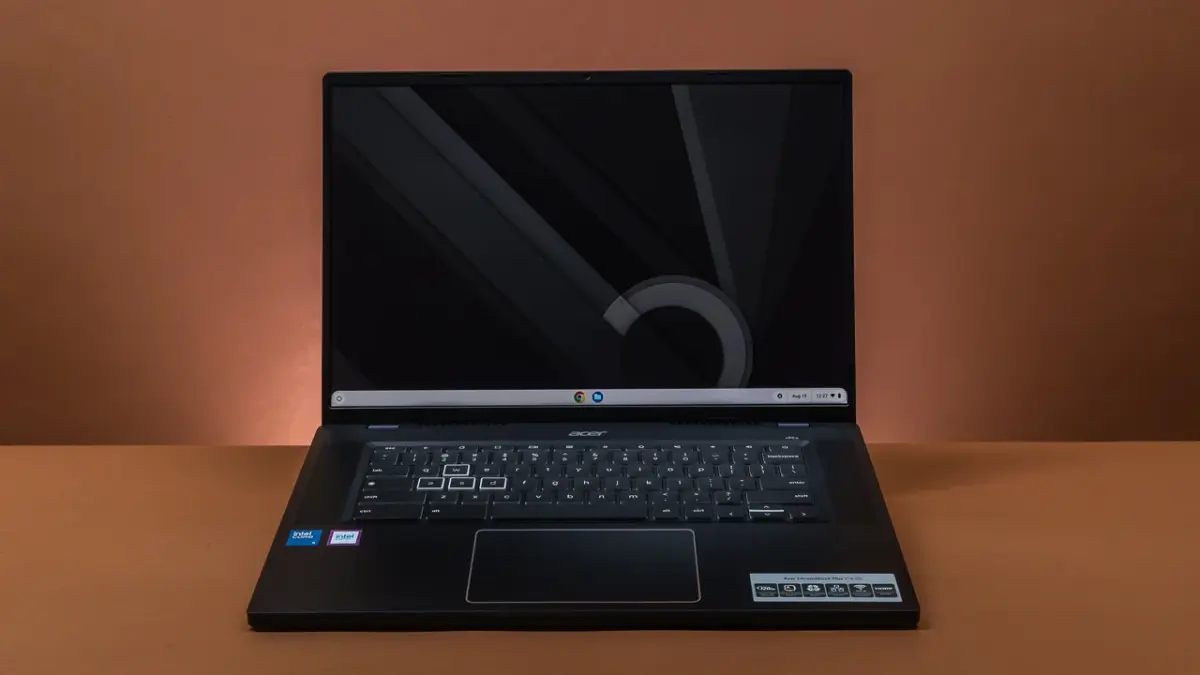
This exclusive offering, known as GeForce Now Fast Pass, provides Chromebook users with a unique opportunity to access a curated selection of games without the interruptions of advertisements or the frustrations of waiting in queues. This article will delve into the details of this exciting partnership, exploring the benefits, limitations, and potential impact on the future of Chromebook gaming. We’ll also consider how cloud gaming, in general, is reshaping the landscape of accessibility and performance for gamers of all levels. It is also important to consider how to safeguard your gaming data, even when using cloud services, to ensure a seamless experience.
The Rise of Cloud Gaming on Chromebooks
The concept of cloud gaming is simple yet revolutionary: games are rendered on powerful remote servers and streamed to the user’s device, eliminating the need for expensive, high-end hardware. This is particularly relevant for Chromebooks, which typically lack the dedicated graphics cards and powerful processors required to run modern games natively. Cloud gaming services like GeForce Now bridge this gap, allowing Chromebook users to enjoy visually stunning and computationally demanding games with minimal hardware investment.
Nvidia’s GeForce Now has emerged as a leading player in the cloud gaming arena, offering a vast library of games and various subscription tiers to cater to different needs. The service supports both free-to-play titles and PC games that users already own, providing a flexible and cost-effective gaming solution. However, the free tier of GeForce Now has traditionally been ad-supported and subject to queue times, which can detract from the overall gaming experience.
GeForce Now Fast Pass: A New Era for Chromebook Gaming
The introduction of GeForce Now Fast Pass marks a significant step forward for Chromebook gaming. This exclusive tier, bundled with new Chromebook purchases, offers a compelling proposition: ad-free gaming with reduced queue times. While it retains some limitations compared to the paid tiers, such as a maximum resolution of 1080p and a frame rate of 60fps, it provides a substantial upgrade over the standard free tier. This is especially beneficial for users who want to experience the benefits of cloud gaming without the distractions of ads. For users looking to enhance their creative experience alongside gaming, tools like the XP-Pen Magic Note Pad can offer a seamless blend of productivity and entertainment.
The Fast Pass tier also includes a curated library of compatible titles, focusing on games that are optimized for cloud streaming. While the library may be smaller than the full GeForce Now catalog, it still offers a diverse range of genres and experiences to satisfy a wide variety of gamers. The key advantage of the Fast Pass is the ability to jump into games quickly, without having to wait in long queues, which can be a major deterrent for casual gamers.
Understanding the Fine Print: Limitations and Considerations
While the GeForce Now Fast Pass offers a compelling value proposition, it’s essential to understand its limitations. The most significant restriction is the monthly usage cap of 10 free hours. While unused hours can roll over to the next month (up to a maximum of five hours), users who exceed this limit will need to consider upgrading to a paid GeForce Now subscription to continue playing. This requires users to carefully manage their gaming time to avoid unexpected interruptions. This limitation encourages users to prioritize their gaming sessions and explore other forms of entertainment or productivity during their non-gaming hours.
Another factor to consider is the reliance on a stable and high-speed internet connection. Cloud gaming requires a consistent data stream to deliver a smooth and responsive experience. Users with slow or unreliable internet connections may encounter lag, stuttering, or disconnections, which can negatively impact their enjoyment. It is recommended to have a minimum internet speed of 25 Mbps for optimal performance. Before committing to GeForce Now Fast Pass, users should test their internet connection to ensure compatibility and avoid potential frustrations.
The Benefits of GeForce Now Fast Pass for Chromebook Users
The GeForce Now Fast Pass offers several key benefits for Chromebook users:
- Ad-Free Gaming: Enjoy uninterrupted gaming sessions without the annoyance of advertisements.
- Reduced Queue Times: Jump into games quickly without having to wait in long queues.
- Access to a Curated Library: Explore a diverse range of cloud-optimized games.
- Cost-Effective Solution: Experience the benefits of cloud gaming without a recurring subscription fee (within the monthly usage limit).
- Enhanced Gaming Experience: Transform your Chromebook into a capable gaming device without upgrading hardware.
These benefits make GeForce Now Fast Pass an attractive option for Chromebook users who want to explore the world of gaming without significant investment or commitment. It provides a convenient and accessible way to enjoy a wide variety of games on a device that may not otherwise be capable of running them natively. The ad-free experience and reduced queue times further enhance the overall gaming experience, making it more enjoyable and convenient for casual gamers.
How to Claim and Activate Your GeForce Now Fast Pass
To claim and activate your GeForce Now Fast Pass, follow these steps:
- Purchase a new Chromebook: Ensure that the Chromebook is eligible for the GeForce Now Fast Pass promotion.
- Check for the offer: Look for the GeForce Now Fast Pass offer in the Chromebook’s settings or promotional materials.
- Redeem the offer: Follow the instructions to redeem the offer and create a GeForce Now account (if you don’t already have one).
- Activate Fast Pass: Link your Chromebook to your GeForce Now account and activate the Fast Pass tier.
- Start Gaming: Launch GeForce Now and start playing your favorite games.
The specific steps may vary depending on the Chromebook model and the promotional terms. Refer to the Chromebook’s documentation or contact Google or Nvidia support for assistance if needed. Once activated, you can start exploring the GeForce Now library and enjoying ad-free gaming on your Chromebook. Remember to keep track of your monthly usage to avoid exceeding the 10-hour limit.
The Future of Chromebook Gaming: A Cloud-Powered Revolution
The partnership between Google and Nvidia represents a significant step towards transforming Chromebooks into viable gaming platforms. Cloud gaming has the potential to democratize access to high-quality gaming experiences, breaking down the barriers of expensive hardware and technical expertise. As cloud gaming technology continues to evolve and internet infrastructure improves, we can expect to see even more Chromebooks becoming capable gaming devices. The integration of tools like Google’s Focus Friend could also help manage gaming time and promote a healthier balance with other activities.
The availability of GeForce Now Fast Pass is likely to drive increased interest in Chromebooks among gamers, particularly those seeking a budget-friendly and versatile device. This could lead to a wider adoption of Chromebooks in households and educational institutions, further blurring the lines between productivity and entertainment. The future of Chromebook gaming looks bright, with cloud gaming paving the way for a more accessible and immersive gaming experience.
Comparing GeForce Now Tiers: Fast Pass vs. Paid Subscriptions
To fully understand the value of GeForce Now Fast Pass, it’s helpful to compare it to the paid GeForce Now subscription tiers:
As you can see, GeForce Now Fast Pass offers a compelling balance of features and affordability, making it an ideal entry point for Chromebook users who are new to cloud gaming. The paid tiers provide additional benefits, such as higher resolutions, faster frame rates, and unlimited usage, but they come at a higher cost. Users who find themselves exceeding the monthly usage limit of Fast Pass or who desire a more premium gaming experience may consider upgrading to a paid subscription.
Optimizing Your Chromebook for GeForce Now Gaming
To ensure the best possible gaming experience on your Chromebook with GeForce Now, consider the following optimization tips:
- Connect to a Stable Wi-Fi Network: Use a 5 GHz Wi-Fi connection for optimal performance.
- Close Unnecessary Applications: Free up system resources by closing any applications that are not needed.
- Update Your Chromebook: Ensure that your Chromebook is running the latest version of Chrome OS.
- Adjust GeForce Now Settings: Experiment with different streaming settings in GeForce Now to find the best balance between visual quality and performance.
- Use a Wired Connection (if possible): A wired Ethernet connection can provide a more stable and reliable connection than Wi-Fi.
- Consider a Gaming Mouse and Keyboard: Enhance your gaming experience with peripherals designed for gaming.
By following these tips, you can maximize the performance of your Chromebook and enjoy a smoother and more immersive gaming experience with GeForce Now. Remember to experiment with different settings and configurations to find what works best for your specific Chromebook and internet connection.
Exploring the GeForce Now Game Library on Chromebook
The GeForce Now game library offers a diverse range of titles across various genres, including:
- Action: Experience adrenaline-pumping action games with fast-paced combat and thrilling storylines.
- Adventure: Embark on epic quests and explore immersive worlds filled with secrets and challenges.
- Strategy: Test your tactical skills in challenging strategy games that require careful planning and execution.
- RPG: Immerse yourself in rich role-playing games with compelling characters and branching storylines.
- Simulation: Build and manage virtual worlds in engaging simulation games.
- Sports: Compete in realistic sports games that capture the excitement of professional athletics.
The GeForce Now library is constantly expanding, with new games being added regularly. Chromebook users can explore the library and discover new favorites to enjoy on their devices. The curated selection of games available through GeForce Now Fast Pass ensures that users have access to titles that are optimized for cloud streaming, providing a smooth and enjoyable gaming experience. For enhancing productivity when not gaming, consider exploring a clipboard manager to streamline your workflow.
The Impact of Cloud Gaming on the Gaming Industry
Cloud gaming is poised to have a profound impact on the gaming industry, transforming the way games are developed, distributed, and consumed. By removing the need for expensive hardware, cloud gaming makes high-quality gaming experiences accessible to a wider audience. This can lead to increased participation in gaming and a more diverse player base. Cloud gaming also enables new gaming business models, such as subscription services and streaming platforms, which can provide gamers with more flexibility and choice.
The rise of cloud gaming is also likely to influence game development, with developers increasingly optimizing their games for cloud streaming. This could lead to games that are designed to be scalable and adaptable to different devices and network conditions. Cloud gaming has the potential to revolutionize the gaming industry, making gaming more accessible, affordable, and convenient for everyone.
Addressing Common Concerns About Cloud Gaming
While cloud gaming offers many benefits, it’s important to address some common concerns:
- Latency: Latency, or input lag, can be a major concern for cloud gaming. However, advancements in cloud gaming technology and internet infrastructure have significantly reduced latency in recent years.
- Internet Connectivity: Cloud gaming requires a stable and high-speed internet connection. Users with slow or unreliable internet connections may encounter performance issues.
- Game Ownership: Some cloud gaming services require users to purchase games separately, while others offer subscription-based access to a library of games.
- Privacy and Security: Cloud gaming services collect user data, which raises concerns about privacy and security. However, reputable cloud gaming providers implement robust security measures to protect user data.
It’s important to weigh these concerns against the benefits of cloud gaming before making a decision. Cloud gaming is not a perfect solution, but it offers a compelling alternative to traditional gaming for many users. As cloud gaming technology continues to improve, we can expect these concerns to be further addressed.
The Role of Chromebooks in Education and Gaming
Chromebooks have become increasingly popular in education due to their affordability, simplicity, and security. The integration of GeForce Now Fast Pass further enhances the value of Chromebooks in educational settings, providing students with access to a wider range of educational and entertainment resources. Cloud gaming can be used to supplement traditional learning methods, providing students with interactive and engaging learning experiences. Chromebooks can also be used for creative activities, such as game design and development.
The combination of Chromebooks and cloud gaming has the potential to transform education, making learning more accessible, engaging, and personalized. Educators can leverage cloud gaming to create immersive learning environments and provide students with access to resources that would otherwise be unavailable. Chromebooks and cloud gaming are powerful tools for education in the 21st century.
The Future of GeForce Now and Chromebooks
The partnership between Google and Nvidia is likely to continue to evolve, with further integrations and enhancements planned for the future. We can expect to see more Chromebook models being optimized for GeForce Now, with features such as high-refresh-rate displays and improved Wi-Fi connectivity. Nvidia is also likely to continue to improve GeForce Now, with advancements in streaming technology and a growing library of games. The future of GeForce Now and Chromebooks is bright, with the potential to revolutionize the way people game and learn.
The combination of Chromebooks and cloud gaming is a powerful force for innovation, making gaming and education more accessible and affordable for everyone. As technology continues to evolve, we can expect to see even more exciting developments in this space.
In conclusion, the introduction of GeForce Now Fast Pass represents a significant win for Chromebook users. By providing ad-free gaming and reduced queue times, this exclusive tier unlocks a new level of accessibility and enjoyment for cloud gaming on Chromebooks. While limitations such as the monthly usage cap and curated game library exist, the benefits of this offering are undeniable. GeForce Now Fast Pass has the potential to transform Chromebooks into capable gaming devices, blurring the lines between productivity and entertainment. As cloud gaming technology continues to evolve, we can expect to see even more exciting developments in the world of Chromebook gaming. For those looking to enhance their digital experience further, exploring options like the AI Paper digital notebook can provide innovative solutions for both work and play. Gamers interested in a new vehicle may also want to check out the best electric pickups of 2025.




